Installation guide
 Owner’s manual



What's the average lifespan of a Speed Queen washing machine?
Speed Queen washing machines typically last about 25 years in normal household use. This model page is for a Speed Queen dryer (model ADG3SRGS115TW01-START-S), but Speed Queen washers are known for commercial-style durability and long service life when maintained.
Most Speed Queen washers reach their longest lifespan when you keep loads reasonable and stay ahead of wear items.
- Average lifespan: ~25 years
- Heavy use (large family, daily loads): often 15 to 20 years
- Light use (few loads per week): often 25+ years
- Biggest lifespan reducers: chronic overloading, poor leveling, and ignored leaks
These are the most common “end-of-life” drivers on washers, even durable ones:
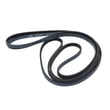
- Drive components (belt, coupler, transmission-related wear depending on design)
- Bearings and seals (especially if leaks go unnoticed)
- Drain pump wear or clogs
- Lid switch or door lock issues
- Control components (timer or electronic control, depending on model)
Use these habits to extend washer life and reduce breakdowns:
- Level the washer and keep it from walking during spin
- Avoid chronic overloading; it accelerates bearing and suspension wear
- Use the right detergent amount (too much can cause residue and odors)
- Inspect hoses periodically and replace if cracked or bulging
- Address new noises early (grinding, roaring, or thumping)
| Usage pattern | Typical lifespan | Best focus |
|---|---|---|
| Light | 25+ years | Hoses, cleaning, leveling |
| Average | ~25 years | Balanced loads, early noise checks |
| Heavy | 15 to 20 years | Avoid overloads, fast leak repairs |
A long-lived washer is usually the result of controlling vibration, preventing water damage, and replacing small wear parts before they take out major components. For model-specific care and safety guidance, follow the ADG3SRGS115TW01-START-S owner’s manual.
Last updated: January 2026
What are common problems with Speed Queen dryers?
Common problems with the Speed Queen ADG3SRGS115TW01-START-S dryer include no heat, no tumble, or no start; the most frequent root causes are restricted venting and lint buildup, plus normal wear of safety switches and drive components. We start with airflow and basic checks before replacing parts (see the ADG3SRGS115TW01-START-S owner's manual).
- Dryer won’t heat (gas models): restricted venting, igniter failure, gas supply issue, or a failed control/safety device
- Dryer won’t start: door switch issue, start switch issue, power supply problem, or motor problem
- Dryer runs but won’t tumble: worn drum support components, belt or motor issue
- Long dry times: clogged lint screen, crushed/kinked vent, blocked exhaust hood
- Unusual noise (thumping/squealing): worn drum rollers or roller brackets
- Clean the lint screen and confirm strong airflow at the outside vent hood.
- Inspect the vent run for kinks, crushing, or heavy lint restriction (the manual notes plugged or restricted venting is a common service-call cause).
- Avoid overloading; large loads can reduce tumbling and increase wrinkles.
- If you smell gas: follow the safety steps in the manual and stop using the dryer.
| Symptom | Part to consider | What it affects |
|---|---|---|
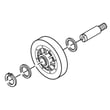
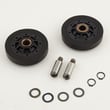
| Thumping or rumbling | Cylinder roller D510708P | Drum support and smooth tumbling |
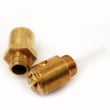
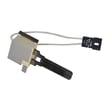
| No heat (gas) | Igniter and bracket assembly D510184P | Ignition of the burner |
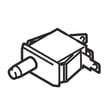
| No start or intermittent start | Switch D512973 | Start/door circuit depending on location |
| Humming, no run, or weak tumbling | Dryer drive motor D511629P | Drum rotation and blower drive |
Airflow problems do more than slow drying; they can cause overheating, nuisance shutdowns, and extra wear on components. Keeping venting clear is the fastest way to restore performance and prevent repeat failures.
Last updated: January 2026
Why is my Speed Queen dryer not starting?
If your Speed Queen dryer model ADG3SRGS115TW01-START-S won’t start, the most common causes are a door that isn’t fully closed, a timer/start control that isn’t engaged correctly, or a home power issue (blown fuse or tripped breaker). Follow the checks in the ADG3SRGS115TW01-START-S owner’s manual to confirm the correct start procedure.
- Confirm the loading door is fully closed; the dryer will not run with the door open.
- Push or turn the START mechanism correctly (some versions require pushing the timer knob in to start).
- Turn the timer knob further into the cycle and try again.
- Check the home electrical supply: reset the breaker and check for blown or loose fuses.
- If the motor overload protector tripped, wait 10 minutes and try starting again.
If the basics above check out, these components commonly stop a dryer from starting:
- Door switch (fails to “prove” the door is shut)
- Start switch (fails to send power to the motor circuit)
- Drive motor (can hum, stall, or trip overload)
If you’re diagnosing a switch issue, the model’s Speed queen switch D512973 is one of the switch parts used on this platform.
| What you notice | Most likely cause | What to do |
|---|---|---|
| Nothing happens at all | No power, timer not engaged | Check breaker/fuses; set timer deeper into cycle |
| Starts then stops quickly | Motor overload tripped | Wait 10 minutes; improve airflow and retry |
| Door must be slammed to start | Door switch misaligned/worn | Inspect latch and switch mounting |
| Hums but won’t tumble | Motor or drive system drag | Check drum support and motor condition |
A no-start condition is often a simple control or power-supply issue, but repeated overload trips can point to airflow restriction or mechanical drag that can overheat the motor and shorten component life.
Last updated: January 2026
How do I reset a Speed Queen dryer?
Most Speed Queen dryers, including model ADG3SRGS115TW01-START-S, do not have a dedicated “reset” button; restarting is typically done by stopping the cycle and then starting it again. Close the door, reset the timer or cycle if needed, then press Start (or push in the timer knob) to run.
- Open the dryer door to stop the dryer.
- Turn the timer knob to Off (or to a new cycle setting).
- Close the door firmly.
- Select the fabric/temperature setting you want.
- Press Start (or push in the timer knob, depending on your control style).
For the exact control steps and cycle details for your unit, follow the ADG3SRGS115TW01-START-S owner's manual.
These checks solve most “won’t start” situations on a gas or electric dryer:
- Confirm the door is fully closed and the latch is engaging.
- Make sure the control is not set to an end-of-cycle or “cooling” portion.
- Verify the dryer has power (breaker not tripped, cord seated).
- If it is a gas dryer, confirm the gas shutoff valve is fully open.
- If the start control feels loose or inconsistent, inspect the start switch and wiring; a common replacement is the switch D512973 when it matches your symptom and wiring layout.
| What you want to do | What to do | What you should see |
|---|---|---|
| Stop the dryer | Open the door or turn the timer to Off | Drum stops immediately |
| Restart the dryer | Close door, reset timer if needed, press Start/push timer knob | Drum begins tumbling |
A “reset” on this style of dryer is really a safe restart of the timer and door switch circuit. Doing the stop-then-restart sequence prevents false no-start symptoms and helps you confirm whether the issue is a control setting, power supply, or a failed start component.
Last updated: January 2026