 Owner’s manual
 Error Codes










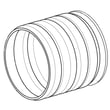
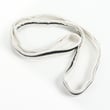
Can I fix a D80 error myself?
Yes, in many cases you can address a D80 airflow restriction warning on your LG DLEX7600WE dryer yourself by cleaning the lint filter and checking the entire vent path for kinks, crushed ducting, or lint buildup. D80 points to restricted exhaust airflow, not a failed dryer cycle.
What D80 means on DLEX7600WE
On this model, the Flow Sense™ system can show d80 when it detects a significant restriction in the external venting. The dryer may still run, but drying times and energy use typically increase.
Safe DIY steps to try first
- Turn the dryer off and let it cool.
- Clean the lint filter thoroughly (remove any fabric softener residue).
- Check the transition duct behind the dryer for crushing or sharp bends.
- Inspect the outside vent hood for a stuck damper, lint mat, or blockage.
- If the vent run is long or has multiple elbows, consider shortening or straightening it.
For model-specific venting guidance and duct length limits, use the DLEX7600WE manual.
When to stop and call a pro
If you see d90/d95 (severe blockage) or you cannot restore strong airflow at the outside vent, we recommend having the household duct cleaned/inspected by a qualified duct cleaning service.
Quick airflow check
| Check | What you want to see | What it suggests if not |
|---|---|---|
| Outside vent hood while running | Strong, steady airflow | Blocked/long/crushed duct |
| Damper door | Opens fully | Lint jam, damaged hood |
| Drying time | Normal for load type | Ongoing restriction |
Why it matters
Restricted venting can cause long dry times and overheating. Keeping airflow clear helps protect components like thermostats and improves overall dryer performance.
Optional reference if you want more background on LG codes: LG steam dryer error codes.
Last updated: January 2026
What is the most common problem with LG dryers?
For the LG DLEX7600WE dryer, the most common issue we see is long dry times caused by restricted airflow, usually from a clogged lint screen or a blocked/crushed exhaust vent. This model even monitors vent restriction with Flow Sense, so airflow problems tend to show up early. See the airflow and maintenance sections in the DLEX7600WE owner’s manual.
What to check first (fast, high-impact)
- Clean the lint screen before every load; if it has fabric softener residue, wash and fully dry it.
- Check the outside vent hood while the dryer runs; you should feel strong airflow.
- Inspect the vent path behind the dryer for kinks, crushing, or excessive length and elbows.
- Avoid overloading; heavy fabrics and packed loads dry much slower.
- If Flow Sense shows restriction repeatedly, have the household duct professionally cleaned.
Common symptoms and likely causes
| Symptom | Most likely cause | What to do next |
|---|---|---|
| Clothes take too long to dry | Vent restriction or dirty lint screen | Clean lint screen; inspect/clean venting |
| Dryer shuts off or seems to “overheat” | Airflow restriction triggering safety controls | Correct venting; reduce load size |
| No heat (electric model) | Heating circuit issue or failed heater component | Verify power supply; test heater components |
| Beeps and won’t start | Child Lock enabled | Hold the Child Lock button for 3 seconds |
When a part is a strong suspect
If airflow is good and dry times are still poor, a failed heating or sensing component can be involved. For this model, common service parts include:
- Dryer lint screen by LG 5231EL1001C (if the screen is torn, warped, or won’t seat correctly)
- LG dryer heating element 5301EL1001H (if the dryer runs but does not heat)
- Dryer thermistor AGM30045804 (if temperature sensing is inaccurate)
- Dryer moisture sensor 6500EL3001A (if sensor dry cycles end too soon or act erratically)
Why it matters
Restricted airflow is the root cause behind many LG dryer complaints because it increases drying time, wastes energy, and can lead to repeated shutdowns. Keeping the lint screen and venting clear is the best way to protect performance on the DLEX7600WE.
Last updated: January 2026
How do I reset my LG dryer flow sensor?
On the LG DLEX7600WE, the Flow Sense (duct blockage) indicator typically clears after you remove the airflow restriction and then run several normal drying cycles; you can also do a simple power reset by unplugging the dryer for about 5 minutes. Use the steps in the DLEX7600WE owner’s manual to run the built-in duct check test if the warning keeps returning.
Reset steps for Flow Sense on DLEX7600WE
- Clean the lint filter and reinstall it fully.
- Inspect and clean the vent path: transition duct behind the dryer, wall duct, and outside vent hood.
- Power reset: unplug the dryer (or switch off the breaker), wait 5 minutes, then restore power.
- Run a normal heated cycle (no special settings) and monitor the indicator.
- If the indicator stays on, run multiple consecutive cycles; this model may need up to 5 cycles after the restriction is cleared before the indicator resets.
Use the built-in “Installation Test (Duct Check)”
This model includes a duct check that helps confirm whether airflow is still restricted.
| Result on display | What it usually means | What to do next |
|---|---|---|
| No bars | Airflow is acceptable | Resume normal use |
| 4 bars / severe restriction | Venting is heavily restricted | Stop using until venting is cleaned/repaired |
If the warning persists after vent cleaning
If airflow is strong at the outside vent hood and the warning still won’t clear, we treat it as a troubleshooting issue rather than a “reset button” issue.
Common next checks:
- Crushed, kinked, or overly long transition duct
- Blocked vent hood damper (won’t open fully)
- Lint buildup inside the blower housing or exhaust duct
- A sensor or control issue (less common)
If you suspect an airflow component inside the dryer is damaged or packed with lint, inspect the exhaust duct and blower area; the dryer exhaust duct 5209EL1006A is one of the venting components used on this model.
Why it matters
Flow Sense is designed to alert you to restricted exhaust airflow, which can cause long dry times, higher energy use, and overheating. Clearing the vent restriction is the real “reset” that keeps the warning from coming back.
Last updated: January 2026
What is the life of an LG dryer?
We can’t confirm an exact “expected life” for the LG DLEX7600WE from model-specific documentation; LG does not publish a single guaranteed lifespan in the use and care information. In typical home use, many dryers last for years, and good airflow and maintenance are the biggest factors.
What we can confirm for LG DLEX7600WE
The best model-specific guidance is maintenance and installation practices that reduce heat stress and wear. See the maintenance and venting sections in the DLEX7600WE owner’s manual.
- Clean the lint filter before every load
- Keep the exhaust duct clear and properly routed
- Avoid overloading; it strains the motor and drum support system
- Use Sensor Dry cycles when possible to reduce overdrying
- Address error codes and airflow warnings promptly
Biggest factors that shorten dryer life
Most premature failures come from overheating, restricted airflow, or heavy mechanical wear.
- Clogged lint filter or lint buildup in the housing
- Restricted venting (crushed duct, long run, too many elbows)
- Running the dryer in a hot, tight, or poorly ventilated space
- Frequent overloading or unbalanced bulky loads
- Ignoring warning signs (burning smell, long dry times, loud rumbling)
Parts that often show wear first (and what you’ll notice)
If performance drops or noise increases, these model-compatible parts are common suspects.
| Symptom | What it can point to | Example model-compatible part |
|---|---|---|
| Thumping or rumbling | Worn drum support components | Dryer drum support roller 4581EL2002L |
| Squealing | Idler pulley wear | LG dryer idler pulley 4561EL3002A |
| Long dry times (with good venting) | Heating or sensing issues | LG dryer heating element 5301EL1001H |
Why it matters
A dryer that runs with poor airflow has to run hotter and longer, which increases wear on the heater, thermostats, motor, and drum support system. Keeping venting and lint areas clean is the simplest way to extend service life.
Last updated: January 2026










