Installation guide
 Error Codes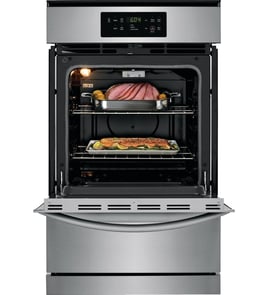



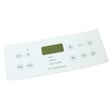
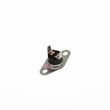

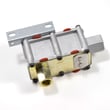
How do I know which Frigidaire oven model I have?
To identify your Frigidaire gas wall oven model, locate the model and serial tag on the oven frame or behind the lower access area, then match the model number exactly (for example, FGB24S5ASC) when ordering parts or checking installation requirements in the installation guide.
Where to look for the model and serial tag
Check these common locations on a Frigidaire wall oven:
- Open the oven door and look along the door frame (left or right side) and the front frame of the oven cavity
- Look behind the lower front panel or lower access area (some units have a lower panel or drawer-style access)
- Check the side trim area near the center vent trim if the tag is positioned near the front frame
- If the oven is installed in a cabinet cutout, the tag is often easiest to read with the door open and a flashlight
How to record it correctly
Use the exact characters from the tag so you get the right diagrams and parts for your unit.
- Write down the model number and serial number exactly as shown
- Take a clear photo for future reference (it helps when ordering parts)
- Match the full model number, not just the brand name or “series”
- Keep the information with your home records for service visits
| What you’ll see | What it’s used for |
|---|---|
| Model number (example: FGB24S5ASC) | Correct parts lookup, fit, and compatibility |
| Serial number | Production details used for service and revisions |
Why it matters
On a gas wall oven like FGB24S5ASC, the model number can affect key installation and service details such as cabinet cutout dimensions, venting requirements, and electrical outlet location. Using the exact model number helps prevent ordering the wrong igniter, temperature sensor, or gas valve.
Last updated: January 2026
How to reset a Frigidaire wall oven?
To reset your Frigidaire FGB24S5ASC gas wall oven, turn the oven off, then disconnect power for about 1 minute and restore power. This clears many control glitches and lets you see if an error code or heating problem returns right away.
Reset steps (safe, basic)
- Turn the oven control to OFF.
- Unplug the power cord from the grounded receptacle (or switch the circuit breaker OFF).
- Wait 60 seconds.
- Restore power.
- Set Bake to 300°F and watch for normal ignition and cycling.
If the oven still will not heat after a reset
A reset will not fix a failed ignition or temperature feedback problem. For this model, common no-heat symptoms often point to the igniter, bake burner, gas valve, or temperature sensor.
- If you do not see the burner ignite within about a minute during a Bake test, check the igniter circuit and burner.
- If the oven heats but temperatures are inaccurate or it shuts off early, the sensor is a common suspect.
Parts that commonly relate to “won’t heat” or error symptoms
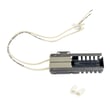
- Frigidaire range oven burner igniter 5303935066
- Frigidaire range oven temperature sensor 316217002
- Wall oven gas valve 5303210798
- Range bake burner 5303210787
Quick troubleshooting guide (what you observe matters)
| What you notice | Most likely area to check | Typical next step |
|---|---|---|
| No glow from igniter | Power to igniter, wiring, igniter failed | Inspect wiring; test igniter resistance |
| Igniter glows but no flame | Gas supply, gas valve, burner | Confirm shutoff valve is open; check valve operation |
| Flame starts late or weak | Igniter getting weak, burner issues | Replace igniter if delayed ignition persists |
| Oven temp swings widely | Temperature sensor, control | Test/replace sensor; verify calibration if available |
Why it matters
Resetting restores the control to a known state, but a gas wall oven still needs reliable electrical power and a working igniter system to light the burner. If ignition is delayed or inconsistent, it can cause poor baking results and repeated shutdowns.
Safety notes before you service anything
- Disconnect electrical power before servicing.
- Shut off the gas supply before removing the oven for service.
- Check gas connections for leaks using a liquid leak detector (never a flame).
For model-specific installation and safety details, follow the FGB24S5ASC installation guide.
Last updated: January 2026
How to fix F050 error code frigidaire oven?
On the Frigidaire FGB24S5ASC gas wall oven, an F050 code is handled like a control input or communication fault: reset power, then check the door switch area and wiring connections to the control. If the code returns, the oven control circuit typically needs service or replacement.
Safe reset (start here)
- Turn the oven control to OFF.
- Shut off power at the breaker for 1 minute, then restore power.
- If the display comes back with F050, do not keep cycling power repeatedly; move to the checks below.
- If you smell gas at any time, stop and have the gas supply checked by a qualified technician.
What to inspect next (most common)
- Door switch and plunger: confirm the plunger moves freely and the switch clicks consistently.
- Wire harness connections: reseat connectors at the door switch and behind the control panel.
- Pinched or heat-damaged wires: look for brittle insulation, discoloration, or loose terminals.
- Moisture or corrosion: especially around the control panel and connector pins.
- Loose mounting or vibration: make sure the control panel and harness are secured.
Quick checks and what they tell you
| What happens | What it points to | What we do next |
|---|---|---|
| F050 clears and stays gone | Temporary glitch or loose connection | Monitor; recheck connectors if it returns |
| F050 returns right away | Stuck switch, bad connection, or failed control input | Inspect door switch and harness; then test control circuit |
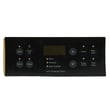
| Oven acts erratic (beeps, cancels, won’t start) | Control panel or control board issue | Verify wiring first; then replace the failed control component |
Parts that can be involved (when symptoms match)
If the oven also will not heat, these model-compatible parts are commonly checked during diagnosis:
- Range bake burner 5303210787 (if bake flame never establishes)
- Frigidaire range oven temperature sensor 316217002 (if temperature readings are unstable)
Why it matters
An F050 fault can stop bake or broil and can cause the oven to shut down unexpectedly. Checking the door switch and harness first prevents replacing a control when the real issue is a loose connector.
For installation-related electrical and gas safety basics, follow the FGB24S5ASC installation guide.
Last updated: January 2026