Installation guide
 Owner’s manual
 Error Codes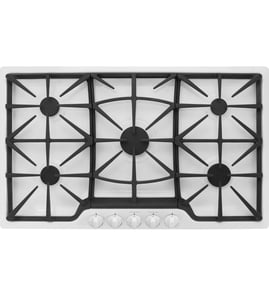





Why does my GE gas cooktop igniter keep clicking?
On the GE CGP95362M1S2 gas cooktop, the igniter keeps clicking when the spark system still “thinks” the burner has not lit. The most common causes are the knob left in LITE, moisture or soil around the electrode, or burner parts not seated correctly (so the flame does not carry properly).
Quick fixes to try first
- Turn the knob out of LITE to your desired flame setting; clicking should stop once it is out of LITE.
- If it keeps clicking, turn the burner OFF, wait a few seconds, then relight.
- Dry the burner area thoroughly after cleaning or boil-overs; moisture can keep the igniter sparking.
- Remove and reseat the burner cap and head so they sit flat and centered.
- Clean food residue from the burner ports and around the electrode tip.
What to check on the burner assembly
Improper burner assembly is a top reason for uneven flame and repeated sparking. Use the diagrams and cleaning steps in the CGP95362M1S2 owner’s manual.
| What you see | Likely cause | What to do |
|---|---|---|
| Clicking stops when you move off LITE | Normal operation | Set flame level; no repair needed |
| Clicking continues after flame is steady | Wet/dirty electrode area | Dry and clean around electrode |
| Flame is weak or uneven and clicking continues | Cap/head misaligned or ports clogged | Reseat parts; clean ports |
| Burner will spark but not ignite | Cooktop locked or gas/power issue | Unlock; verify gas and power |
Parts that commonly affect ignition
If cleaning and reseating do not help, inspect for cracks, heavy corrosion, or damage to burner components.
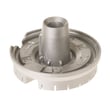
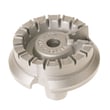
- Cooktop burner head WB16X28764 (distributes gas and shapes the flame)
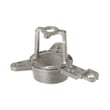
- Cooktop burner base WB16X28656 (supports burner head and alignment)
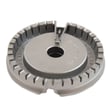
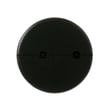
- Range surface burner cap WB28K10222 (helps stabilize flame and proper ignition)
Why it matters
Continuous clicking can mean the burner is not lighting consistently, which can lead to delayed ignition, uneven cooking, and extra wear on the igniter system. Correct burner alignment and a clean, dry electrode area usually restores normal operation.
Last updated: February 2026
Where is the igniter on my GE profile stove top?
On your GE CGP95362M1S2 gas cooktop, the igniter (spark electrode) sits right next to each surface burner head; you can see the electrode once you lift off the burner cap and remove the burner head. Keep it clean and avoid bumping it, since it can crack.
How to locate it (quick steps)
- Turn all knobs to OFF and let the cooktop cool completely.
- Lift off the burner grate.
- Remove the burner cap.
- Lift off the burner head; the spark electrode is the small ceramic post beside the burner base.
- Wipe spills around the electrode carefully; do not scrape or strike it.
For diagrams and the correct burner-part order for this model, use the CGP95362M1S2 owner’s manual.
What you should see under the burner
The igniter is not a separate “module” on top; it is the electrode tip positioned to spark across to the burner.
| What you remove | What it does | What it exposes |
|---|---|---|
| Burner cap | Spreads flame evenly | Top of burner head |
| Burner head | Directs gas through ports | Electrode and burner base |
| Burner base (if removed) | Supports burner assembly | More access for cleaning |
If the burner clicks but will not light
These checks match the most common causes on GE gas cooktops:
- Make sure the burner cap is seated flat and centered.
- Dry the burner parts thoroughly after cleaning; trapped moisture causes weak ignition.
- Clean clogged burner ports and wipe spills around the electrode.
- Confirm the knob is turned to LITE, then move it off LITE once the flame is established.
- Verify power and gas supply are on (spark ignition needs electricity).
Why it matters
A dirty or wet electrode area, or a mis-seated burner cap, can prevent proper sparking and cause delayed ignition, uneven flames, or constant clicking. Correct assembly and gentle cleaning protect the igniter and restore reliable lighting.
Last updated: February 2026
How to find model number GE cooktop?
For the CGP95362M1S2 gas cooktop, the model and serial numbers are on the rating label under the cooktop. Once you copy the full model number exactly, we can match the correct parts list, diagrams, and installation details for your unit.
Where to look (fastest checks first)
Use these common label locations for built-in GE-style gas cooktops:
- Under the cooktop (view from inside the cabinet below)
- On the underside of the cooktop chassis near the center
- Near the gas inlet/regulator area on the underside
- Along an underside edge near the countertop cutout
The location is also stated in the CGP95362M1S2 owner’s manual.
How to record the number correctly
To avoid ordering the wrong burner parts, knobs, or valves:
- Write the model number exactly as printed (letters and numbers)
- Record the serial number too
- Take a clear photo before you reinstall or lower the cooktop
- Keep the label info with your paperwork for future repairs
What you will use the model number for
| What you are doing | Why the model number matters |
|---|---|
| Buying replacement parts | Confirms fit for burner caps, burner heads, grates, and knobs |
| Checking installation specs | Matches cutout, gas supply location, and conversion instructions |
| Troubleshooting | Aligns symptoms with the correct component layout |
Why it matters
Cooktops that look the same can use different burner sizes and gas components. Using the exact CGP95362M1S2 model number prevents mismatched parts and saves time during repair.
Last updated: February 2026
Why is my GE cooktop not working?
If your GE CGP95362M1S2 gas cooktop is not working, the most common causes are no power to the igniters, the gas supply being off, or burner parts (cap/head/base) being dirty, wet, or seated incorrectly. Start with power, gas, then burner assembly and cleaning.
Quick checks (fastest fixes first)
- Confirm the cooktop is plugged into a live, properly grounded outlet (no extension cord); see the CGP95362M1S2 owner's manual.
- Check your home fuse or reset the circuit breaker.
- Verify the gas shutoff valve is open and the supply is connected; see the CGP95362M1S2 installation guide.
- Make sure the cooktop is not in control lock mode (unlock it at the controls).
- Remove burner parts, dry them fully, then reinstall with the cap seated flat.
Burner parts that commonly cause “won’t light”
Dirty ports or a mis-seated cap can prevent ignition or cause uneven flames. On this model, these parts are often involved:
- Range surface burner cap WB28K10222 (cap not seated correctly is a top cause)
- Cooktop burner head WB16X28764 (ports can clog)
- Cooktop burner base WB16X28656 (alignment matters)
Correct burner assembly checklist
- Cap sits level and centered on the burner head
- Burner head matches the correct location/size
- Electrode area is clean and not bent or cracked
- No standing water around the electrode
What the symptoms usually mean
| Symptom | Most likely cause | What to do |
|---|---|---|
| No clicking on any burner | No power, tripped breaker | Restore power, reset breaker |
| Clicking but no flame | Gas off, wet/dirty burner parts | Turn on gas, dry/clean and reseat |
| One burner won’t light | Clogged ports, soiled electrode | Clean ports and electrode area |
| Clicking continues after lighting | Knob left in LITE | Turn knob to a flame setting |
Why it matters
A gas cooktop needs both electricity (for spark ignition) and proper gas flow. Even a small spill or a slightly misaligned burner cap can block ignition, cause yellow flames, or create uneven heating.
Last updated: February 2026