 Installation guide
 Owner’s manual
 Error Codes




How do you reset a Bosch wall oven?
To reset your Bosch HBN8651UC wall oven, turn the oven off at the home circuit breaker for 5 minutes, then turn the breaker back on. This power reset clears many control glitches and can stop beeping after a fault code.
Quick reset steps (recommended)
- Turn the oven OFF at the circuit breaker (not just the control panel).
- Wait 5 minutes.
- Turn the breaker ON.
- Set Bake and confirm the oven heats normally.
- If an E + number code returns, write it down for troubleshooting.
If the control panel will not respond
Sometimes the oven is not “frozen”; it is locked.
- Check Panel Lock: press and hold Panel Lock for 3 seconds (works in standby mode).
- Make sure the control surface is clean and dry.
- Touch the center of the key using the flat part of your finger.
What the display and beeping usually mean
If you see “E” and a number and the control beeps, that is a fault code. Press any key to stop the beeping, then do the breaker reset above. If the code comes back, use the code to guide the next repair step (for example, checking wiring connections or heat-related protection devices).
Common symptoms and what to check
| Symptom | What to do first | What it points to |
|---|---|---|
| Control beeps with E-code | Press any key, then breaker reset | Fault condition stored in control |
| Keys do not react | Disable Panel Lock; clean/dry panel | Panel lock or touch technique issue |
| Cooling fan runs after shutoff | Let it run until oven cools | Normal operation |
Why it matters
A breaker reset restores the oven’s control to a known good state. It is the fastest way to separate a one-time electronic glitch from an ongoing issue that needs diagnosis (like overheating, wiring problems, or a failed component).
For model-specific operating details and settings (including Panel Lock and troubleshooting), use the HBN8651UC owner's manual.
Last updated: February 2026
What are the common problems with Bosch ranges?
Common Bosch cooking-appliance problems usually come down to heating issues, fan or airflow problems, door and latch concerns, and control or display glitches. For your Bosch HBN8651UC electric built-in oven, the fastest way to narrow it down is to match the symptom to the heating circuit, cooling system, or control system shown in the owner's manual.
Most common symptoms we see
- Oven not heating or takes too long to preheat (bake or convection)
- Uneven baking or hot spots (convection airflow or element performance)
- Fan runs loud, runs constantly, or does not run (cooling fan or convection fan)
- Self-clean will not start or stops (door lock or overheat protection)
- Display blank, beeping, or buttons not responding (control or display board)
- Oven shuts off mid-cycle (thermal fuse or overheating condition)
Quick checks before replacing parts
- Confirm the oven is getting full power (a tripped breaker can leave you with partial heat).
- Try a basic reset: turn the breaker off for 1 minute, then back on.
- Test bake vs. convection: if one mode works and the other does not, focus on that circuit.
- Listen for airflow: a working cooling fan typically comes on as the oven heats up.
- If self-clean is involved, verify the door fully closes and latches.
Common problem-to-part mapping (HBN8651UC)
| Symptom | Likely area | Parts that often relate |
|---|---|---|
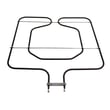
| No bake heat | Bake circuit | Wall oven bake element 00791650 |
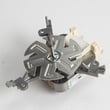
| Poor convection performance | Convection circuit | Wall oven convection element 00755059, thermador wall oven convection fan motor 00642845 |
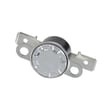
| Oven overheats or shuts down | Safety/airflow | Wall oven thermal fuse 00631343, wall oven cooling fan assembly 00759374 |
| Self-clean will not lock/unlock | Door lock system | Wall oven door lock assembly 00631192 |
Why it matters
Heating and airflow problems can trigger over-temperature protection, shorten component life, and cause inconsistent cooking results. Catching a weak element, failing fan motor, or a restricted cooling path early helps prevent repeat shutdowns and nuisance errors.
Last updated: February 2026
Do wall ovens need 220?
Yes. The Bosch HBN8651UC electric built-in wall oven is designed for a dedicated high-voltage circuit; in most homes that means 208V, 220V, or 240V supply (often referred to as “220”). For exact wiring requirements and junction box placement, follow the installation guide.
What voltage should I expect at my home?
Most electric wall ovens are rated for 240V nominal, but many installations use 208V (common in some condos and multi-unit buildings). Your oven will typically operate on either.
- 240V / 220V: common in single-family homes
- 208V: common in some multi-family buildings
- A wall oven should be on a dedicated circuit (not shared with other appliances)
- The oven connects through a junction box (hardwired), not a standard outlet in many installs
Installation details that matter for HBN8651UC
Your installation instructions call out practical placement and support requirements that affect electrical hookup.
- Junction box can be above or beneath the unit for many wall-cabinet installs
- The conduit box location must be within reach of the power cable/conduit
- Cabinet base must be flat, level, and properly supported
- Allow clearance at the end of a cabinet run (commonly at least 1 1/4 inch to an adjacent wall/door)
Quick compatibility guide
| Home supply | Common name | Typical result |
|---|---|---|
| 240V | “240” | Full rated performance |
| 220V | “220” | Normal operation (treated as 240V class) |
| 208V | “208” | Normal operation; preheat may be slightly slower |
Why it matters
Correct voltage and a properly sized dedicated circuit help prevent nuisance shutdowns, weak heating performance, and overheating at the junction box. If the oven is completely dead after installation, a blown safety device such as the wall oven thermal fuse 00631343 is one possible cause, but we always start by confirming supply voltage and connections.
Last updated: February 2026
What is the error code E115 on a Bosch wall oven?
On the Bosch HBN8651UC electric built-in oven, error code E115 indicates the oven is detecting an over-temperature condition (the control senses the cavity temperature is too high for the selected mode). The oven may beep and flash the display; stop the cycle and let the oven cool before troubleshooting.
What to do first (safe, quick checks)
- Cancel the cooking mode and keep the door closed until the beeping stops.
- Let the oven cool completely; then restore power and try a simple Bake test.
- Make sure the oven vents are not blocked and the cooling fan area is clear.
- If the code appeared during Self Clean, end the cycle and allow an extended cool-down.
- If the display continues to flash and beep after cooling, schedule service.
Common causes of E115
E115 is usually triggered by a heat-control problem, such as:
- Cooling fan not running or restricted airflow
- Temperature sensor circuit issue (sensor out of range, wiring problem)
- Relay/control board sticking on and overheating the cavity
- Door not sealing correctly, causing abnormal heat patterns
Parts that often relate to overheating symptoms
If you are diagnosing an overheating or runaway-heat complaint, these model-related parts are commonly involved:
| Symptom you notice | What to check | Example part for this model |
|---|---|---|
| Oven gets too hot, cabinet area feels unusually warm | Cooling airflow | Wall oven cooling fan assembly 00759374 |
| Oven heats but temperature control seems unstable | Heat source control and feedback | Wall oven bake element 00791650 |
| Oven shuts down after overheating | Overheat protection | Wall oven thermal fuse 00631343 |
Why it matters
An over-temperature error protects the oven and surrounding cabinetry from heat damage. Repeated E115 events can point to a failing cooling system or an electrical control issue that needs correction before normal baking, broiling, or self-cleaning.
For model-specific operating guidance and what to do when the display flashes and beeps continuously, follow the troubleshooting and safety sections in the HBN8651UC owner's manual.
Last updated: February 2026





