 Owner’s manual
 Error Codes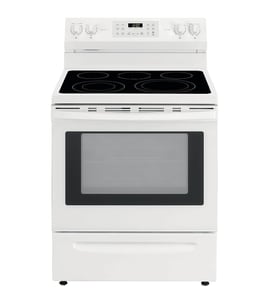

How to reset Bosch oven error?
To reset an error on your Bosch HDI7282U dual-fuel range, press OFF to clear the display; if the error returns or the control keeps beeping, reset power at the breaker for a few minutes so the oven control can reboot.
- Press OFF to stop beeping and clear the fault code.
- Wait 30 seconds and try a simple function like Bake.
- If the code comes back, turn OFF the range at the circuit breaker.
- Wait 5 minutes, then turn the breaker back ON.
- Set the clock if needed, then test Bake again.
A locked control panel can prevent buttons from working and can be mistaken for a fault.
- Open the SELECT FUNCTIONS menu.
- Turn the knob until LOCK KEYS flashes.
- Press START to lock.
- To unlock: press and hold COOKING MODE for 5 seconds.
Reference: HDI7282U user manual
If you see “F” plus a number and the oven keeps beeping after you clear it:
- Press OFF to clear the display.
- Reset power at the breaker (5 minutes) and recheck.
- Write down the exact code (example: Fxx) and when it happens (preheat, broil, self-clean).
- If it repeats, schedule service with a qualified technician.
| Situation | What we recommend | What it does |
|---|---|---|
| Beeping with an “F” code | Press OFF | Clears the display and stops beeping |
| Door locked and will not release after cooling | Breaker reset (OFF 5 minutes, then ON) | Resets the control so the lock can release |
| Controls not responding | Check LOCK KEYS setting | Restores keypad operation |
Resetting the control clears temporary glitches and restores normal operation. Recording the exact fault code helps pinpoint whether the issue is a control setting, a power interruption, or a component problem.
Last updated: February 2026
What is E305 on Bosch range?
On a Bosch HDI7282U dual-fuel range, error code E305 points to an electronic control fault that stops normal oven operation. The most reliable next step is a power reset, then using the model’s troubleshooting and service guidance in the HDI7282U owner’s manual.
- Turn the range off at the circuit breaker for 2 to 5 minutes; then restore power.
- If E305 returns, avoid using Bake, Broil, or Self-Clean until the issue is corrected.
- Let the oven cool completely; heat-soak around the control area can trigger faults.
- Make sure the oven vent is not blocked by foil, pans, or a tight-fitting backsplash.
- If the display is blank, flickering, or the oven shuts off mid-cycle, plan for service.
E305 is typically triggered by one of these conditions:
| Likely cause | What you may notice | Practical next step |
|---|---|---|
| Power interruption or unstable supply | Code after outage or breaker trip | Reset power; confirm a steady electrical supply |
| Overtemperature or poor cooling airflow | Code after long bake or high-heat use | Cool down; verify venting and cooling fan operation |
| Loose or damaged wiring connection | Intermittent code, especially after moving the range | With power off, check accessible connectors and harness routing |
| Failed electronic component | Code returns immediately after reset | Professional diagnosis; replace the failed part as needed |
Bosch ranges use a cooling fan to protect the control area from heat. It is normal for the fan to run after the oven is turned off until temperatures drop. If the fan is weak or not running, control faults can happen more often.
A common related replacement part is the range oven cooling fan assembly 00448635.
When E305 appears, the range is protecting itself by stopping operation. Clearing the underlying power, heat, or control issue prevents repeat shutdowns and helps avoid damage to the control system.
Last updated: February 2026
What is the average lifespan of HDI7282U?
A Bosch dual-fuel range like model HDI7282U typically lasts 13 to 15 years with normal household use. Regular cleaning, proper ventilation, and fixing small issues early (like a noisy fan or weak ignition) help you reach that lifespan.
- Heat stress from frequent high-temp baking or self-clean cycles
- Ventilation and airflow around the oven and control area
- Electrical stability (power surges can shorten control and sensor life)
- Gas burner cleanliness (clogged ports cause poor flame and extra strain)
- Timely part replacement when symptoms start
Use your HDI7282U owner’s manual for model-specific care steps and cleaning guidance.
- Keep burner heads and caps seated correctly after cleaning
- Wipe spills promptly to protect door seals and interior finishes
- Avoid slamming the oven door; it stresses hinges and glass mounts
- Replace dim or failed oven lighting with the correct bulb type
- If you hear loud cooling-fan noise, address it before it overheats components
| Symptom | Likely area | Typical fix |
|---|---|---|
| Oven runs hot, fan loud, or fan not running | Cooling/airflow | Inspect and replace the range oven cooling fan assembly 00448635 if failing |
| Oven light out | Lighting | Replace the wall oven light bulb, 40-watt 00623710 |
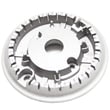
| Uneven flame or burner not lighting well | Burner components | Clean burner ports; replace the range surface burner head 00423442 if damaged |
Knowing the expected lifespan helps you decide whether to repair or replace. On a dual-fuel range, replacing a single failed component (fan, burner part, bulb) often restores reliable performance for years.
Last updated: March 2026




