 Error Codes

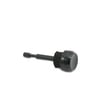
What is the error code F5 on Magic Chef?
On the Magic Chef 59F-5TXW electric wall oven, an F5 error typically points to a control problem (a watchdog or hardware conflict) that can involve the electronic oven control (clock/control board) or its wiring. Start by resetting power; if F5 returns, focus on control and harness checks.
What to do first (safe, quick checks)
- Turn the breaker OFF for 5 minutes, then restore power to clear a temporary glitch.
- If the code returns immediately, avoid repeated resets; it usually indicates an ongoing fault.
- Confirm the oven is not overheating; excessive heat can trigger control faults.
- If the display is erratic or buttons act on their own, suspect the control or keypad circuit.
- If you recently moved the oven or serviced it, recheck for a loose connector at the control.
Common causes of an F5 code
| Likely cause | What you may notice | Typical fix |
|---|---|---|
| Electronic control issue | F5 returns after reset, random beeps | Replace control (clock/control board) |
| Wiring/connector problem | Intermittent F5, happens when door is moved | Reseat/repair harness connections |
| Temperature sensing problem (less common) | Temperature swings, long preheat | Test/replace sensor if out of range |
Parts that can be involved
If you are also seeing temperature problems (overbaking, underbaking, or big swings), the oven temperature sensor is a common item to test and replace.
Why it matters
An F5 control-related fault can stop baking or broiling mid-cycle and can cause unreliable temperature control. Addressing it early helps prevent repeat shutdowns and protects the oven from overheating conditions.
Last updated: February 2026
Why is my magic chef oven beeping?
On a Magic Chef 59F-5TXW electric wall oven, beeping is most often caused by an active timer/alarm setting or a control issue such as a stuck knob, shorted keypad, or temperature fault that the control is trying to alert you about. Start by canceling the timer and then isolate whether the sound is coming from the clock/control area.
Quick checks that stop most beeping
- Press Cancel/Off (or turn the timer to Off) and wait 60 seconds.
- Make sure no cooking timer, end time, or delayed bake feature is set.
- Turn the oven light on and off; a loose socket can sometimes cause odd behavior when the control is sensitive.
- If the beeping changes when you touch or turn the knob, the knob or control contacts are likely involved.
- If the beeping starts only after preheat, focus on temperature sensing and heating.
Common causes and what to test
| What you notice | Most likely cause | What to do next |
|---|---|---|
| Beeping stops when you turn/press the clock knob | Worn or dirty clock/timer control contacts | Inspect the knob and shaft; if it feels loose or intermittent, replace the knob/control as needed |
| Beeping happens during or after preheat | Temperature sensing problem | Test/replace the oven sensor 12001656 |
| Beeping with poor heating or long preheat | Heating circuit issue | Inspect the bake element WPY04000041 for blisters/breaks; check wiring connections |
| Beeping plus cooling fan running oddly | Fan or airflow issue | Check the fan W10127321 for rubbing, blockage, or loose wiring |
Safe troubleshooting steps (power off first)
- Shut off power at the breaker for 1 minute, then restore power to reset the control.
- If beeping returns, shut power off again and check for:
- Loose wire connectors at the sensor, element, and control area
- Heat damage on wiring insulation
- Moisture or grease around the control knob area
- A failing oven light bulb that is arcing (replace if darkened or loose)
Why it matters
A repeating beep is the oven’s way of warning you about a setting (timer) or a condition that can affect baking accuracy and safety. Addressing it early helps prevent temperature swings, nuisance alarms, and avoidable part failures.
Last updated: February 2026
Why is my Magic Chef oven not lighting?
On a Magic Chef 59F-5TXW electric wall oven, “not lighting” usually means the bake or broil element is not glowing red and the oven is not heating. The most common causes are a failed bake element, a bad temperature sensor, or a power supply problem (one leg of 240V missing).
Quick checks (fastest first)
- Confirm the oven is set to Bake and the temperature is at least 300°F; allow 5 to 10 minutes for the element to glow.
- Check the breaker: wall ovens use 240V; a partially tripped breaker can leave you with lights and a display but no heat.
- Try Broil; if broil heats but bake does not, the bake element is the primary suspect.
- Look for visible damage: blisters, cracks, or burned spots on the lower element.
- If the oven heats inconsistently or overheats, the temperature sensor is a common cause.
Most likely parts to check on model 59F-5TXW
| Symptom | Most likely cause | What we do next |
|---|---|---|
| No bake heat; broil works | Failed bake element | Replace the bake element WPY04000041 |
| Oven heats wrong temp; long preheat | Bad oven temperature sensor | Test/replace the oven sensor 12001656 |
| Neither bake nor broil heats | Power supply or control issue | Verify 240V supply, wiring connections, and control output |
Safe troubleshooting steps
- Turn off power at the breaker before inspecting or replacing parts.
- If you use a meter, follow safe testing practices; see how to use a multimeter to test electrical parts video.
- For element replacement, transfer wires one at a time to the new part to avoid miswiring.
Why it matters
When an element does not glow and heat properly, the oven cannot maintain temperature; that leads to undercooked food, long preheat times, and uneven baking.
Last updated: February 2026





