




What is the most common problem with GE dishwashers?
The most common issues we see on GE dishwashers like model GDT535PYV3FS are drain and wash-performance problems caused by food debris buildup, plus won’t start complaints tied to the door latch or power/control inputs. These problems usually show up as standing water, dirty dishes, or a cycle that never begins.
Most common problems (and what they look like)
- Not draining: water left in the tub, gurgling at the sink, or a bad odor
- Not cleaning well: gritty dishes, cloudy glassware, or food left on the top rack
- Won’t start or stops mid-cycle: lights on but no run, beeps, or intermittent operation
- Leaks: water at the front corners or under the unit
- Not drying: plastics stay wet, little to no heat at the end of the cycle
Quick checks we recommend first (10 to 20 minutes)
- Reset power: turn the breaker off for 1 minute, then back on.
- Confirm the door is fully latched: a weak latch feel often points to a latch or alignment issue.
- Check the tub filter area: remove debris and rinse the filter and sump screen.
- Inspect the drain path: look for a kinked drain hose and confirm the sink/disposal inlet is clear.
- Run hot water at the sink first: improves wash results and helps detergent dissolve.
Error codes: when to use them
If your GDT535PYV3FS is beeping, flashing, or showing a code pattern, use GE’s code list to narrow the failure to a drain, fill, heating, or control issue.
Common symptoms and likely causes
| Symptom | Most common cause | Next best step |
|---|---|---|
| Standing water after cycle | Clogged filter or drain restriction | Clean filter; check hose and sink/disposal port |
| Dishes still dirty | Blocked spray arms or low water temp | Clear spray holes; run hot water before starting |
| Won’t start | Door latch not engaging or control input issue | Re-latch firmly; power reset; check for error codes |
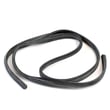
| Water on floor | Door seal issue or oversudsing | Check gasket seating; use correct detergent |
Why it matters
Drain clogs and debris buildup can trigger multiple complaints at once (odor, poor cleaning, and even “won’t start” behavior if the dishwasher senses a fault). Keeping the filter and drain path clear prevents repeat breakdowns and reduces part wear.
Last updated: January 2026
What is the average lifespan of a GE dishwasher?
A GE dishwasher typically lasts 10 to 12 years. For the GE GDT535PYV3FS, you can usually reach that range (and sometimes longer) with consistent cleaning, correct detergent use, and quick attention to draining or drying problems.
Typical lifespan range (what to expect)
Most modern residential dishwashers fall into these real-world ranges:
- Average: 10 to 12 years
- Heavy daily use: 8 to 10 years
- Light to moderate use with good care: 12 to 15 years
| Usage pattern | Typical lifespan | What shortens it most |
|---|---|---|
| Heavy (multiple loads/day) | 8 to 10 years | Heat, pump wear, door seal wear |
| Normal (1 load/day) | 10 to 12 years | Clogs, hard water scale |
| Light (few loads/week) | 12 to 15 years | Long gaps between cleanings |
Maintenance that extends dishwasher life
These habits reduce strain on the pump, heater, and drain path:
- Clean the filter area and sump regularly (remove debris before it recirculates).
- Run a monthly cleaning cycle to reduce grease and hard-water scale.
- Use the right detergent amount; too much can leave residue, too little can reduce cleaning.
- Keep the spray arms clear (no blocked jets).
- Check that the dishwasher drains fully after each cycle.
Signs your dishwasher is nearing end-of-life
If these issues become frequent, repairs may start adding up:
- Dishes stay gritty or have food redepositing
- Standing water or repeated drain problems
- Burning smell, unusual buzzing, or loud grinding
- Door leaks or a door that will not latch consistently
- Cycles that stop mid-cycle or will not start
Why it matters
A dishwasher that is kept clean and draining properly runs cooler, pumps water more efficiently, and avoids chronic clogs. That directly reduces wear on high-cost components like the circulation pump, drain pump, and heating system.
For troubleshooting that can prevent premature failure, use our GE dishwasher error codes guide.
Last updated: January 2026
Why does my GE dishwasher run for 3 hours?
On the GE GDT535PYV3FS dishwasher, a 3-hour run time is normal on many cycles because the control extends the wash to save energy and improve cleaning, especially when using lower-temperature or “eco” style settings. Longer cycles also allow more time for heating and drying.
Common reasons cycles stretch to ~3 hours
- Energy-saving cycle logic: Many modern dishwashers trade time for lower water and energy use.
- Lower incoming water temperature: If hot water arrives cool, the heater runs longer to reach target temps.
- Heated dry or sanitize options: Added heat steps can extend the cycle.
- Soil sensing: If the dishwasher detects heavy soil, it can add wash time.
- Slow drain or partial clogs: Standing water or slow draining can delay transitions between steps.
Quick checks that often shorten cycle time
- Run the kitchen hot water until it is hot before starting the dishwasher.
- Try a “normal” cycle without extra options (heated dry, sanitize) and compare run time.
- Clean the filter area and check for debris around the sump.
- Confirm the drain hose is not kinked and the sink/disposer connection is clear.
- Use the correct detergent amount; too much can cause excess suds and slow performance.
What run times usually look like
| Cycle/condition | Typical outcome | What you can do |
|---|---|---|
| Eco or energy-saver style cycle | Longest run time | Use normal/1-hour style cycle when needed |
| Cold incoming water | Extra heating time | Pre-run hot water at the sink |
| Added options (sanitize, heated dry) | Longer total time | Turn options off to compare |
Why it matters
A longer cycle is often a sign the dishwasher is meeting energy and temperature targets efficiently. If run time increases suddenly along with poor cleaning, poor drying, or standing water, that points to a maintenance or drain issue worth addressing.
For code-related timing issues, use our GE electronic dishwasher error codes reference.
Last updated: January 2026
How do I clear the error code on my GE dishwasher?
On the GE GDT535PYV3FS dishwasher, most error codes clear after you cancel the cycle and reset power to the control. Start by canceling the cycle (Start/Reset) and letting the unit drain; if the code returns, do a breaker reset to reboot the control and then restart a fresh cycle.
Quick ways to clear an error code
- Press and hold Start/Reset for about 3 seconds to cancel the cycle.
- Wait for the dishwasher to drain completely (you may hear the drain pump running).
- Turn the dishwasher off, then back on, and start a new cycle.
- If the code comes back immediately, switch the dishwasher circuit breaker OFF for 5 to 10 minutes, then turn it back ON.
- If the dishwasher has power but will not run, check for settings like demo mode using dishwasher has power but wont run could be demo mode.
What to check if the code keeps coming back
Many GE dishwasher codes are “symptom” codes; clearing the code works only if the underlying issue is corrected.
- Water in the base or leak protection triggered: look for moisture under the unit and correct the leak source.
- Not draining: check the sink/disposal connection, drain hose routing, and filter area; use dishwasher not draining video.
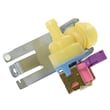
- Not filling: confirm the water supply valve is open and the inlet screen is not clogged; use dishwasher not filling video.
- Door not latched: close the door firmly; check for rack interference.
- Poor cleaning or drying after a reset: clean filters and spray arms, then verify detergent and rinse aid use.
Error-code lookup (best next step)
Use the code list to match the exact display and follow the targeted checks.
| What you see | What to do next |
|---|---|
| A letter/number code repeats | Look up the meaning and follow the checks in GE electronic dishwasher error codes. |
| No code, but it will not start | Follow a no-start checklist and power checks. |
| Code clears, then returns mid-cycle | Focus on drain, fill, heating, or leak symptoms tied to that moment. |
Why it matters
Clearing the code resets the control board, but recurring codes usually point to a real condition (drain restriction, fill problem, leak detection, or a door latch issue). Fixing the cause prevents repeat shutdowns and incomplete cycles.
Last updated: January 2026





