Owner’s manual
 Error Codes



What are the advantages of bottom mount refrigerators?
Bottom-mount refrigerators like the GE CYE22TP2MHS1 put the freezer on the bottom and the fresh-food section at eye and waist level, so the items you use most are easier to reach. This layout also supports wide shelves and drawers for better fresh-food organization (see the owner's manual).
Key advantages you will notice day to day
- Less bending: fresh food is higher up, so you reach it more often with less strain.
- Better organization for produce and deli items: dedicated bins and climate zones are common.
- More usable refrigerator space: wide shelves and full-width drawers make it easier to store platters.
- Convenient ice and water features: many models include a water filter and door ice storage.
- Easier cleaning and spill control: spillproof shelves and removable mats help contain messes.
Feature examples called out for this model family
The manual for this bottom-freezer platform highlights features that are commonly valued in bottom-mount designs:
| Feature | What it helps with | Why it is useful in a bottom-mount layout |
|---|---|---|
| Full-width temperature controlled drawer | Large items, party trays | Keeps big items accessible in the fresh-food zone |
| Spillproof shelves | Everyday spills | Simplifies cleanup in the most-used compartment |
| Climate zone bins | Produce storage | Helps keep fruits and vegetables organized |
| Water filter | Water and ice quality | Supports filtered dispensing and ice production |
Why it matters
Most households open the refrigerator section far more than the freezer. A bottom-mount design keeps fresh food front-and-center, which improves convenience, visibility, and food management.
Helpful related maintenance tip
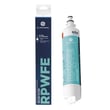
If your model has a water dispenser or ice maker, replacing the filter on schedule helps maintain flow and taste. For the correct filter used on this model, use GE refrigerator water filter RPWFE.
Last updated: February 2026
What is the most common problem with a GE refrigerator?
The most common GE refrigerator complaint is not cooling properly (fresh food too warm, freezer too warm, or both). On your GE CYE22TP2MHS1 bottom-mount refrigerator, the fastest wins are checking airflow, door sealing, and fan operation; then moving to sensors and controls using the CYE22TP2MHS1 owner's manual.
Quick checks we recommend first
- Confirm the temperature settings were not accidentally changed.
- Make sure vents inside the fresh food section are not blocked by food packages.
- Verify both doors close fully and the gasket seals all the way around.
- Listen for fans; fan speed changes and some humming or whooshing can be normal on newer units.
- Clean dust from the condenser area (unplug the refrigerator first).
- After loading groceries, allow 24 hours for temperatures to stabilize.
Common symptoms and the most likely causes
| Symptom | Most likely cause | What to do next |
|---|---|---|
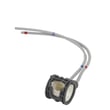
| Fresh food warm, freezer OK | Fresh food airflow problem | Check for a stalled fan; inspect the refrigerator fresh food fan motor assembly WR60X35205 if the fan is not running. |
| Both sections warm | Cooling system not running efficiently | Check condenser fan operation; if the compressor runs but cooling is weak, service may be needed. |
| Temps swing up and down | Sensor or control issue | Inspect wiring and consider the refrigerator temperature sensor WR55X10025 if readings seem erratic. |
| Water dispenser slow or ice maker issues | Restricted water flow | Replace the GE refrigerator water filter RPWFE and purge air from the water line. |
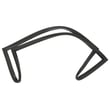
| Door not closing or frost near door | Door seal leak | Inspect and clean the gasket; replace the refrigerator freezer door gasket WR14X36194 if torn or warped. |
Why it matters
When cooling is off, food safety and compressor run time are affected. A simple airflow blockage or a leaking door gasket can force longer run times, create temperature swings, and lead to ice buildup.
Helpful DIY guides for GE refrigerators
- GE refrigerator error codes
- How to fix your evaporator cooling fan
- How to replace the water filter in a GE refrigerator
Last updated: February 2026
What is the CYE22TP2MHS1?
The GE CYE22TP2MHS1 is a bottom-freezer (bottom-mount) refrigerator model in GE’s counter-depth CYE series. Use the model and serial label inside the fresh food compartment (left side, near the middle) to confirm you have the exact CYE22TP2MHS1 before ordering parts or following service steps in the owner's manual.
What this model number tells you
For GE bottom-freezer refrigerators, the manual identifies model families by the starting letters:
- CYE models are counter-depth (CD)
- CFE models are standard depth (SD)
- CWE models are counter-depth (CD)
That means CYE22TP2MHS1 is a counter-depth bottom-freezer refrigerator.
Where to find the model and serial number
Check the identification label:
- Open the refrigerator (fresh food) compartment
- Look on the left interior wall, near the middle
- Write down both the model and serial numbers for parts matching
Common parts customers replace on this model
If you are troubleshooting or doing routine maintenance, these are frequently referenced parts for CYE22TP2MHS1:
- Water filtration: GE refrigerator water filter RPWFE
- Cooling feedback: refrigerator temperature sensor WR55X10025
- Water supply to dispenser/ice maker: refrigerator water inlet valve WR57X27487
- Door sealing: refrigerator freezer door gasket WR14X36194
| Task | What you use the model number for | Example on CYE22TP2MHS1 |
|---|---|---|
| Order the correct replacement part | Ensures exact fit and compatibility | Filter RPWFE vs. other GE filters |
| Follow control and temperature steps | Matches the correct control style instructions | Temperature button and settings menus |
| Confirm depth/fit planning | Helps verify counter-depth vs standard-depth | CYE series is counter-depth |
Why it matters
GE model numbers are the fastest way to avoid ordering the wrong part and to follow the correct control, temperature, and feature instructions for your exact refrigerator.
Last updated: February 2026
How do you put the bottom grill on a GE refrigerator?
On your GE CYE22TP2MHS1 bottom-mount refrigerator, the bottom grille (base grille) installs by aligning it with the mounting tabs/slots along the lower front frame, then pressing or sliding it into place until it seats evenly; reinstall any retaining screws if your grille uses them.
Before you start
- Unplug the refrigerator or switch off power at the breaker (safer when working near wiring and fans).
- Pull the refrigerator straight out if you need access; avoid dragging it sideways.
- Raise the front leveling legs slightly if the grille is tight against the floor.
- Keep the power cord and water line from getting pinched when moving the unit.
Steps to reinstall the bottom grille
- Position the grille: Hold the grille centered at the bottom front of the refrigerator.
- Align the attachment points: Match the grille’s clips/tabs to the slots or brackets on the refrigerator frame.
- Seat the grille: Push along the length of the grille (left to right) until it sits flush.
- Reinstall screws (if equipped): If your grille uses screws, reinstall them snugly (do not overtighten).
- Verify fit: Confirm the grille is even and not rubbing the floor.
Quick checks if it will not snap in
- Grille is upside down: Flip it and try again; many base grilles only latch one way.
- Leveling legs too low: Raise the front legs slightly, install the grille, then re-level.
- Refrigerator not fully back in place: Push straight in and confirm it is positioned correctly.
- Tabs are bent or broken: Replace the grille or damaged retainers if the grille will not stay attached.
What you should see when it is installed correctly
| Check | What “good” looks like | What to fix if not |
|---|---|---|
| Alignment | Even gap across the bottom | Re-seat from one end to the other |
| Stability | Does not pop loose when tapped | Check tabs/clips; reinstall screws |
| Clearance | Not scraping the floor | Adjust leveling legs |
Why it matters
A properly installed bottom grille helps protect lower components and supports correct airflow at the front base area; a loose grille can rattle, scrape flooring, or interfere with leveling.
For model-specific diagrams and any screw locations, use the owner's manual.
Last updated: February 2026