Get free shipping on your order, with any water filter subscription. Find my filter

Open Hamburger Menu
Sears Parts Direct
Tips to find your model number
Jenn-Air JJW2830IL01 electric oven

Jenn-Air JJW2830IL01 electric oven Parts

Here are the diagrams and repair parts for Jenn-Air JJW2830IL01 electric oven, as well as links to manuals and error code tables, if available.

By Schematic
By Part
SELECT DIAGRAM
?

This is the number corresponding to the part on the diagram / schematic

Browse Parts for JJW2830IL01 Wall Ovens

  • Appliance Silicone Sealant for Jenn-Air JJW2830IL01 - Part WP482338

    Optional parts (not included) diagram

    Adhesive

    Part #482338

    Replaced by #WP482338

    Info Icon
    Manufacturer substitution
    This part replaces 482338. Substitute parts can look different from the original.
    In Stock
    $24.46
    27% OFF Was : $33.32Info Icon
    Minus Item
    Qty
    Plus Item
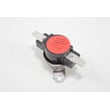
  • Range High-limit Thermostat for Jenn-Air JJW2830IL01 - Part WP4449751

    Oven parts diagram

    Range High-limit Thermostat

    Part #4449751

    Replaced by #WP4449751

    Info Icon
    Manufacturer substitution
    This part replaces 4449751. Substitute parts can look different from the original.
    In Stock
    $75.39
    39% OFF Was : $123.71Info Icon
    Minus Item
    Qty
    Plus Item
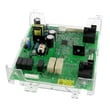
  • Wall Oven Control Board for Jenn-Air JJW2830IL01 - Part W11448962

    Control panel parts diagram

    Copernicus C

    Part #W11249218

    Replaced by #W11448962

    Info Icon
    Manufacturer substitution
    This part replaces W11249218. Substitute parts can look different from the original.
    In Stock
    $185.63
    6% OFF Phone Price : $197.63Info Icon
    Minus Item
    Qty
    Plus Item
  • Appliance Touch-up Paint, 0.6-oz (black) for Jenn-Air JJW2830IL01 - Part 72032

    Optional parts (not included) diagram

    Touch-up Paint (black)

    Part #72032

    Replaced by #72032

    Info Icon
    Manufacturer substitution
    This part replaces 72032. Substitute parts can look different from the original.
    This item is not returnable
    In Stock
    $11.08
    15% OFF Phone Price : $13.08Info Icon
    Minus Item
    Qty
    Plus Item
  • Wall Oven Control Housing for Jenn-Air JJW2830IL01 - Part W10668510

    Control panel parts diagram

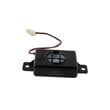
  • Appliance Speaker for Jenn-Air JJW2830IL01 - Part W11123146

    Control panel parts diagram

    Enclosed Spe

    Part #W10568405

    Replaced by #W11123146

    Info Icon
    Manufacturer substitution
    This part replaces W10568405. Substitute parts can look different from the original.
    In Stock
    $44.23
    12% OFF Phone Price : $50.23Info Icon
    Minus Item
    Qty
    Plus Item
  • Whirlpool Console Assembly for Jenn-Air JJW2830IL01 - Part W11449303

    Control panel parts diagram

    Assembly, Control Panel (black)

    Part #W11428921

    Replaced by #W11449303

    Info Icon
    Manufacturer substitution
    This part replaces W11428921. Substitute parts can look different from the original.
    In Stock
    $813.87
    Minus Item
    Qty
    Plus Item
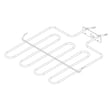
  • Range Broil Element for Jenn-Air JJW2830IL01 - Part W10804429

    Internal oven parts diagram

    Broil Element

    Part #W10764078

    Replaced by #W10804429

    Info Icon
    Manufacturer substitution
    This part replaces W10764078. Substitute parts can look different from the original.
    In Stock
    $108.74
    10% OFF Phone Price : $120.74Info Icon
    Minus Item
    Qty
    Plus Item
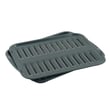
  • Range Broil Pan for Jenn-Air JJW2830IL01 - Part 4396923

    Optional parts (not included) diagram

    Range Broil Pan

    In Stock
    $45.56
    12% OFF Phone Price : $51.56Info Icon
    Minus Item
    Qty
    Plus Item
  • Console Skin for Jenn-Air JJW2830IL01 - Part W11197498

    Control panel parts diagram

    Console Skin

    In Stock
    $221.79
    Minus Item
    Qty
    Plus Item

Jenn-Air ELECTRIC OVEN JJW2830IL01 FAQs

To reset a Jenn-Air wall oven like model JJW2830IL01, we recommend doing a full power reset: turn the oven off, switch the circuit breaker(s) off for about 1 minute, then restore power and start a Bake cycle to confirm normal operation. See the JJW2830IL01 owner’s manual for control-specific steps.

Quick reset steps (power reset)
  • Touch Power to turn the display off (if it is on).
  • Turn OFF the oven circuit breaker(s) at your home electrical panel.
  • Wait 1 minute.
  • Turn the breaker(s) ON.
  • Touch Power, then start a Bake cycle.
  • Watch the display for about 1 minute to confirm the message or error does not return.
If the oven is stuck in Self-Clean or the door is locked

During Self-Clean, the door can stay locked until the oven cools. If you need to stop the cycle:

  • Touch CANCEL for the appropriate oven.
  • Wait for the oven to cool; the door unlocks only after the temperature drops.
  • Avoid forcing the door latch.
What to check if the reset does not help
What you see What it usually means What to do next
Display is blank after reset No power to oven Check breaker(s), then confirm the oven is hardwired and connections are secure
Error/message returns quickly Condition still present Retry reset once, then schedule service if it repeats
Fan noise increases with door open Normal cooling fan behavior Close the door; fan typically returns to normal speed after about 60 seconds
Why it matters

A breaker reset clears many temporary control glitches after a power surge or interrupted cooking cycle. If a message returns immediately after the reset, it points to an ongoing condition that needs troubleshooting rather than a one-time control hiccup.

Last updated: January 2026

A Jenn-Air wall oven like model JJW2830IL01 typically lasts 15 years with normal household use and basic care. Keeping the oven clean, protecting the door gasket, and addressing heating or cooling-fan issues early helps you reach that lifespan.

Typical lifespan and what affects it

Most built-in electric wall ovens fall into a predictable range; how you cook and maintain the oven determines where you land.

  • Typical lifespan: 15 years
  • Heavier use (daily high-heat, frequent self-clean): closer to 12 to 15 years
  • Lighter use and consistent care: 15 to 20 years
  • Biggest wear items: heating elements, door gasket, cooling fan, control components
Maintenance habits that extend oven life

These are the highest-impact steps for JJW2830IL01 owners.

  • Follow the cleaning guidance in the JJW2830IL01 use and care guide (especially for stainless surfaces).
  • Remove items like a broiler pan before running self-clean; leaving accessories inside can increase heat stress.
  • Keep the door sealing well; a damaged gasket can cause heat loss and longer cook times.
  • Avoid abrasive cleaners on stainless areas; they can permanently damage finishes.
  • If baking becomes slow or uneven, inspect the bake system; a weak element is a common cause.
Quick reference: what “normal aging” looks like
Symptom Common cause What to check first
Longer preheat times Weak bake element Visual damage, then consider replacing the range bake element W11545804
Oven shuts off or overheats Temperature safety device tripping Airflow/venting, then test the high-limit thermostat
Door stays locked after self-clean Oven still too hot Allow full cool-down; door unlocks after cooling
Fan noise increases with door open Normal cooling-fan behavior If door is open about 60 seconds, fan speed can increase
Why it matters

A wall oven is a long-life appliance, so planning around a 15-year service life helps you decide when to repair (replace a bake element or thermostat) versus when to budget for a replacement, especially if multiple major parts start failing.

Last updated: January 2026

Common problems we see with Jenn-Air cooking appliances include an oven that will not operate, uneven baking or browning, a self-clean cycle that will not stop or unlock right away, and control lock or timed settings that prevent normal use. For your JJW2830IL01 wall oven, start with the basic checks in the JJW2830IL01 owner's manual.

Quick checks that solve many “it won’t work” complaints
  • Reset the circuit breaker or replace a blown fuse (a tripped breaker can make the oven appear dead).
  • Confirm the oven is not in Delay Start, Sabbath mode, or Button Lock.
  • If the display responds but heat is wrong, review rack position and bakeware spacing.
  • If the cooling fan seems loud, close the door and wait about 60 seconds for fan speed to reduce.
  • If self-clean was used, wait for the oven to cool; the door stays locked until temperature drops.
Self-clean issues (door locked, cycle won’t stop)

During Self-Clean, the door remains locked until the oven cools. To stop Self-Clean at any time, use CANCEL for the appropriate oven; if the oven is still hot, the door stays locked until it cools.

Symptom Most common cause What to do first
Door won’t unlock after Self-Clean Oven still too hot Wait for cool-down; keep door closed
Self-Clean won’t cancel Cycle still active Press CANCEL once, then allow cool-down
Fan noise increases with door open Fan goes to higher speed after about 60 seconds Close door; noise typically drops after about 60 seconds
Uneven cooking or browning

Uneven results are often caused by pan placement and airflow.

  • Center pans on the rack.
  • Leave at least 2 inches of clearance around pans.
  • Leave at least 2 inches between the door and the front edge of pans.
Why it matters

Many “failed oven” symptoms are actually settings (Delay Start, Button Lock, Sabbath mode) or normal safety behavior (self-clean door lock). Checking these first prevents unnecessary parts replacement and service calls.

Last updated: January 2026

Most common symptoms to help you fix your wall oven

Choose a symptom to see related wall oven repairs.

Main causes: bad oven door lock assembly, faulty electronic control board, wiring failure…

Main causes: faulty oven temperature sensor, control system problem, weak burner igniter, damaged oven element…

Main causes: lack of gas supply, broken igniter, tripped circuit breaker, broken oven element, tripped thermal fuse, con…

Main causes: lack of electrical power, bad electronic control board, faulty oven control thermostat…

Main causes: broken broil element, faulty broil burner igniter, control system failure…

Main causes: broken bake element, bad bake burner igniter, tripped thermal switch, control system failure…

Most common repair guides to help fix your wall oven

These step-by-step repair guides will help you safely fix what’s broken on your wall oven.

How to replace the thermal switch in a wall oven

How to replace the thermal switch in a wall oven

If the oven won't heat after resetting the thermal switch, replace the thermal switch.…

Repair time and Difficulty

 60 minutes or less
How to replace a wall oven thermal fuse

How to replace a wall oven thermal fuse

The thermal fuse trips to prevent the over from excessively overheating. The oven won't heat again until you replace the…

Repair time and Difficulty

 60 minutes or less
How to replace a wall oven door outer glass panel

How to replace a wall oven door outer glass panel

Learn how to replace a damaged outer window panel on your wall oven door with these step-by-step instructions. …

Repair time and Difficulty

 45 minutes or less

Effective articles & videos to help repair your wall oven

Use the advice and tips in these articles and videos to get the most out of your wall oven.

How to remove grease from your oven

How to remove grease from your oven

Oven looking grimy? Discover how to clean a greasy oven using safe, effective methods like baking soda and more.…

How to read a wiring schematic video

How to read a wiring schematic video

Learn how to decipher symbols so you can buy the right part for your problem.…

How to correct an oven's temperature setting

How to correct an oven's temperature setting

If your oven consistently undercooks or overcooks, it might need recalibration. You can reset it yourself.…

Parts & More

Bottom-Mount Refrigerator
Dishwasher
Dryer
Electric Walk-Behind Mower
Front-Engine Lawn Tractor
Laundry Center
Mower Attachment
Parts
Rear-Engine Riding Mower
Rear-Tine Tiller