 Error Codes



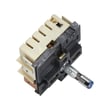



How do I reset my Kenmore oven control board?
For Kenmore model 62946975, the most reliable way to reset the oven control board is a full power cycle: turn the oven off, shut off the range circuit breaker (or unplug the range), wait 5 to 10 minutes, then restore power to clear temporary glitches and many error-code lockups.
Reset steps (safe, standard method)
- Turn all oven and surface controls to OFF.
- Unplug the range or switch the breaker OFF.
- Wait 5 to 10 minutes (this lets the control fully discharge).
- Restore power and set the clock.
- Test Bake and Broil for a quick function check.
If the reset does not fix the problem
A reset helps with software-style glitches; it will not correct a failed sensor, stuck relay, or wiring issue. Use these next checks:
- If the display is blank or flickers, inspect the power connection at the terminal block for heat damage or loose lugs.
- If the oven overheats, beeps, or throws recurring errors, check for a shorted temperature sensor circuit or a failing control.
- If the oven will not heat but the display works, test the bake circuit and element.
- If the issue started after moving the range, recheck the cord strain relief and wiring routing.
Quick symptom-to-next-step table
| What you see | What it usually points to | What we do next |
|---|---|---|
| Random beeping, odd characters | Control glitch or unstable power | Power cycle; verify tight power connections |
| Display works, no bake heat | Heating circuit issue | Test range bake element WP71001680 and wiring |
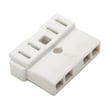
| Burning smell at back, intermittent power | Loose/overheated connection | Inspect terminal block WP8203546 and cord ends |
Why it matters
Resetting the control board is the fastest way to clear a temporary lockup, but repeated failures usually trace back to power supply connections, heating components, or damaged wiring. Fixing the root cause prevents repeat shutdowns and overheating.
Helpful DIY reference
If you need to test voltage or continuity during troubleshooting, use how to use a multimeter to test electrical parts video.
Last updated: January 2026
Where is Kenmore's model number?
On a Kenmore range like model 62946975, the model number is typically on the oven frame behind the door, or on a side frame behind the storage or warming drawer. We use that exact model number to match the correct wiring diagram and replacement parts.
Common places to check on Kenmore ranges
- Open the oven door and look along the left or right front frame (the rim around the oven opening)
- Check the bottom edge of the oven opening (near the door hinges)
- Pull out the storage drawer and look on the frame behind it
- Look on the back panel of the range (near where the power cord connects)
- For slide-in models, check the side panel near the front
Quick steps to find it fast
- Turn on a light and use your phone camera or flashlight.
- Open the oven door and scan the front frame first.
- If you do not see it, remove the storage drawer and check the frame behind it.
- Write down the full model number exactly as shown (letters and numbers).
What the model number label looks like
| What you may see | What it means | Why we need it |
|---|---|---|
| Model No. | The full model identifier | Ensures correct parts fit |
| Serial No. | Production identifier | Helps confirm version/run |
| Electrical rating | Volts/amps info | Useful for wiring and terminal block checks |
Why it matters
Kenmore ranges often have multiple versions that look similar. Using the exact model number helps us match the correct electrical components (like a terminal block) and functional parts (like a bake element) for safe, reliable operation.
If you are replacing a power connection component, match the label first, then compare your part to options like the terminal block WP8203546.
Last updated: January 2026
What is the average lifespan of 62946975?
A Kenmore electric range like model 62946975 typically lasts 13 to 15 years with normal household use. Keeping the oven temperature accurate, maintaining good electrical connections, and replacing wear parts promptly helps you reach the full service life.
Typical lifespan and what affects it
Most ranges fail early due to heat stress, power issues, or heavy use. These factors have the biggest impact:
- High-heat cooking (frequent broiling, self-clean cycles)
- Loose or overheated power connections at the terminal block
- Worn heating components (bake element, surface controls)
- Door seal leaks that force longer heat times
- Grease buildup in venting that traps heat around wiring
Quick maintenance checklist
These simple habits extend life and improve performance:
- Keep the oven door closing tightly; replace a worn seal if heat escapes
- Avoid running back-to-back self-clean cycles
- Clean vent filters regularly if your range has downdraft ventilation
- If you smell hot plastic or see flickering power, stop using the range and inspect wiring
- Replace failed heating parts instead of continuing to run the oven underpowered
Common wear parts to watch on this model
| Symptom | Likely wear item | Example part for 62946975 |
|---|---|---|
| Oven not heating or heats unevenly | Bake element | Range bake element WP71001680 |
| Oven temperature swings, overcooks | Oven temperature sensor | Whirlpool range oven temperature sensor 12001656 |
| Heat escaping around door, longer preheat | Door seal | Wall oven door seal WP71001841 |
| Burning smell at cord area, intermittent power | Terminal block | Terminal block WP8203546 |
Why it matters
A range that is struggling to heat or has a poor electrical connection runs hotter in the wrong places, which accelerates damage to wiring, controls, and insulation. Catching these issues early protects the oven cavity and the control system.
Last updated: March 2026




