 Installation guide
 Owner’s manual



Is GE Profile considered high end?
Yes. GE Profile is considered GE’s premium (high-end) mainstream line, positioned above standard GE appliances for features and design; it typically sits below GE Monogram, which is GE’s luxury tier. For your GE PSB1201NSS01 built-in microwave, that means you’re in a more feature-forward class than basic models.
How GE’s lines typically compare
GE organizes products into tiers; this helps set expectations for features, styling, and parts cost.
| GE line | Typical positioning | What you usually get |
|---|---|---|
| GE (standard) | Core lineup | Essential features, value-focused |
| GE Profile | Premium mainstream | More cooking modes, upgraded controls/finishes, more built-in options |
| GE Monogram | Luxury | Highest-end design packages, premium build, luxury pricing |
What “high end” means for parts and service
In premium lines, parts and assemblies can be more specialized. When diagnosing issues on a built-in microwave like the PSB1201NSS01, we see these items come up often:
- Door safety interlock components (switches and latch boards)
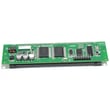
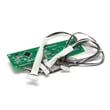
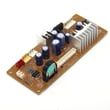
- Electronic control boards and display boards
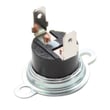
- Thermal cut-offs that open if overheating occurs
- Turntable drive parts (motor and support)
If you’re troubleshooting a door-related no-start condition, the primary switch WB24X10047 is one of the common interlock parts used on this model.
Why it matters
Knowing GE Profile is a premium tier helps you plan realistically: repairs may involve higher-cost electronic parts (control boards, sensors) and built-in installation constraints. For installation clearances and power requirements, follow the PSB1201NSS01 installation guide.
Last updated: February 2026
What are common problems with GE Profile microwaves?
Common problems we see on GE Profile-style built-in microwaves like model PSB1201NSS01 include no heat, no power, a turntable that will not rotate, sparking or burn marks, and keypad or display issues. Many symptoms trace back to door interlock parts, a thermal cut-off, or a control board; use the PSB1201NSS01 owner's manual for model-specific operating and safety guidance.
Most common symptoms and what usually causes them
- Microwave runs but does not heat: high-voltage system issue (often requires professional service)
- Dead, no display, or intermittent power: door interlock switch problem, thermal cut-off, or control board
- Turntable not spinning: turntable motor, tray support alignment, or obstruction
- Sparking, arcing, or burn marks: metal in the cavity, damaged waveguide cover, or food splatter buildup
- Sensor cooking errors or uneven reheat: door opened mid-cycle, steam management, or food placement
Quick checks we recommend first (safe, no disassembly)
- Confirm the outlet has power and the breaker is not tripped.
- Make sure the door closes firmly and is not sagging.
- Remove any metal (twist ties, gold-rimmed dishes, foil) before cooking.
- Always cook with food in the oven; running empty can overheat internal components.
- For liquids, stir before and after heating to reduce sudden boil-over risk.
Parts that commonly fix “no power” or “won’t start”
If the unit will not start unless you push on the door, or it dies when the door moves, the door interlock circuit is a top suspect.
| Symptom | Common part area | Example model-matched part |
|---|---|---|
| Won’t start, acts like door is open | Door interlock switch | Primary switch WB24X10047 |
| Blows fuse or stops when door is shut | Monitor/interlock circuit | Monitor switch WB24X25397 |
| Random shutdown after heating | Overheat protection | Microwave thermal cut-off WB21X10148 |
Why it matters
Door interlocks are safety devices; if they are worn or misaligned, the microwave may not run, may shut off mid-cycle, or may damage other components. Also, preventing arcing (no metal, keep the cavity clean) helps protect the waveguide area and improves cooking performance.
Related help: why is my microwave not heating
Last updated: February 2026
What is the average lifespan of a GE microwave?
A GE microwave typically lasts 7 to 10 years with normal household use. For a built-in model like GE PSB1201NSS01, keeping the cavity clean, protecting the door and interlocks, and avoiding overheating events helps you reach the full service life; see the PSB1201NSS01 owner’s manual for care and operating guidance.
Typical lifespan and what changes it
Most microwave life is driven by heat stress, door use, and how hard the high-voltage system works (magnetron, transformer, cooling airflow).
- Light use (reheating only): often closer to 10 years
- Daily cooking and long run times: often closer to 7 years
- Poor ventilation or heavy grease buildup: shortens life
- Door slamming or misalignment: can cause early interlock issues
- Running empty or frequent overheating: accelerates component wear
Signs your microwave is nearing end of life
These symptoms often point to a failing heating or safety circuit.
- Runs but does not heat food
- Intermittent heating (heats sometimes, not others)
- Loud humming/buzzing that is new or worsening
- Burning smell, arcing, or scorch marks inside the cavity
- Door feels loose, won’t close cleanly, or unit stops when the door is touched
Quick symptom-to-likely-area guide
| Symptom | Common area to check | Example model part |
|---|---|---|
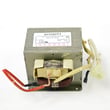
| Runs, no heat | High-voltage heating circuit | Microwave high-voltage transformer |
| Dead/no display | Power supply/control | Power control board |
| Starts then stops when door moves | Door interlock system | Primary switch WB24X10047 |
| Turntable not rotating | Turntable drive | Turntable motor |
Why it matters
Microwaves rely on door interlocks and thermal protection to operate safely. As a unit ages, worn door hardware, switches, and heat-related electrical parts can cause nuisance shutdowns, no-heat complaints, or inconsistent cooking.
Helpful next steps
- Follow cleaning and use recommendations in the PSB1201NSS01 owner’s manual.
- If it runs but won’t heat, use our troubleshooting steps in why is my microwave not heating.
- If you suspect a blown fuse, review how to replace a microwave fuse before ordering parts.
Last updated: February 2026
Can you convert a countertop microwave to built-in?
Yes, you can convert a countertop microwave to a built-in look only when that exact countertop model has an approved built-in trim kit made for it. For the GE PSB1201NSS01, follow the built-in installation requirements in the PSB1201NSS01 installation guide so the cabinet opening, support, and power supply match what the unit is designed for.
What “convert to built-in” really means
A countertop microwave is not safely “built in” by enclosing it in cabinetry unless the manufacturer provides a trim kit and installation method that manages airflow, clearances, and mounting.
Most approved trim kit installations are designed for common cabinet widths:
- 27-inch wide cabinet installations
- 30-inch wide cabinet installations
- Dedicated mounting brackets and side supports (varies by kit)
- A solid, supported base to carry the appliance weight
Key installation requirements to plan for
Built-in conversions are about ventilation, support, and electrical, not just appearance.
- Cabinet support: The installation surface must support the oven weight plus additional load; the installation guide references an oven weight of about 80 lb and additional loading capacity requirements.
- Electrical: Plan for a separate, properly grounded 120-Volt, 60 Hz, 15-Amp supply for the oven.
- Clearances and cutout: Use the cutout dimensions and spacing rules shown in the installation instructions, especially if installing near other built-in appliances.
Quick decision table
| Situation | Built-in conversion recommended? | What to do |
|---|---|---|
| Your countertop microwave has a model-specific trim kit | Yes | Install using the trim kit instructions and cabinet cutout specs |
| No trim kit exists for your exact model | No | Use it as a countertop unit or replace with a true built-in model |
| You want it under a cooktop/counter | Only if approved | Follow the approved installation configurations in the guide |
Why it matters
A trim kit and approved installation method protect airflow and keep heat from building up in the cabinet. That helps prevent poor performance, nuisance shutdowns, and damage to surrounding cabinetry.
For operating and care details after installation, use the PSB1201NSS01 owner's manual.
Last updated: February 2026
What model GE microwave do I have?
Your GE microwave’s model number is printed on the rating label inside the oven cavity; open the door and look along the front frame (the area you see around the opening). For this parts page, the model is PSB1201NSS01.
Where to find the model and serial label
Check these common spots on GE built-in microwaves like PSB1201NSS01:
- Inside the oven opening on the front frame (often on the left or right side)
- Along the bottom edge of the opening (visible with the door open)
- On the side wall just inside the cavity (near the door opening)
- Sometimes on the back of the unit (usually only visible after removal)
For the exact label location and how GE formats the model and serial fields, use the PSB1201NSS01 owner’s manual.
What the label looks like (and what to write down)
The label typically includes two key lines:
| Label field | What it’s used for | Example (yours will vary) |
|---|---|---|
| Model | Matching parts and diagrams | PSB1201NSS01 |
| Serial | Dating the unit and service records | A mix of letters and numbers |
Why it matters
We use the full model number to match the correct GE parts (for example, door interlock components like the primary switch WB24X10047) and to ensure installation details and cutout requirements align with your exact unit.
Last updated: February 2026
What are the parts of a microwave?
A microwave like the GE PSB1201NSS01 is built around a cooking cavity, a door safety (interlock) system, and a high-voltage heating system that generates microwave energy; it also uses controls, lighting, and a turntable system to cook food evenly. For the exact component layout and features, use the PSB1201NSS01 owner's manual.
Main parts you will find in most microwaves
- Cooking cavity: the metal box where food sits
- Door and interlock switches: prevents operation with the door open
- Control panel and control boards: runs cook modes, timing, and sensor programs
- Turntable system: tray, support, and motor for even heating
- Cooling and circulating airflow: moves air to manage heat
- High-voltage system: creates the energy used to heat food
Key parts called out for this model’s cooking system
This GE unit is a speedcook-style microwave that uses multiple heat sources and a turntable for even results.
| System | What it does | Example parts you may replace |
|---|---|---|
| Turntable drive | Rotates food for even cooking | Microwave turntable motor WB26X10193 |
| Door safety | Confirms the door is closed before running | Primary switch WB24X10047, monitor switch WB24X25397 |
| High-voltage heating | Powers the microwave heating circuit | High-voltage transformer (varies by model configuration) |
| Controls | Runs recipes, sensor cooking, and timing | Power control board (varies by revision) |
Why it matters
Knowing the major systems helps you troubleshoot faster. For example, a microwave that runs but does not heat often points to the high-voltage heating system, while a unit that will not start commonly points to the door interlock system.
Helpful tips when identifying parts
- Match parts by model number PSB1201NSS01 and the symptom (no heat, no start, no turntable)
- If you see arcing or burn marks, inspect the waveguide area and cavity surfaces before running again
- Keep foil at least 1 inch from the oven walls when used as directed
- Avoid running the microwave empty; it can overheat components and shorten service life
- Use microwave-safe containers and vented covers to prevent overheating and sensor errors
Last updated: February 2026


