 Owner’s manual





How many cubic feet is a Kenmore Model 72166469500 microwave?
The Kenmore microwave model 72166469500 has an oven cavity capacity of 2.0 cu. ft. (per the specifications in the 72166469500 use and care guide).
We recommend checking the specifications section in the 72166469500 use and care guide, especially if you are comparing fit, countertop clearance, or replacing an older microwave.
- Look for “Capacity of oven cavity” in the specs table
- Confirm you are reading the section for model family 721.66469
- Use capacity when comparing cooking space, not exterior size
- If you are measuring for a shelf or cabinet, use overall dimensions instead
Capacity (cubic feet) describes the interior cooking space, not the outside footprint. Two microwaves can both be 2.0 cu. ft. but have different exterior dimensions due to trim, door design, and ventilation layout.
| Spec type | What it describes | Used for |
|---|---|---|
| Capacity (cu. ft.) | Interior cavity volume | Dish size, cooking space |
| Overall dimensions | Exterior width, height, depth | Countertop or shelf fit |
| Cavity dimensions | Interior width, height, depth | Tall mugs, casserole clearance |
Knowing the 2.0 cu. ft. capacity helps us match the right Kenmore microwave parts and accessories for model 72166469500, and it also helps you compare cooking space accurately when shopping or planning a replacement.
Last updated: February 2026
How big is a Kenmore microwave model 72166469500 in inches?
The Kenmore microwave model 72166469500 measures 23 7/8 in. wide x 13 9/16 in. high x 19 13/16 in. deep (overall exterior dimensions). These are the cabinet dimensions you need for countertop clearance and built-in trim kit planning; see the 72166469500 owner's manual for the full specifications table.
- Overall (exterior) dimensions (W x H x D): 23 7/8 in. x 13 9/16 in. x 19 13/16 in.
- Oven cavity dimensions (W x H x D): 16 1/16 in. x 11 1/4 in. x 18 1/2 in.
- Ventilation clearance (countertop use): allow at least 4 in. on the left, right, top, and rear
| Measurement | Width | Height | Depth |
|---|---|---|---|
| Overall exterior | 23 7/8 in. | 13 9/16 in. | 19 13/16 in. |
| Oven cavity (usable space) | 16 1/16 in. | 11 1/4 in. | 18 1/2 in. |
Using the overall dimensions helps you confirm the microwave will physically fit your countertop or cabinet opening. Using the cavity dimensions helps you judge whether larger dishes will fit and rotate properly on the turntable.
| Spec | What to expect for 72166469500 |
|---|---|
| Power supply | 120 VAC, 60 Hz |
| Rated power consumption | 1,600 W |
| Microwave output | 1,200 W |
Last updated: February 2026
Why is my Kenmore microwave not spinning?
If your Kenmore microwave model 72166469500 is not spinning, the most common causes are an incorrectly seated turntable setup, debris blocking the roller rest, or a failed turntable drive motor. Start by reinstalling the roller rest and glass tray exactly as shown in the 72166469500 owner's manual.
- Remove the glass tray and turntable support, then wipe the oven floor clean.
- Re-seat the turntable support so it sits flat in the circular track.
- Reinstall the glass tray right-side up and centered on the support.
- Confirm the tray can rotate freely by hand (it should turn smoothly).
- Make sure the microwave is on a level surface with proper ventilation clearance.
A turntable system is simple: the motor turns a coupler/shaft under the cavity, which drives the support and tray. If any piece binds, the tray stops.
| Symptom | Most likely cause | What to do next |
|---|---|---|
| Tray wobbles or binds | Support not seated, food debris in track | Clean and re-seat support and tray |
| Hums but does not turn | Stripped drive interface or weak motor | Check for smooth hand-rotation; consider motor replacement |
| No sound, no movement | Failed motor or control not powering motor | Test motor circuit; replace motor if open |
If cleaning and re-seating do not help, the turntable motor is the usual electrical failure point for a non-spinning tray.
- Motor 6549W1S011B: drives the turntable rotation from beneath the cavity
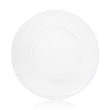
- Check the glass tray for chips or scratches; damaged trays can bind and break during use
- Inspect the support wheels/rollers for flat spots or missing rollers
A turntable that does not rotate can cause uneven heating and hot spots, which makes cooking results inconsistent and can increase splatter and cleanup.
Last updated: February 2026
Is there a reset on a Kenmore microwave?
Yes. On the Kenmore microwave model 72166469500, the most reliable “reset” is a power reset: unplug the microwave (or switch off the breaker) for about 1 minute, then restore power and re-set the clock. For model-specific control settings, follow the steps in the 72166469500 owner's manual.
- Power reset (recommended): Unplug for 60 seconds, then plug back in.
- Breaker reset: Turn the microwave circuit breaker OFF, wait 60 seconds, then turn it ON.
- Control lock check: If the keypad seems unresponsive, confirm the control lock is not enabled (see the 72166469500 owner's manual).
- Clock re-set: After power is restored, set the clock; some functions will not run until the clock is set.
A “reset” will not fix a failed safety or power component. If the display is dead, the unit is completely unresponsive, or it stops as soon as you press Start, check these common causes.
- Blown internal fuse
- Door not closing or latching correctly
- Failed door interlock switch
- Overheating condition triggering a thermostat
- High-voltage heating circuit problem (no heat but everything else works)
| What you see | What it usually points to | What to check next |
|---|---|---|
| No display, no response | Loss of power or blown fuse | Outlet, breaker, then microwave fuse 3B74133Q |
| Runs but does not heat | High-voltage circuit issue | Use the troubleshooting section in the 72166469500 owner's manual and review why is my microwave not heating |
| Starts then stops when door moves | Door switch or latch issue | Microwave door interlock switch 6600W1K001R and door latch alignment |
Microwaves contain high-voltage components that can store a dangerous charge even when unplugged. A simple power reset is safe; internal electrical testing and part replacement should follow the manual’s troubleshooting guidance.
Last updated: February 2026
Why is my Kenmore microwave display not working?
If the display on your Kenmore microwave model 72166469500 is blank or unresponsive, the most common causes are a power supply issue, a door interlock problem, or a failed control component. Start with a reset and basic checks, then move to door and fuse diagnostics.
- Verify the outlet works by plugging in a lamp or small appliance.
- Unplug the microwave for 5 minutes, then plug it back in to reset the control.
- Confirm the door closes fully and latches firmly (a mislatched door can prevent operation).
- Check that a cooking time can be set and the Start function responds.
- If the clock shows the wrong time, reset the time of day (the manual lists this as a common symptom to correct).
A blank display can be caused by a simple loss of power, but it can also happen when a safety circuit opens.
| Symptom | Most likely area | What to do next |
|---|---|---|
| Completely blank display, no beeps | Power supply or internal fuse | Test outlet, then check the fuse |
| Display works sometimes, keypad acts odd | Keypad ribbon connection or control issue | Reseat connections per manual guidance |
| Display blank and unit will not start unless door is held | Door latch or interlock switch | Inspect latch and switches |
If basic power checks pass, these model-specific parts are often involved in “dead” or “won’t start” complaints:
- Microwave fuse 3B74133Q (opens if there is a surge or short)
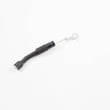
- Microwave door interlock switch 6600W1K001R (prevents operation if the door is not proven closed)
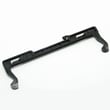
- Microwave door latch lever 4510W3A012B (mechanically actuates the interlock switches)
For wiring diagrams, troubleshooting steps, and “before calling for service” checks, use the 72166469500 owner's manual.
Microwaves use high voltage components; a “no display” condition can be a safety shutdown (door circuit) or a blown fuse. Correct diagnosis prevents repeat fuse failures and avoids unsafe operation.
Last updated: February 2026
Where is the fuse on a Kenmore microwave model 72166469500?
On Kenmore microwave model 72166469500, the fuse is typically mounted on or near the noise filter / power input area just inside the cabinet, close to where the power cord enters. Use the wiring and component layout in the 72166469500 use and care guide to pinpoint the exact fuse location for your unit.
Microwaves store dangerous high voltage even when unplugged, so we recommend limiting DIY work to safe, external checks and using a service technician for internal electrical diagnosis.
- Unplug the microwave and wait before touching anything
- Confirm the outlet works (test with a lamp or small appliance)
- Check the home breaker or GFCI (if the outlet is protected)
- If the display is dead, suspect a blown fuse or door switch issue
- If it runs but does not heat, the fuse is usually not the cause
Here is how fuse problems usually present compared to other common microwave issues:
| Symptom | Most likely area | Common related parts for this model |
|---|---|---|
| Completely dead (no display, no interior light) | Line fuse or power input circuit | Microwave fuse 3B74133Q |
| Dead after closing door or pressing Start | Door interlock circuit | Microwave door interlock switch 6600W1K001R, microwave door latch lever 4510W3A012B |
| Runs but does not heat | High-voltage system | Microwave magnetron 6324W1A001L, microwave diode 6851W1A002E, capacitor 0CZZW1H004B |
Kenmore countertop microwaves often place the line fuse inside the outer cover to protect the unit from power surges and short circuits. Knowing the correct location helps you avoid removing the wrong panels and reduces the chance of damaging wiring or the door interlock system.
We recommend following a model-specific procedure and addressing the root cause, not just the blown fuse.
- Match the fuse type and rating listed for the model
- Inspect door latches and interlock switches for binding or misalignment
- Look for signs of overheating at the fuse holder and wiring terminals
- If the new fuse blows immediately, stop and have the unit serviced
For step-by-step guidance, use how to replace a microwave fuse.
Last updated: February 2026
Are Kenmore microwaves good?
Kenmore microwaves are a good choice when you match the features and size to your needs; the Kenmore 72166469500 is a higher-output countertop model (rated 1,200 W output, 2.0 cu. ft. capacity) designed for everyday cooking and defrosting. Long-term satisfaction usually comes down to proper ventilation, correct use, and keeping key wear items in good shape.
From the specifications in the 72166469500 owner's manual, this microwave is built around strong core performance for a countertop unit.
| Spec | What it means for you |
|---|---|
| 120 VAC, 60 Hz | Standard U.S. household power |
| 1,200 W output | Faster heating and better performance on larger portions |
| 2.0 cu. ft. cavity | More room for larger dishes |
| 23 7/8 x 13 9/16 x 19 13/16 in. (W x H x D) | Helps confirm countertop fit before you commit |
We see the best results when owners follow a few basics that prevent overheating, arcing, and breakage.
- Leave at least 4 inches of clearance on the left, right, top, and rear for ventilation.
- Keep the turntable installed correctly; never place the glass tray upside down.
- Avoid chipping or scratching the turntable edges; damage can lead to cracking during use.
- Do not heat whole eggs or sealed containers (they can burst).
- Use microwave-safe cookware and keep browning dishes elevated as directed.
If the microwave runs but does not heat, that is usually a component issue, not overall brand quality. Common suspects include the high-voltage system and safety interlocks.
- High-voltage components: microwave magnetron 6324W1A001L, diode, capacitor
- Safety circuit: door interlock switches, fuse
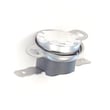
- Overheat protection: thermostat
A good next step is to follow the troubleshooting section in the 72166469500 owner's manual and compare symptoms to the most likely parts.
Microwaves can seem “bad” when they are under-ventilated, used with the wrong cookware, or have a failing high-voltage part. Using the correct clearances and addressing early symptoms helps protect cooking performance and prevents repeat failures.
Last updated: February 2026
How much clearance for a countertop microwave?
For Kenmore countertop microwave model 72166469500, allow at least 4 inches of open space on the left, right, top, and rear for proper ventilation. This is the model’s installation requirement and helps prevent blocked airflow and overheating (see the 72166469500 use and care guide).
Use these minimums as your setup checklist:
- Left: 4 in.
- Right: 4 in.
- Top: 4 in.
- Rear: 4 in.
- Front: keep the door area unobstructed; do not push the unit back so far that the cord is pinched
| Area around the microwave | Minimum clearance | What it does |
|---|---|---|
| Left side | 4 in. | Keeps intake and exhaust airflow open |
| Right side | 4 in. | Reduces heat buildup near the cabinet wall |
| Top | 4 in. | Allows heat to dissipate upward |
| Rear | 4 in. | Prevents blocked openings and cord pinch |
Even with the right spacing, these habits keep ventilation working correctly:
- Set the microwave on a level, sturdy countertop or shelf
- Do not store items on top (paper towels, trays, cookbooks)
- Keep side and rear areas clear of canisters and backsplash clutter
- Avoid enclosing it in a tight cubby unless a trim kit is specifically designed for that purpose
This microwave cools itself by moving air through designed openings. When those openings are restricted, internal temperatures rise; that can cause weak heating, nuisance shutoffs, or damage to heat-sensitive components.
Last updated: February 2026


