 Installation guide
 Owner’s manual
 Error Codes









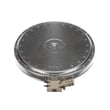


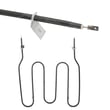
Where is the model number on my Kenmore electric stove?
On Kenmore electric freestanding ranges like model 79092623810, the model and serial tag is typically on the lower right front frame of the range. You may also find it under the cooktop on some units; check both spots before ordering parts.
Where to look first (fastest checks)
- Open the oven door and look along the lower right front frame (front edge of the range body).
- If you do not see the tag, look under the cooktop (some versions place the plate there).
- If your range has a storage drawer, pull it out and look at the front frame area behind it.
What the label looks like
The tag usually lists:
- Model number (for example, 79092623810)
- Serial number
- Electrical ratings and other identification info
Why it matters
The model number ensures you get parts that fit your exact Kenmore range configuration (surface elements, oven controls, door parts, and wiring can vary within the 790.9262 series).
Quick reference table
| Location | What to do | When it helps |
|---|---|---|
| Lower right front frame | Open oven door and inspect the front frame edge | Most common location |
| Under the cooktop | Lift the cooktop (if your design allows) and look for the plate | Alternate factory location |
| Behind storage drawer | Remove drawer and inspect the frame | If the front frame is hard to see |
For diagrams and model identification details, use the 79092623810 owner's manual.
Last updated: January 2026
What was the size of the Kenmore 79092623810 oven?
For the Kenmore electric freestanding range model 79092623810, the exact oven capacity (in cubic feet) and the exact exterior dimensions are listed in the product specifications section of the 79092623810 use & care guide. This model is part of the 790.9262* series, so using the correct manual matters when you are comparing sizes.
What “size” can mean for this range
When customers ask for oven “size,” they usually mean one of these:
- Oven capacity (cubic feet): how much fits inside the oven cavity
- Exterior dimensions (width, height, depth): whether it fits your cutout or space
- Interior dimensions (rack width/depth): whether a specific pan fits
- Overall footprint: clearance needs around the range
Typical size ranges for a 30-inch electric freestanding range
Most Kenmore 30-inch electric freestanding ranges fall into these common ranges:
| Measurement type | Typical range | What to use it for |
|---|---|---|
| Exterior width | ~29 7/8 in to 30 in | Fit between cabinets |
| Exterior height | ~46 in to 48 in (to cooktop/backguard) | Counter alignment |
| Exterior depth | ~25 in to 28 in (varies with handle) | Walkway clearance |
| Oven capacity | ~4.8 to 5.7 cu ft | Meal size, cookware fit |
How to confirm the correct size for model 79092623810
We recommend pulling the measurements from the documentation for your exact model series:
- Check the specifications section in the 79092623810 use & care guide
- Use the 79092623810 installation guide for required clearances and placement details
- Measure your space and compare to the guide, especially depth with the door handle
Why it matters
Using dimensions from a different 790-series range can lead to fit problems (depth and handle projection are common issues) and incorrect installation clearances. The model-specific manual and installation guide keep your measurements aligned to the 79092623810 configuration.
Last updated: January 2026
How do I reset my Kenmore electric range?
To reset a Kenmore electric range model 79092623810, we recommend doing a full power reset: turn the range off, shut off power at the breaker for 1 to 5 minutes, then restore power and reset the clock and any oven settings. See the 79092623810 use and care guide for control and clock steps.
Quick reset steps (power cycle)
- Turn all surface element knobs to OFF.
- Turn the range OFF at the household circuit breaker (or unplug if accessible).
- Wait 1 to 5 minutes.
- Restore power.
- Set the clock, then reselect your bake/broil settings.
What to do after a power outage
Your range can resume heating when power returns if a surface control was left on. After any outage:
- Confirm all surface controls are OFF.
- Reset the clock.
- Re-enter the desired oven function (Bake, Broil, Timer).
If the range still acts “stuck” after resetting
These checks solve most “won’t heat” or “controls not responding” complaints after a reset:
- Verify the breaker is fully ON (flip OFF, then ON).
- Check for a tripped double-pole breaker (ranges typically use 240V).
- If the oven temperature seems inaccurate, test or replace the frigidaire range oven temperature sensor 316490000.
- If a surface element will not regulate heat, a failed infinite switch is common; match the correct control such as the frigidaire range surface element control switch 316436001 or frigidaire range small surface element control switch 316436000.
Common “reset” methods and when to use them
| Reset method | When it helps | What it does |
|---|---|---|
| Breaker reset (1 to 5 minutes) | Dead display, glitchy keypad, after outage | Reboots the electronic control |
| Turn knobs to OFF | After outage or unexpected heating | Prevents elements from resuming |
| Clock reprogram | After power loss | Restores normal timed functions |
Why it matters
A proper reset clears temporary control glitches and ensures the cooktop and oven do not resume operation unexpectedly after power is restored, which helps prevent overheating and cooking failures.
Last updated: January 2026





