Installation guide
 Owner’s manual
 Error Codes




How to tell the age of a Speed Queen dryer?
To tell the age of your Speed Queen dryer (model ADG3SRGS115TW01-THRU-S), find the serial number on the serial plate and decode the manufacture date from it. On many Speed Queen dryers, the first two digits of the serial number indicate the year, and the third and fourth digits indicate the month.
Where to find the serial number
We use the serial plate information to date the dryer. Common locations include the door opening and cabinet areas.
- Open the dryer door and check the door opening (cabinet front) for a serial plate
- Check the back panel near the exhaust outlet
- Check the inside of the front panel area (behind the lower access panel on some units)
- Write down the full serial number exactly as shown
For diagrams and the exact serial plate location for your unit, use the ADG3SRGS115TW01-THRU-S user manual.
How to decode the date (typical Speed Queen format)
Use this quick guide once you have the serial number.
| Serial digits | What they usually mean | Example (digits only) |
|---|---|---|
| 1 to 2 | Year | 19 = 2019 |
| 3 to 4 | Month | 11 = November |
- If digits 1 to 4 are 1911, the dryer was made November 2019
- If digits 1 to 4 are 2001, the dryer was made January 2020
- If the month digits are 01 to 12, read them as January to December
Why it matters
Knowing the manufacture month and year helps us match the correct Speed Queen dryer parts (like a timer, igniter, or drum support components) and avoid ordering a look-alike part that does not fit your production run.
Last updated: January 2026
What is the life expectancy of a Speed Queen dryer?
Most Speed Queen dryers are built to run longer than typical residential dryers; a realistic life expectancy is about 20 to 25 years with normal home use, good venting, and routine maintenance. For your Speed Queen ADG3SRGS115TW01-THRU-S, follow the care and safety guidance in the ADG3SRGS115TW01-THRU-S owner's manual.
Typical lifespan: Speed Queen vs. most residential dryers
Speed Queen machines are known for commercial-grade design and serviceability, which usually translates into a longer usable life.
| Dryer type | Typical life expectancy | What most affects it |
|---|---|---|
| Speed Queen residential dryer | 20 to 25 years | Venting, load habits, maintenance |
| Typical residential dryer (many brands) | 10 to 15 years | Venting, heat stress, wear parts |
What makes a Speed Queen dryer last longer
These are the biggest factors we see behind long service life:
- Clean, unrestricted venting (good airflow reduces heat stress)
- Correct load size (overloading strains the drum support and drive system)
- Routine lint removal (lint buildup raises temperatures and wear)
- Prompt repair of wear parts (rollers, idler components, switches)
- Stable power and proper installation (reduces nuisance failures)
Maintenance habits that add years
The user guide highlights that venting restrictions and lint buildup are common service-call causes; preventing those issues is the easiest way to extend dryer life.
- Clean the lint screen every load
- Inspect and clean the exhaust duct periodically (more often with heavy use)
- Keep the area around the dryer clear for proper airflow
- Avoid overdrying; it increases heat exposure and can wrinkle clothes
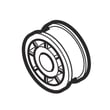
- If you hear thumping or squealing, check drum support parts such as the cylinder roller D510708P
Why it matters
A dryer that runs cooler and breathes properly dries faster, uses less energy, and puts less stress on the motor, drum support, and gas or electric heating system. That combination is what typically gets Speed Queen owners into the 20-plus-year range.
Last updated: January 2026
What are common problems with Speed Queen dryers?
Common problems on the Speed Queen ADG3SRGS115TW01-THRU-S dryer are usually airflow-related (long dry times, overheating, burning smells) or basic control and drive issues (won’t start, won’t tumble, noisy operation). Most fixes start with lint and venting checks, then testing key safety and heating components.
Most common symptoms and what they usually point to
- Dryer takes a long time to dry: restricted vent, clogged lint screen, crushed flex duct, blocked exterior hood
- Overheats or shuts off mid-cycle: restricted venting, high-limit thermostat opening, poor room makeup air
- No heat (gas model): igniter not glowing, flame not sustaining, gas supply issue, burner components failing
- Won’t start: door switch not closing, timer/contact issue, start switch issue, power supply problem
- No tumble or weak tumble: belt/idler issue, motor problem, drum support wear
- Squealing, thumping, or rumbling: worn drum rollers or roller brackets, foreign object, drum support wear
Quick checks we recommend before replacing parts
- Clean the lint screen completely and confirm strong airflow at the outside vent hood.
- Inspect the entire vent run for kinks, crushed sections, or heavy lint buildup.
- Verify the load size and cycle selection; auto-sensing cycles can run longer with wetter or larger loads.
- Listen for motor hum with no drum movement (often points to a drive system problem).
- For gas odor concerns, follow the safety steps in the manual and stop using the dryer until it’s checked.
Parts that commonly solve these problems (when symptoms match)
| Symptom | Commonly involved part | Example part for this model |
|---|---|---|
| Thumping/squealing while tumbling | Drum support roller | Speed queen cylinder roller D510708P |
| No heat or intermittent heat (gas) | Ignition system | Speed queen igniter and bracket assembly D510184P |
| Won’t tumble, motor hums, or stops | Drive motor | Speed queen dryer drive motor D511629P |
Why it matters
Airflow restrictions are the root cause behind many dryer complaints because they reduce drying performance and can cause overheating. The troubleshooting section in the ADG3SRGS115TW01-THRU-S user manual also calls out plugged or kinked venting as a frequent non-product issue that leads to service calls.
Last updated: January 2026
What is error code 19 on Speed Queen?
Error code EC:19 on a Speed Queen dryer typically means no communication with the card reader (common on coin/card-operated setups). On model ADG3SRGS115TW01-THRU-S, start by power-cycling the dryer; if the code returns, the card reader or the main control is usually the cause.
What to do first (quick reset)
- Turn the dryer off.
- Unplug the dryer (or switch the breaker off) for 1 minute.
- Restore power and try a cycle again.
- If EC:19 returns immediately, inspect the card reader harness connections (loose plug, pinched wire).
- If the dryer is gas and you smell gas at any point, follow the safety steps in the ADG3SRGS115TW01-THRU-S owner’s manual.
What EC:19 usually points to
In most Speed Queen commercial-style dryers, EC:19 is a communication fault between the payment interface and the control.
Common causes include:
- Card reader not powered or not seated correctly
- Damaged wiring harness or connector pins
- Failed card reader module
- Failed control board (less common than a connection issue)
Related code you may see
| Code | Meaning | Best first step |
|---|---|---|
| EC:19 | No card reader communication | Power-cycle; check harness connections |
| EC:20 | Unreadable card | Clean card chip and reader contacts |
Why it matters
When the control cannot “see” the card reader, the dryer may not start, may stop mid-cycle, or may reject payment. Fixing a loose connection early can prevent repeated downtime and unnecessary part replacement.
Parts and service notes
- If you confirm the dryer runs but the payment interface is the only issue, focus troubleshooting on the reader and control wiring before replacing mechanical parts like the switch D512973.
- For wiring, control, or gas-related service work, we recommend using the procedures and safety guidance in the ADG3SRGS115TW01-THRU-S installation guide.
Last updated: January 2026