Installation guide
 Owner’s manual
 Error Codes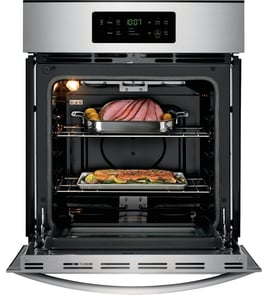




How do you reset a wall oven?
To reset your Kenmore Elite wall oven model 79048343410, turn off power at the circuit breaker (or remove the fuse) for about 1 minute, then restore power. After power returns, reset the clock and reselect your oven function as needed (Bake, Broil, Convection).
Quick reset options (pick the one you need)
- Power reset (most common): Turn the breaker OFF for 1 minute, then ON.
- After a power failure: Turn the oven OFF; when power resumes, reset the clock and your cooking mode.
- Factory default settings reset (control settings): Use the keypad reset sequence described in the owner's manual.
Factory default settings reset (control settings)
If the oven is acting “odd” after settings changes (tones, 12/24-hour clock, temperature display, offsets), restoring defaults can help.
| Reset type | What it fixes | What you may need to set again |
|---|---|---|
| Power reset at breaker | Frozen display, unresponsive keypad, minor glitches | Clock, any active cooking cycle |
| Factory default settings reset | User option changes and temperature offset | Clock, preferences (tones, display mode), temperature adjustments |
Safety and prep before you reset
- Turn the oven controls OFF before cutting power.
- Use the circuit breaker or fuse box; wall ovens are typically hardwired.
- Do not operate the oven during a power failure.
- If you need to access wiring or panels, stop and use a qualified technician.
Why it matters
A reset clears temporary electronic control glitches and restores normal operation after a power interruption. A factory default reset also returns user-modified control options (including temperature offset) back to the original settings.
Last updated: February 2026
What are the parts of an electric oven?
An electric wall oven like the Kenmore Elite 79048343410 is built around heating, airflow, sensing, and safety components. The core parts include bake and broil heating elements, oven racks, a temperature sensor, door and light components, and (on convection models) a fan motor and blade; see the owner's manual for your exact feature set.
Main parts you will find in most electric wall ovens
- Bake element (bottom heat source for baking)
- Broil element (top heat source for broiling)
- Oven temperature sensor (tells the control how hot the oven is)
- Electronic oven control and control board (runs bake, broil, timers, and self-clean)
- Oven racks and rack supports (position food for even cooking)
- Oven vent (moves warm air out for proper circulation)
- Door system (door seal, hinges, handle, glass)
- Oven light and lens/shield (interior visibility)
Model-specific examples of parts we list for Kenmore Elite 79048343410
Here are common components for this model that match the categories above:
| Oven part category | Example part on this model | What it affects |
|---|---|---|
| Temperature sensing | Range oven temperature sensor 5304504897 | Inaccurate temps, long preheat, error codes |
| Heating | Range bake element 318902502 | No heat, weak bake, uneven baking |
| Convection airflow | Oven motor 139008504 and blade 318398302 | Convection not circulating, uneven browning |
| Door sealing | Wall oven door seal 807545501 | Heat loss, longer cook times, hot exterior |
Why these parts matter
When any of these components is worn or failing, you will usually see symptoms like uneven baking, slow preheat, temperature swings, or heat escaping around the door. The oven vent location and rack handling guidance in the owner's manual also help prevent poor baking results and overheating.
Quick safety and care notes we follow
- Turn power off at the breaker before servicing any electrical part.
- Do not block the oven vent; airflow is required for good baking.
- Arrange racks only when the oven is cool.
- Do not line the oven with foil; it can damage the interior and affect heat distribution.
- For installation stability, the oven must be secured with mounting screws; follow the installation guide.
Last updated: February 2026
Where can I find my Kenmore 79048343410 oven model number?
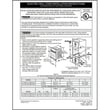
For Kenmore Elite wall oven model 79048343410, the model and serial number are printed on the serial plate located along the interior side trim of the oven, and you can see it when you open the oven door. The exact location is shown in the installation guide.
What to look for
The label you need is the serial plate (sometimes called the identification plate). It typically includes:
- Model number (for example, 79048343410)
- Serial number
- Lot number or letter (often used for parts inquiries)
- Electrical ratings (common on appliance ID plates)
Quick steps to find it
- Open the oven door fully.
- Look along the left and right interior side trim (the vertical trim just inside the front frame).
- Find the serial plate and write down the model and serial numbers exactly as shown.
Why this matters for parts and troubleshooting
Using the correct model number ensures we match the right Kenmore Elite wall oven parts, wiring, and diagrams. Even small model variations can change which items fit, such as:
- Bake element
- Oven temperature sensor
- Control board
- Door seal
Common label locations (comparison)
| Appliance type | Most common model/serial label location |
|---|---|
| Wall oven (like 79048343410) | Interior side trim, visible with door open |
| Freestanding range | Door jamb or frame behind the oven door |
| Slide-in range | Frame behind the door or storage drawer area |
Last updated: February 2026