 Error Codes





What is the code F1 on a Magic Chef refrigerator?
F1 is an error code used on some Magic Chef refrigerators to indicate a problem in the user interface or electronic control system. This Sears PartsDirect model, Magic CHEF 3521XRW electric range, is a different appliance type and typically does not use refrigerator-style F-codes.
What F1 usually means on a Magic Chef refrigerator
On refrigerators that display F1, the issue is commonly tied to the controls that read button presses and run the cooling system.
- Stuck or shorted key on the display (touch pad/user interface)
- Moisture or contamination affecting the keypad area
- Loose or damaged wiring between the door display and main control
- Electronic control board fault
Safe steps we recommend before replacing parts
These steps apply to a refrigerator showing F1 (not the 3521XRW range).
- Reset power: unplug for 5 minutes, then restore power
- Press each button once; confirm none are physically stuck
- Dry and clean around the display area (avoid soaking the panel)
- Inspect the door hinge area for pinched or broken wires
- If the code returns immediately after reset, plan for a control or user interface repair
Quick symptom guide
| What you see | Most common cause | What usually fixes it |
|---|---|---|
| Beeping, random button behavior | Stuck key or failing user interface | Replace the user interface/touch pad assembly |
| Code appears after a power interruption | Control board logic issue | Replace the electronic control board |
| Code changes when opening/closing door | Harness connection problem | Repair wiring/connectors at hinge |
If you meant the Magic CHEF 3521XRW electric range
This range is serviced by component testing (elements, switches, wiring connections) rather than refrigerator error codes. For example, if you are diagnosing a power connection issue on the range, the terminal block WPW10245259 is the part that connects the house power cord to the range wiring.
Why it matters
An F1 condition on a refrigerator can cause nuisance alarms and unreliable temperature control. On a range like the 3521XRW, similar symptoms usually trace back to a failed heating component, switch, or wiring connection.
Last updated: January 2026
Where is the model number on a Magic Chef stove?
On a Magic Chef range like model 3521XRW, the model number is usually on a rating label around the oven opening (door jamb) or on the frame behind the lower storage drawer. Some units also place it on the back panel near the vent area.
Most common places to check
- Open the oven door and look along the left or right door jamb (the frame around the opening).
- Pull out the bottom storage drawer and look on the frame behind it.
- Check the back panel of the range, often near the vent area.
- Look along the side panel near the lower rear corner.
- If the label is worn, use a flashlight and look for faint stamped or printed characters.
Quick steps (fastest way)
- Open the oven door and scan the frame for a white or silver rating label.
- If you do not see it, remove the storage drawer and check the frame behind it.
- If needed, carefully slide the range forward and check the back panel.
What the label usually includes (so you know you found the right one)
| Label item | What it’s used for |
|---|---|
| Model number (example: 3521XRW) | Matching the correct parts and diagrams |
| Serial number | Identifying production run and revisions |
| Electrical rating | Confirming power requirements for safe service |
Why it matters
We use the exact model number to match the correct Magic Chef range parts for your unit, especially for electrical items like the terminal block WPW10245259 where wiring and mounting details must match.
Last updated: January 2026
What is the average lifespan of 3521XRW?
A Magic Chef electric range like model 3521XRW typically lasts 13 to 15 years with normal household use. Lifespan depends most on heat-related wear to the bake and surface heating circuits, plus how quickly worn electrical connections are repaired.
Typical lifespan and what affects it
- Heating load: frequent high-heat baking and broiling shortens element life
- Electrical health: loose or overheated power connections can damage wiring and controls
- Spills and boilovers: can shorten the life of surface elements, receptacles, and switches
- Door sealing: a poor seal makes the oven run longer to hold temperature
- Basic maintenance: keeping drip bowls and the oven cavity clean reduces corrosion and hot spots
Parts that commonly wear first (and why)
Electric ranges usually fail in a few predictable areas. For the 3521XRW, these parts are commonly involved in heat or power issues:
| Symptom | Common wear area | Example part on this model |
|---|---|---|
| Oven not heating or heats unevenly | Bake circuit | Bake element WP74003019 |
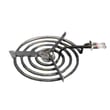
| One burner not heating | Surface element or receptacle | Element (8") WPY04000035 |
| No power or intermittent power | Power cord connection point | Terminal block WPW10245259 |
How to extend the life of your range
- Tighten and inspect the power connection area if you ever smell hot plastic (power off first)
- Replace weak elements early to prevent overheating at terminals
- Keep drip bowls seated correctly to reduce heat damage under the cooktop
- Avoid slamming the oven door; it stresses hinges and can affect sealing
Why it matters
Knowing the expected 13 to 15 year lifespan helps you decide whether a repair (like a heating element or terminal block) is a smart investment versus planning for replacement, especially if multiple heat or wiring issues show up close together.
Last updated: March 2026




