 Installation guide
 Owner’s manual
 Error Codes



How do you reset a GE oven?
To reset a GE oven like model JBS60RF1SS, we recommend starting with a simple power reset: turn the range off at the household circuit breaker, wait 1 minute, then restore power and set the clock. This clears most control glitches and many error-code lockups.
- Control-panel reset: Press and hold Clear/Off for about 3 to 5 seconds (if your keypad has it).
- Breaker reset (most effective): Switch the range breaker OFF, wait 1 minute, then switch it ON.
- Clock reset: After power returns, set the time; some functions will not operate correctly until the clock is set.
- If the display is blank: Confirm the breaker is fully reset (OFF then ON), not just tripped halfway.
- Turn the range circuit breaker OFF.
- Wait 60 seconds.
- Turn the breaker ON.
- Set the clock and test Bake and Broil.
For model-specific control and clock steps, follow the JBS60RF1SS owner's manual.
These checks help separate a control issue from a power or heating issue:
- Verify the range is on a properly sized, dedicated circuit (electric ranges commonly use a 40-amp minimum branch circuit).
- If the cooktop works but the oven will not heat, a failed heating component is possible.
- If the oven heats unevenly or will not reach temperature, inspect the bake element for damage.
- If the display is erratic or buttons do not respond, the electronic control may be failing.
| Symptom after reset | Most likely direction | What we check next |
|---|---|---|
| Display works, oven will not heat | Heating circuit issue | Bake element, broil unit, wiring |
| Buttons do not respond | Control issue | Keypad overlay, control board |
| Random beeping or recurring codes | Sensor/control issue | Error code meaning, wiring, control |
If you suspect a failed control, the range oven control board WB27X45466 is the model-matched electronic control part.
A reset restores normal operation after a brief power interruption, a stuck key condition, or a temporary control-board glitch. It is also the fastest first step before replacing parts like a bake element or control board.
Last updated: January 2026
What are common problems with GE ranges?
Common problems we see on GE electric ranges like model JBS60RF1SS are the oven not heating correctly, surface elements not working or heating unevenly, error codes or a dead control panel, and door or light issues. Many of these trace back to a failed heating element, a bad switch, loose wiring, or a control board problem.
- Oven will not heat or heats unevenly: failed bake or broil element, wiring issue, or control problem
- Cooktop element will not heat: failed radiant element or a bad surface element control switch
- Error codes, beeping, or blank display: control board or keypad/overlay issue
- Oven light not working: burned-out bulb or failed light socket
- Burning smell or intermittent power: loose power cord connections or terminal block damage
If your symptoms match, these model-specific parts are frequent solutions:
| Symptom | Likely part to check | Example part for this model |
|---|---|---|
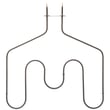
| Oven not baking | Bake element | Range bake element WB44X45495 |
| Cooktop element not heating | Radiant surface element | Range radiant surface element, 8-in WB30T10132 |
| One element stuck high/low | Infinite switch | Range surface element control switch WB24T10153 |
| Dead display or error codes | Electronic control | Range oven control board WB27X45466 |
| No oven light | Bulb or socket | Range oven light bulb 40A15 |
- Confirm power: This range needs a proper 240V supply; a tripped double breaker can cause partial operation.
- Look for visible damage: blistered element spots, melted wire connectors, or a scorched terminal area.
- Match the symptom to the circuit: bake vs broil vs surface element problems point to different components.
- Use the correct wiring method: A loose connection at the terminal block can cause intermittent heat.
For wiring and safety details (including terminal block connections and anti-tip guidance), follow the JBS60RF1SS installation guide.
Heating and control problems can look similar, but the fix is different. Correctly identifying whether the issue is the bake element, a surface switch, or the control board helps you avoid repeat failures and restores safe, consistent cooking performance.
Last updated: January 2026
What does F350 mean on my GE stove?
On a GE JBS60RF1SS electric range, the F350 error code points to a problem in the upper cooling fan circuit or airflow, such as a fan obstruction or a wiring issue that prevents the fan from running correctly.
- Press Clear/Off to stop the alarm, then let the range cool.
- Make sure nothing is blocking the oven vent area and that airflow around the back of the range is clear.
- Turn power off at the breaker for 1 minute, then restore power and see if the code returns.
- If the code appears during or right after high-heat use, allow extra cool-down time and re-test.
- If the code returns immediately, plan on inspecting the fan circuit (fan, wiring, control).
| Likely cause | What you may notice | Typical fix |
|---|---|---|
| Cooling fan obstruction | Code appears when oven is hot; fan sounds abnormal | Remove obstruction, clean lint/grease buildup |
| Loose or damaged wiring in fan circuit | Intermittent code; fan cuts in and out | Repair wiring/connector |
| Control not driving the fan correctly | Fan never runs; code repeats | Diagnose control circuit; replace control if needed |
If you need wiring diagrams, error-code notes, or access instructions for your model, use the JBS60RF1SS owner’s manual.
If the fan circuit checks out but the range still throws F350, the electronic control can be part of the failure path. For this model, the control is the range oven control board WB27X45466.
The cooling fan protects the control area from overheating. When the fan circuit is blocked or failing, the range may shut down or display F350 to prevent heat damage and unsafe temperatures.
Last updated: January 2026





