 Owner’s manual
 Error Codes
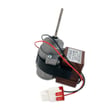



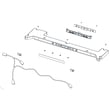
How to clean the drip pan on a Kenmore refrigerator?
On Kenmore model 11173022713, the drip pan (drain pan) collects defrost water so it can evaporate; cleaning it is mainly about safe access, removing standing water, and washing the pan with mild soap. Use the steps in the 11173022713 owner's manual for model-specific cabinet and panel handling.
Before you start (safety and prep)
- Unplug the refrigerator or switch off power at the breaker.
- Remove the toe grille or lower access cover if your unit has one.
- Protect the floor with towels; drip pans often contain dirty water.
- Wear gloves; the pan can have mold or bacteria.
- Avoid harsh chemicals (bleach fumes can linger in food areas).
How to clean the drip pan (typical bottom-mount steps)
- Locate the pan: On most bottom-mount refrigerators, it sits near the compressor area at the bottom rear, or behind the front toe grille.
- Try to slide it out: If it’s designed to be removable, pull it straight out carefully.
- If it does not remove easily: Clean it in place using a turkey baster or sponge to remove water, then wipe the pan.
- Wash: Use warm water plus a small amount of dish soap; scrub with a bottle brush.
- Rinse and dry: Dry completely before reinstalling to reduce odors.
Quick cleaning mix
| Option | What to use | Best for |
|---|---|---|
| Mild wash | Warm water + dish soap | Routine cleaning |
| Deodorize | Baking soda + warm water | Odors without harsh chemicals |
| Light disinfect | Vinegar + water | Mild mildew smell |
Why it matters
A dirty drip pan can cause musty odors, attract pests, and make you think the refrigerator is “leaking” when it’s really just overflow or slow evaporation.
If you see water on the floor
- Check that the refrigerator is level (a tilt can affect drainage).
- Look for a clogged defrost drain (ice or debris can back up water).
- Keep condenser vents clear; good airflow helps evaporation (we recommend vacuuming vents without removing sealed panels, as described in the 11173022713 owner's manual).
For more help with puddles and drainage symptoms, use our guide: how to get rid of refrigerator puddles.
Last updated: February 2026
How to tell if a Kenmore refrigerator compressor is bad?
On Kenmore model 11173022713, a bad compressor shows up as both sections warming, little or no cooling even though fans run, or repeated start clicking with short run attempts. Use the cooling and noise checks in the owner's manual first because normal operation can sound like a problem.
Quick checks before blaming the compressor
- Wait after install or power loss: cooling can take up to 24 hours to fully stabilize.
- Reduce heat load: limit door openings and avoid adding hot food.
- Confirm doors close fully: poor sealing raises temperatures and run time.
- Clean condenser cover and vents: vacuum the cover and vents; do not remove the panel covering the condenser coil area.
- Note room temperature: the refrigerator should not be operated above 110°F.
Normal sounds vs. warning signs
| What you hear/see | Often normal on 11173022713 | More likely a problem |
|---|---|---|
| Clicking | Defrost/control cycling | Clicking every few minutes with no cooling |
| Whooshing/gurgling | Fans and refrigerant flow | Loud buzzing plus overheating and shutdown |
| Long run times | Warm room, frequent openings | Runs constantly and both sections stay warm |
Symptoms that point to compressor or sealed-system trouble
- Refrigerator and freezer stay warm after 24 hours
- Fans run but temperatures do not drop
- Repeated start attempts (click, pause, click) with minimal run time
- Compressor area gets very hot then stops (overload behavior)
Why it matters
The manual notes the compressor can run 40% to 80% of the time at 70°F and longer in warmer conditions; that is normal. Ruling out airflow and door issues prevents replacing the wrong part.
Helpful DIY reference: Kenmore 111 model bottom freezer refrigerator error codes
Last updated: February 2026
How to tell what model Kenmore refrigerator?
To tell what model Kenmore refrigerator you have, look for the model and serial number on the identification label inside the fresh food (refrigerator) compartment. For Kenmore model 11173022713, the label is on the interior liner of the refrigerator compartment; the exact location and examples are shown in the owner's manual.
Where to look for the model number label
Check these common spots inside the refrigerator section:
- Side wall of the fresh food compartment (interior liner)
- Ceiling area near the light housing
- Behind or beside the crisper drawers
- Along the lower interior wall near the front edge
What the model number looks like (and why it matters)
Kenmore model numbers are usually a series of digits, sometimes with a dot and additional digits for a model family. Your Use and Care Guide for this style of refrigerator lists models like 111.7302* (the asterisk indicates a color number). Recording the full model number helps us match the correct parts list, diagrams, and troubleshooting steps.
Quick reference
| What you find | What it means | What to do next |
|---|---|---|
| Model number (example: 11173022713) | Identifies the exact refrigerator version | Use it to look up parts and diagrams |
| Serial number | Identifies your specific unit | Keep it for service records |
| “111.7302*” in the manual | Model family format; color number varies | Match your full label number to the family |
Tips to avoid mix-ups
- Write the model number exactly as shown (include all digits).
- If your label shows a dot format (example: 111.7302xxxx), copy it exactly.
- Use the model number from the label, not just the number printed on the manual cover.
Why it matters
Kenmore refrigerators often look similar across model families, but parts like door bins, handles, sensors, and control boards can differ by model number. Using the identification label prevents ordering the wrong replacement part and speeds up troubleshooting.
Last updated: February 2026
What does DH mean on Kenmore 11173022713 refrigerator?
On Kenmore model 11173022713, dH (or Er dH) indicates a defrost heating problem: the refrigerator is not sensing the expected temperature rise during the defrost cycle. This commonly points to the defrost heater circuit, wiring, or the main control not powering the heater.
What to check first (safe, no-tools steps)
- Power reset: unplug the refrigerator (or switch off the breaker) for 5 minutes, then restore power.
- Door closure: confirm the doors and freezer drawer close fully; warm air can worsen frost buildup.
- Airflow: make sure vents are not blocked by food packages.
- Cooling performance: note if the freezer is warming or if the refrigerator section is getting too warm.
- Frost pattern: heavy frost on the back wall inside the freezer often matches a defrost failure.
Likely causes and what they mean
| What’s happening | Common cause | What you’ll typically see |
|---|---|---|
| Defrost heater not heating | Failed heater or open circuit | Frost builds up, airflow drops, temps rise |
| Heater not getting power | Control board issue or wiring problem | Error returns after reset |
| Defrost sensing issue | Defrost sensor/thermistor problem | Defrost runs but doesn’t “register” correctly |
DIY troubleshooting path (what we recommend)
- Confirm the code and any display behavior using the owner's manual.
- If cooling is getting worse, inspect for frost buildup behind the freezer’s rear interior panel (unplug first).
- If you’re comfortable using a multimeter, test the defrost heater and sensor for continuity and check harness connections.
- If the heater and sensor test good, the next step is verifying the control board is sending voltage to the heater during defrost.
Why it matters
A dH/Er dH defrost error usually means frost can keep accumulating on the evaporator, which restricts airflow. That leads to warmer temperatures, longer compressor run time, and poor ice production.
For model-family troubleshooting references, we also use the Kenmore 111 model bottom freezer refrigerator error codes guide to interpret common code patterns.
Last updated: February 2026





