Error Codes




How do I get the manual for my GE refrigerator?
For your GE PGE29BYTDFS bottom-mount refrigerator, the fastest way to get the correct manual is to use GE Appliances Owner Support and search by your full model number (PGE29BYTDFS). That pulls the exact owner’s manual and any installation instructions tied to your unit.
Where to download the correct manual
Use GE Appliances Owner Support and look for the manuals section, then search by model number.
- Enter the model number exactly as PGE29BYTDFS (letters and numbers matter)
- Choose Owner’s manual for operating features, settings, and care
- Choose Installation instructions for water line hookup, leveling, and clearances
- Save a copy to your phone or computer for quick reference
- If multiple results appear, pick the one that matches your refrigerator series and finish
Find your model number on the refrigerator
On most GE bottom-mount and French door styles, the model and serial tag is inside the fresh food compartment.
- Check the side wall near the crisper drawers
- Check the ceiling area near the lights
- Look for a sticker that lists Model and Serial
- Write it down exactly (including any suffix letters)
What you will use the manual for (most often)
| Task | Manual section to look for | Why it helps |
|---|---|---|
| Setting temperatures | Controls and settings | Prevents freezing in fresh food or soft ice cream |
| Water filter replacement | Water system / filter | Ensures proper flow and taste |
| Ice maker troubleshooting | Ice maker / dispenser | Speeds up diagnosis of no ice or small cubes |
| Door alarm behavior | Alarms and indicators | Stops nuisance beeping and protects food |
Related help we recommend
If your goal is specifically to maintain the water system, we recommend reviewing how to replace the water filter in a GE refrigerator and confirming you are using the correct filter for this model, such as GE refrigerator water filter XWFE.
Why it matters
Using the exact PGE29BYTDFS manual prevents mismatched instructions, especially for water filtration, dispenser features, and control settings that vary by series.
Last updated: February 2026
How do I find the right GE part number?
For your GE PGE29BYTDFS bottom-mount refrigerator, the right part number comes from matching the exact model number (PGE29BYTDFS) to the correct part in the parts diagram, then confirming the part ID and manufacturer part number on the part listing before you order.
Step-by-step: the fastest way to get the correct part
- Find the model tag inside the fresh food compartment (commonly on the side wall, ceiling, or near the door frame).
- Confirm the model number is PGE29BYTDFS (letter and number order matters).
- Identify the failed part by function and location (water filter system, icemaker, door seal, cooling system).
- Match it to the exact listing for this model, then verify the part ID and part number.
- If multiple similar parts appear, compare your original part’s label markings and connector style.
- When in doubt between two close matches, use the part ID as the tie-breaker because it maps to the correct diagram callout.
What “part ID” vs “part number” means (and why both matter)
| What you see | Example on this model | What it’s used for |
|---|---|---|
| Part ID (diagram/listing identifier) | WR57X24979 | Helps you select the correct listing for PGE29BYTDFS |
| Manufacturer part number | WR57X24979 | The actual GE replacement part number you’ll receive |
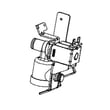
| Part name | Refrigerator dual water inlet valve assembly | Confirms you are choosing the right function |
Common examples on PGE29BYTDFS (use these as a matching pattern)
If you are replacing a water or ice related part, confirm you are selecting the exact item for this model, such as:
- GE refrigerator water filter XWFE for taste/odor issues, slow dispensing, or a filter change reminder.
- Refrigerator water filter bypass WR17X33825 if you need to run the dispenser temporarily without a filter installed.
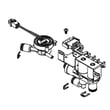
- Refrigerator dual water inlet valve assembly WR57X24979 for no water to dispenser, no ice production, or weak fill (after confirming house water supply is good).
Why it matters
GE refrigerators often have multiple revisions and similar-looking parts across model families. Using the exact model number PGE29BYTDFS and confirming both the part ID and part number prevents ordering a part that fits physically but does not match wiring, flow rate, or mounting.
Last updated: February 2026
What does upside down f and f mean on GE refrigerator?
On the GE PGE29BYTDFS bottom-mount refrigerator, an upside-down f next to a normal F on the display indicates a fast-cooling mode is turned on (TurboFreeze for the freezer, or TurboCool for the fresh food section). It is a feature status indicator, not a failure code.
What the symbols usually mean
These display pairs are commonly used on GE refrigerators to show quick-cool features:
- TurboFreeze (freezer quick chill): often shows as an upside-down f with F
- TurboCool (fresh food quick chill): often shows as an upside-down f with C
- The indicator typically turns off automatically after a set time, or you can turn it off manually
How to turn it off (typical GE control behavior)
Try these steps on the PGE29BYTDFS control panel:
- Press and hold Freezer for about 3 to 5 seconds to toggle TurboFreeze off
- Press and hold Fridge (or Refrigerator) for about 3 to 5 seconds to toggle TurboCool off
- If the display is unresponsive, unplug the refrigerator for 2 minutes, then restore power and recheck
- If the symbol returns immediately, confirm no buttons are stuck and the control panel is clean and dry
Quick reference table
| What you see on the display | What it indicates | What to do |
|---|---|---|
| Upside-down f + F | TurboFreeze is on | Hold Freezer to toggle off |
| Upside-down f + C | TurboCool is on | Hold Fridge/Refrigerator to toggle off |
| Code plus beeping/alarm | Door ajar or another alert | Check doors, then reset alarm |
Why it matters
TurboFreeze and TurboCool are helpful after loading groceries or after a door has been open, but leaving them on can increase run time and noise. If you are troubleshooting temperature issues, knowing whether quick-cool is active helps you interpret what the refrigerator is doing.
Related help for GE display alerts
If you are also hearing alarms or seeing other codes, use these guides to narrow it down:
Last updated: February 2026
What is the most common problem with a GE refrigerator?
The most common problem we see with GE refrigerators like model PGE29BYTDFS is a cooling complaint (warm fresh food section, soft ice cream, or temperature swings). In many cases, the root cause is airflow or heat-transfer related, such as dirty condenser coils, a fan issue, or a defrost problem.
Most common symptoms and what they usually point to
- Refrigerator warm, freezer OK: restricted airflow, iced evaporator, or a sensor/defrost issue
- Freezer warm and refrigerator warm: condenser coils clogged, condenser fan problem, or sealed system/compressor issue
- Ice maker slow or not making ice: water supply restriction, filter issue, inlet valve issue, or ice maker failure
- Frost buildup on back wall or drawers hard to open: defrost system problem
- Door alarm or warm air leaks: door not sealing or doors out of alignment
Quick checks we recommend first (fast, no parts)
- Confirm the controls are set correctly and vents are not blocked by food.
- Clean condenser coils and make sure the unit has good airflow around it.
- Check door gaskets for gaps, tears, or areas not sealing.
- If you have an ice and water dispenser, verify strong water flow at the dispenser.
- Look for heavy frost in the freezer that suggests a defrost failure.
Common parts involved on PGE29BYTDFS (when symptoms match)
| Symptom | Likely area | Example part for this model |
|---|---|---|
| Slow/no ice, weak dispenser flow | Filtration or water supply | GE refrigerator water filter XWFE |
| No ice and no water fill | Water inlet valve | Refrigerator dual water inlet valve assembly WR57X24979 |
| Frost buildup, warming, temp swings | Defrost sensing/heating | Refrigerator defrost sensor WR55X29875 |
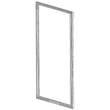
| Door not sealing, moisture, warm spots | Door seal | Refrigerator door gasket WR14X32082 |
Why it matters
Cooling and ice maker problems often start small (restricted airflow, a weak seal, or a partially clogged filter) but can lead to longer run times, warmer food temps, and excess frost. Catching the symptom early helps prevent bigger failures like fan, control, or compressor stress.
Helpful DIY guides
- GE refrigerator error codes
- How to replace the water filter in a GE refrigerator
- How to fix a fridge door seal
Last updated: February 2026
How to order GE appliance parts?
To order parts for your GE PGE29BYTDFS bottom-mount refrigerator, we recommend starting with the model number (PGE29BYTDFS) and matching the exact part you need by name and ID. This helps ensure the replacement fits and functions correctly the first time.
Step-by-step: how we recommend ordering parts
- Confirm the full model number on the rating label: PGE29BYTDFS
- Identify the failed system (water/ice, cooling, defrost, door seal, controls)
- Match the part by part name and part ID (not just a description)
- Compare your symptoms to common fixes before ordering
- Order the part and gather basic tools (screwdriver, nut driver, gloves)
- Install the part safely with power disconnected when required
Common parts customers order for PGE29BYTDFS
If you are troubleshooting water, ice, or taste issues, these are frequent replacements for this model:
| Symptom | Part to check first | Example part for this model |
|---|---|---|
| Slow water flow or bad taste | Water filter | GE refrigerator water filter XWFE |
| No water dispensing or weak ice production | Water inlet valve | Refrigerator dual water inlet valve assembly WR57X24979 |
| Need water without a filter installed | Filter bypass plug | Refrigerator water filter bypass WR17X33825 |
| Frost buildup or warm temps after defrost issues | Defrost components | Freezer defrost heater WR51X31995 and refrigerator defrost sensor WR55X29875 |
Before you buy: quick checks that prevent wrong-part orders
- Make sure the symptom is not caused by a setting (for example, dispenser lock or temperature change)
- Check for obvious issues like a door not sealing or a bin not seated
- For water and ice problems, confirm the household shutoff valve is fully open
- If the refrigerator is showing a fault, use GE refrigerator error codes to narrow the failure
- If the issue is the door not closing or the alarm keeps sounding, use how to reset the door alarm on a GE refrigerator
Why it matters
Ordering by exact model number and part ID reduces returns and downtime. On a GE bottom-mount refrigerator like PGE29BYTDFS, many parts look similar across models, but connectors, firmware, and mounting details can differ.
Last updated: February 2026
How do I reset my GE refrigerator control board?
For a GE PGE29BYTDFS bottom-mount refrigerator, the most reliable “control board reset” is a power reset: unplug the refrigerator (or switch the breaker off) for 5 minutes, then restore power and allow up to 24 hours for temperatures to fully stabilize.
Quick reset steps (safe for most situations)
- Unplug the refrigerator or turn the circuit breaker OFF.
- Wait 5 minutes (this clears many temporary logic faults).
- Restore power.
- Confirm the display and interior lights come back on.
- Wait 5 to 10 minutes for the compressor and fans to restart normally.
- Monitor cooling for the next 24 hours.
If the display is acting strange (try a longer reset)
Some control issues need a deeper power reset.
- Turn power OFF for 30 to 60 minutes.
- Restore power and listen for normal startup (fans, compressor ramping up).
- Recheck settings after the unit runs for 10 minutes.
What to expect after a reset
| What you see | What it usually means | What to do |
|---|---|---|
| Lights and display return, cooling resumes | Temporary control glitch cleared | Give it 24 hours to stabilize |
| No display or intermittent power | Possible power/control issue | Check outlet, breaker, then inspect control components |
| Cooling is still weak after 24 hours | Likely not a “reset” problem | Troubleshoot airflow, defrost, or sealed system |
When a reset is not enough (common causes)
A reset will not fix a failed component. For this model, these parts are often involved when symptoms persist:
- Main control board WR55X48225 (manages compressor, fans, defrost logic)
- Refrigerator power control board WR55X31984 (power distribution and control functions)
- Inverter WR55X43006 (drives the compressor on inverter systems)
- Refrigerator defrost sensor WR55X29875 (feeds defrost temperature data to the control)
Why it matters
Resetting clears temporary software-like faults, but repeated “needs a reset” behavior usually points to a failing board, inverter, sensor, or a wiring/power problem. Using the right troubleshooting path prevents food-temperature swings and repeat shutdowns.
For diagnostic help, use GE refrigerator error codes to match any displayed code to the most likely cause.
Last updated: February 2026