 Installation guide
 Owner’s manual



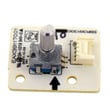
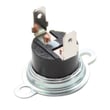
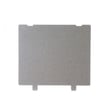
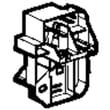
What model GE microwave do I have?
Your GE microwave’s model number is printed on a label inside the oven cavity. On the GE PSB2201NSS01, open the door and look along the oven frame (the front edge around the opening) for the model and serial label; write both down for parts and service.
Where to look (fast checklist)
- Open the microwave door fully.
- Look for a printed label inside the oven opening, not on the glass.
- Check the front frame area around the cavity (often along the side or top edge).
- Record Model and Serial exactly as shown.
- Use the model number to match parts like a door switch, control board, or turntable components.
What the label typically includes
| Label item | What it’s used for | Example for this page |
|---|---|---|
| Model number | Correct parts lookup and diagrams | PSB2201NSS01 |
| Serial number | Manufacturing details and service identification | Varies by unit |
Why it matters
We use the model number to ensure the part fits your exact GE built-in microwave configuration. Even small model-number differences can change electrical parts (like interlock switches) and mechanical parts (like the turntable drive).
Helpful references
- Use the PSB2201NSS01 owner’s manual to confirm where GE lists the model and serial label location and to review basic operation and safety information.
Last updated: February 2026
What's the average lifespan of a GE microwave?
Most GE microwaves last about 8 to 10 years with normal household use. For the GE PSB2201NSS01 built-in microwave, lifespan depends most on daily run time, keeping the cavity clean, and avoiding overheating events; use the care and safety guidance in the PSB2201NSS01 owner's manual.
Typical lifespan ranges (what we see most often)
- Light use (a few minutes/day): 10+ years
- Average use (10 to 20 minutes/day): 8 to 10 years
- Heavy use (multiple long cycles/day): 5 to 8 years
- Shortened lifespan triggers: running empty, repeated arcing, blocked airflow, slamming the door
What usually fails first (and what it looks like)
| Symptom | Common area involved | Example parts for PSB2201NSS01 |
|---|---|---|
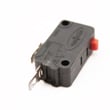
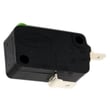
| Won’t start, intermittent start | Door interlock circuit | Primary switch WB24X10047, monitor switch WB24X25397 |
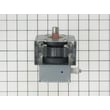
| Runs but does not heat | High-voltage heating system | Magnetron circuit components (service-level repair) |
| Dead display or no response | Controls/power | Control boards (model-specific) |
| Stops mid-cycle, overheats | Thermal protection/airflow | Microwave thermal cut-off WB21X10148 |
How to extend the life of your GE PSB2201NSS01
- Keep the interior clean so food splatter does not carbonize and cause arcing.
- Never run the microwave empty; it stresses the magnetron.
- Make sure vents are not blocked; built-in units still need airflow.
- Close the door gently; door switch and latch alignment matter.
- Use microwave-safe cookware and avoid metal/foil unless the manual specifically allows it.
Why it matters
A microwave can appear “old” because of door-switch wear, overheating cutoffs, or control issues, even when the cooking system is still good. Catching symptoms early helps you decide whether a small part replacement makes sense versus a larger repair.
Last updated: February 2026
What are the parts of a microwave?
A microwave like the GE PSB2201NSS01 is built from a cooking cavity, door safety interlocks, a control system, and a high-voltage heating system, plus airflow and turntable components that move food and keep internal parts cool. See the PSB2201NSS01 owner's manual for the exact features and accessory use.
Main microwave components (what they do)
- Control panel and control boards: run cook modes, timing, and sensor functions.
- Door and interlock system: prevents operation with the door open.
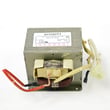
- High-voltage system: creates the energy used for heating (transformer and related components).
- Waveguide and waveguide cover: directs energy into the cavity and protects the opening.
- Cooking cavity: the metal interior where food is heated.
- Turntable system: tray, support, shaft, and motor that rotate food for even heating.
- Cooling/ventilation fans and ducts: move air to cool internal components (fans can run after cooking).
Parts you can commonly replace on PSB2201NSS01
These are examples of model-matched parts we see replaced often:
- Door safety switch: primary switch WB24X10047
- Secondary safety switch: monitor switch WB24X25397
- Overheat protection: microwave thermal cut-off WB21X10148
- Energy path protection: microwave waveguide cover WB06X10828
- Turntable drive hardware: microwave turntable shaft WB02X11360
Quick “what’s inside” map
| System | What you notice | Example part on this model |
|---|---|---|
| Door safety | Won’t start, stops when door moves | Interlock switches |
| Turntable | Tray not turning, uneven heating | Shaft or motor |
| Airflow/cooling | Fan runs after cooking | Ventilation components |
| Heating | Runs but doesn’t heat | High-voltage components |
Why it matters
Knowing which system you are dealing with helps you troubleshoot safely and order the right GE parts the first time. For example, the manual notes the turntable should be in place during microwave cooking, and that cooling fans can continue running after cooking as the oven cools.
Last updated: February 2026
How do I find the wattage of my GE microwave?
For your GE PSB2201NSS01 built-in microwave, the most reliable way to find wattage is to read the rating label (usually inside the door opening) or check the specifications section in the PSB2201NSS01 owner's manual. Wattage is the cooking power used for timing and recipe results.
Where to look first
- Rating label: Open the door and look along the oven frame (often on the left side) for a label listing volts, amps, and watts.
- Owner documentation: Check the specs section in the PSB2201NSS01 owner's manual.
- Installation information: The PSB2201NSS01 installation guide focuses on electrical supply and grounding requirements, not cooking wattage, but it helps confirm the correct power source.
What “wattage” means on this model
This Advantium-style unit uses multiple cooking systems (microwave plus speedcook elements). The wattage you want for microwave cooking is the microwave output power, which affects how long foods take to heat.
Microwave power level vs. wattage
| What you see | What it controls | What it is not |
|---|---|---|
| Power level (1-10) | Percentage of full microwave output | The actual watt rating |
| Wattage rating | Maximum microwave output used for cooking times | A setting you change with the keypad |
Why it matters
Using the correct wattage keeps cook times accurate. If you follow a cookbook or package directions written for a different wattage, you may need to adjust time up or down to avoid underheating or overcooking.
Quick timing tip (once you know your watts)
- If your microwave wattage is lower than the recipe’s wattage, increase cook time.
- If your microwave wattage is higher, decrease cook time.
- Start with small changes (about 10-20%) and check food temperature.
Last updated: February 2026


