 Installation guide
 Owner’s manual
 Error Codes




How to reset a GE wall oven?
To reset your GE JTP30WM1WW electric wall oven, reset power to the oven at the home electrical panel: switch the circuit breaker OFF, wait at least 30 seconds, then switch it back ON. This resets the electronic control after a power surge or error.
Quick reset steps (power reset)
- Turn the oven OFF at the control (press Clear/Off if available).
- Switch the oven’s circuit breaker to OFF (or remove the fuse).
- Wait 30 to 60 seconds.
- Switch the breaker back to ON (or reinstall the fuse).
- Reset the clock and re-enter any cooking settings.
For control and feature behavior after a power interruption, follow the steps in the JTP30WM1WW owner’s manual.
If an error code comes back after the reset
If the display shows “F” plus a number/letter again after restoring power, the oven is detecting a function error. A power reset is the first step; if the code returns, service is typically needed.
Common related items to check
- House breaker or fuse feeding the wall oven
- Loose wiring connections at the junction box (power must be OFF)
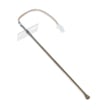
- Oven temperature sensor connection (can trigger temperature-related faults)
- Cooling fan operation after baking or self-clean
| What you see | What it usually means | What to do first |
|---|---|---|
| Display blank | No power or clock/display mode | Check breaker, then reset power |
| “F” and a code | Control detected a fault | Reset power 30 to 60 seconds |
| Clock flashing | Power interruption | Set the clock, then retry cooking |
Why it matters
A proper power reset clears many temporary control glitches caused by a brief outage or surge, and it is also the recommended first step when an “F” error code appears.
Last updated: January 2026
How to find GE wall oven model number?
For the GE wall oven model JTP30WM1WW, the model and serial number label is typically on the side trim or on the front of the lower oven behind the oven door. This label is what you will use to match the correct parts, installation requirements, and troubleshooting steps.
Where to look on a GE wall oven
Check these common label locations first:
- Open the lower oven door and look along the front frame (especially the lower section)
- Look on the side trim (the vertical trim area along the oven opening)
- If you have a double wall oven, check behind the lower door first, then the upper area
- Use a flashlight and look for a sticker or metal tag that lists Model and Serial
For model-specific placement notes and diagrams, use the JTP30WM1WW owner's manual.
What the label looks like (and what to write down)
The tag usually includes:
- Model number (example format: JTP30WM1WW)
- Serial number (a longer mix of letters and numbers)
- Electrical ratings (volts/amps), which can help during installation or service
Quick checklist
- Copy the model number exactly (letters and numbers matter)
- Take a clear photo of the label for reference
- Keep the serial number handy if you need service or warranty support
Why it matters
We use the model number to ensure parts actually fit your exact GE wall oven configuration. Even within the JTP30 series, parts like the temperature sensor, control board, or door gasket can vary by revision.
Common next steps after you find the model number
| What you need to do | Why you need the model number |
|---|---|
| Order replacement parts | Confirms correct fit and wiring style |
| Troubleshoot error codes | Matches the correct control and sensor setup |
| Confirm installation requirements | Ensures proper hard-wiring and grounding guidance |
If you are tracking an error code on the display, the GE manual cleaning range error codes guide is a helpful starting point for GE-style control diagnostics.
Last updated: January 2026
What is the best 30 wall oven?
There is no single “best” 30-inch wall oven for everyone; the best choice depends on your cooking style, budget, and cabinet cutout. If you are replacing a GE wall oven like model JTP30WM1WW, matching the existing cutout and electrical requirements usually matters more than brand.
How we recommend choosing the best 30-inch wall oven
Focus on fit, power, and the features you will actually use:
- Cutout compatibility: confirm your cabinet cutout width, height, and depth before shopping.
- Electrical supply: most 30-inch electric wall ovens are hard-wired to a junction box (not plug-in).
- Cooking performance: convection type, preheat speed, and temperature stability.
- Capacity and rack system: check if it fits a full-size sheet pan and has sturdy racks.
- Cleaning method: self-clean, steam clean, or manual clean.
- Controls and serviceability: simple controls can be easier to live with long-term.
For model-specific installation requirements and cutout guidance, use the JTP30WM1WW installation guide.
Quick comparison: what “best” usually means
| Priority | Best for | What to look for |
|---|---|---|
| Fit and easy replacement | Remodel-free swap | Matching cutout, hard-wire junction box location |
| Baking consistency | Frequent bakers | True convection, strong temperature control |
| Convenience features | Busy households | Fast preheat, air fry, probe, smart controls |
| Long-term ownership | Keep it 10+ years | Parts availability, straightforward controls |
Why it matters (especially for replacements)
A 30-inch wall oven can still require very specific cabinet dimensions and clearances. Choosing a model that does not match your cutout can turn a simple replacement into cabinet work, electrical changes, or ventilation adjustments.
Helpful tip if you are keeping your current oven running
If your current GE JTP30WM1WW is otherwise in good shape, common “upgrade” frustrations (dim light, uneven temps) are often repairable with standard service parts such as an oven lamp 40A15 or a wall oven temperature sensor WB23T10015.
Last updated: January 2026





