Installation guide
 Owner’s manual
 Error Codes




How to lift a Kenmore stove top?
On the Kenmore Elite electric cooktop model 79044123511, you typically lift the glass cooktop from the front edge after power is shut off and the unit is cool; the top is usually held by screws or brackets under the front lip, not by hinges like many freestanding ranges. Use the installation guide for the exact access points and fastener locations.
Before you start (safety and prep)
- Turn off power at the breaker (cooktops are commonly 240V).
- Confirm all surface elements are completely cool.
- Protect the countertop with a towel or cardboard to prevent scratches.
- Have a container ready for screws so nothing drops into the cabinet.
- Use cut-resistant gloves; sheet metal edges under the cooktop can be sharp.
How we lift the cooktop top (typical method)
- Shut off power and verify the cooktop is dead.
- Open the cabinet below and look up under the front edge for mounting screws or brackets.
- Remove the fasteners securing the cooktop to the countertop or support rails.
- From above, lift the front edge of the glass top carefully.
- Support the top with a sturdy prop (wood block) so you do not strain wiring.
If it will not lift
- Check for hidden screws under trim pieces.
- Look for adhesive foam tape that can “stick” the cooktop to the counter.
- Make sure the downdraft housing (if equipped) is not binding.
What you can service once the top is raised
Common repairs under the top include:
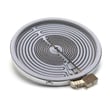
- Replacing a radiant element such as the range radiant surface element 8583165300010
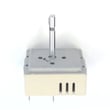
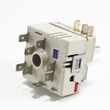
- Replacing an infinite switch such as the cooktop element control switch 318531500
- Checking wiring connections for heat damage (especially at element terminals)
Quick reference: cooktop vs. range top access
| Appliance type | Top usually lifts? | Common retention method |
|---|---|---|
| Electric cooktop (like 79044123511) | Yes, after removing fasteners | Screws/brackets under front lip |
| Freestanding range | Sometimes | Hinges, clips, or rear screws |
Why it matters
Lifting the top the right way prevents cracked glass, stripped mounting points, and damaged wiring harness connections. It also makes troubleshooting issues like a burner that will not heat or a knob that will not regulate temperature much faster.
For parts and diagrams specific to model 79044123511, order from the parts list for this model or search by model number on Sears PartsDirect.
Last updated: February 2026
How to unlock Kenmore Elite induction cooktop?
Kenmore Elite cooktop model 79044123511 is a radiant electric cooktop with burner knobs, not an induction touch-control cooktop. If you are trying to “unlock” it, the fix is usually restoring power to the cooktop or correcting a knob or switch issue; use the 79044123511 owner's manual to confirm your exact control layout.
What “locked” usually means on this model
Because this cooktop uses infinite switches and knobs, a “lock” complaint typically matches one of these conditions:
- The cooktop has no power (tripped breaker, loose junction box connection).
- A burner knob is not turning the switch (cracked or stripped knob).
- A surface element control switch is failed and not sending power to the element.
- A wiring issue is preventing power from reaching the element or indicator.
Quick checks we recommend
- Verify the double-pole breaker for the cooktop is ON; reset it fully OFF, then ON.
- Make sure each knob is seated and turns smoothly; remove and reinstall the knob.
- Try a different burner; if only one burner fails, focus on that burner’s switch or element.
- If the cooktop is hardwired, turn off power and check for burned or loose wires in the junction box.
Parts that commonly solve “won’t turn on” symptoms
If a knob turns but the burner does not heat, these parts are common suspects:
| Symptom | Most likely part | Example part on this model |
|---|---|---|
| Knob turns, no heat on one burner | Surface element control switch | Cooktop element control switch 318531500 |
| Knob is loose, cracked, or won’t grip | Control knob | Cooktop element control knob (black) 316353554 |
| Burner heats unevenly or not at all | Radiant surface element | Cooktop element 318297810 |
Why it matters
Treating this model like an induction touch-control unit can send you toward the wrong steps. On 79044123511, power supply, knobs, switches, and radiant elements are the items that control operation.
You can order replacement parts for Kenmore Elite 79044123511 from the parts list for this model, or search by model number on Sears PartsDirect.
Last updated: February 2026
What is the error code SF on a Kenmore Elite cooktop?
On Kenmore Elite electric cooktops such as model 79044123511, an SF display is handled as a control input fault: the cooktop is sensing an abnormal signal from the control area (often moisture, a stuck control, or a wiring issue) and may limit operation until the condition is cleared. Use the steps below to reset and isolate the cause.
What SF means in practical terms
SF points to a problem in the cooktop’s control circuit, not the radiant element itself. The most common triggers are:
- Moisture or cleaner residue around the control area
- A control that is stuck or not returning to OFF
- A loose, overheated, or damaged wire connection
- A failing infinite switch for a specific element
Steps to clear SF and narrow it down
- Turn all knobs to OFF.
- Shut off power at the breaker for 2 minutes, then restore power.
- If there was a spill or cleaning, let the cooktop sit completely dry before powering back on.
- Try one surface element at a time; note whether SF appears only with one knob/element.
- If SF returns immediately at power-up, focus on the control wiring and switches.
What to check (and parts commonly involved)
If SF happens only when using one burner, start with that burner’s infinite switch and its wiring.
| Symptom pattern | Most likely area | Common next step |
|---|---|---|
| SF only with one knob | That element’s control switch | Inspect/replace the switch and terminals |
| SF after cleaning or spill | Control area contamination | Dry thoroughly; clean residue carefully |
| SF at power-up | Wiring harness or control circuit | Inspect harness connections for heat damage |
Model 79044123511 parts on this page that often relate to control-input faults include:
- Range surface element control switch 318293824 (infinite switch for a surface element)
- Cooktop element control switch 318531500 (element control switch)
- Harness,wiring ,main 5304519994 (main wiring harness feeding controls)
Why it matters
An SF condition can cause burners to not respond, cycle unpredictably, or shut down. Correcting the underlying control or wiring issue restores normal heat regulation and helps prevent overheated connections.
Use the model documentation
For control locations, normal display behavior, and safe operating steps, use the 79044123511 owner’s manual. For power supply, mounting, and routing that can affect wiring strain, use the 79044123511 installation guide.
Replacement parts for model 79044123511 can be ordered from the parts list for this cooktop, or you can search by model number on Sears PartsDirect.
Last updated: February 2026
Why is my cooktop suddenly not working?
If your Kenmore Elite 79044123511 electric cooktop suddenly stopped working, the most common causes are a tripped breaker, a loose/burned wire connection, or a failed surface element control switch. Start with the power supply checks, then test the switches and radiant elements.
Step 1: Confirm the cooktop has power
- Reset the cooktop’s double-pole breaker fully (OFF, then ON).
- If your home uses fuses, check for a blown fuse in the cooktop circuit.
- Verify other 240V appliances (like an electric dryer) are working normally.
- If the cooktop is hardwired, check the junction box for a loose connection (power OFF first).
Step 2: Identify what “not working” means
Use this quick guide to narrow the failure:
| Symptom | Most likely cause | What to check next |
|---|---|---|
| Entire cooktop dead (no heat anywhere) | Power supply issue, wiring harness issue | Breaker, junction box, main wiring |
| One burner won’t heat | Failed element, failed infinite switch | Swap tests, continuity checks |
| Burner heats only on HIGH or cycles oddly | Infinite switch problem | Test/replace the control switch |
| Knob turns but feels stripped | Damaged knob | Inspect/replace knob |
Step 3: Parts that commonly fix “sudden no heat”
If power is good and one or more elements still will not heat, these model-matched parts are common fixes:
- Range surface element control switch 318293824 (burner control not sending power to the element)
- Cooktop element control switch 318531500 (failed infinite switch for a surface element)
- Cooktop element 318297810 (radiant element open or damaged)
- Range radiant surface element 8583165300010 (element failure on certain positions)
- Cooktop element control knob (black) 316353554 (knob stripped and not turning the switch shaft)
Safe troubleshooting tips (before replacing parts)
- Turn off power at the breaker before removing knobs or accessing wiring.
- Look for signs of overheating: melted connectors, darkened terminals, brittle insulation.
- Use a multimeter to check continuity on a suspect element and to confirm the switch is passing power.
- If you find damaged wiring, replace the harness instead of patching multiple burned spots.
Why it matters
A cooktop that stops working “all at once” is often a power or connection issue; a single dead burner is usually an element or infinite switch. Pinpointing the symptom prevents replacing expensive radiant elements unnecessarily.
For model-specific wiring and access details, follow the 79044123511 owner’s manual and the 79044123511 installation guide. To order replacement parts, use the parts list for your model or search by model number on Sears PartsDirect.
Last updated: February 2026