Installation guide
 Owner’s manual
 Error Codes

How to disable control lock on GE wall oven?
On the GE JTP70SM1SS wall oven, you disable Control Lock by pressing the same two keys used to enable it for about 3 seconds until the display changes from LOCON (locked) to LOCOFF (unlocked). This restores normal operation to all touch pads.
Steps to turn Control Lock off (unlock)
- Make sure the display is showing the time of day (special features only activate from the clock display).
- Press and hold HOUR and MIN- together for 3 seconds.
- On some versions, you press 9 and 0 together for 3 seconds instead.
- Release the pads when the display shows LOCOFF.
What you should see and hear
- If the oven is locked, pressing any pad typically causes a beep and the display shows LOCON.
- When you unlock successfully, the display changes to LOCOFF.
| Display message | Meaning | What to do |
|---|---|---|
| LOCON | Control lock is ON | Hold the lock key combo for 3 seconds |
| LOCOFF | Control lock is OFF | Use the oven normally |
Quick checks if it will not unlock
- Confirm you are pressing the correct pair for your control style: HOUR + MIN- or 9 + 0.
- Press both pads at the same time and hold a full 3 seconds.
- If the oven is in a cycle (for example, self-clean with the door locked), press CLEAR/OFF first and wait for the oven to cool and the lock indicator to go out before expecting normal keypad behavior.
Why it matters
Control Lock is designed to prevent accidental keypad presses during cooking or cleaning. When it is on, no press pads will work, so unlocking is the first step before troubleshooting heating, error codes, or settings.
For the exact pad names and your model’s control layout, use the JTP70SM1SS owner’s manual.
Last updated: February 2026
How to reset a GE wall oven?
To reset your GE JTP70SM1SS electric wall oven, turn OFF power at the home circuit breaker (or remove the fuse) for at least 30 seconds, then restore power. This resets the electronic oven control and clears many temporary glitches and some error-code lockups.
Reset steps (safe and effective)
- Turn the oven OFF by pressing Clear/Off.
- Switch the oven’s circuit breaker OFF (or remove the fuse).
- Wait 30 to 60 seconds.
- Turn the breaker ON (or reinstall the fuse).
- If the display is flashing, reset the clock, then reselect your cooking mode.
For control-specific details and special feature behavior after a power loss, use the JTP70SM1SS owner’s manual.
What a reset fixes (and what it does not)
A power reset is most useful for control and display issues.
| Symptom | Reset usually helps? | Next best step |
|---|---|---|
| Display blank or unresponsive | Yes | Check breaker, then reset clock/settings |
| “F-” error code flashing | Yes | If it returns, service is typically needed |
| Oven will not heat | Sometimes | Check bake/broil operation and wiring |
| Cooling fan runs after cooking | No (normal) | Let it run; it can continue after shutoff |
If the oven still will not work after resetting
- Confirm the breaker is fully seated ON (not tripped in the middle).
- Make sure the control is not in a special mode (for example, Sabbath or a feature setting).
- If you see an “F-” code again after the reset, the issue is often in a sensor or control circuit.
- For temperature-related faults (overheating, underheating, repeated temp errors), inspect the wall oven temperature sensor WB23T10015.
Why it matters
A proper reset restores clean power to the electronic control board, which clears corrupted states after a power outage or surge and can stop nuisance error codes without replacing parts.
Last updated: February 2026
What's the best electric wall oven?
For most kitchens, the “best” electric wall oven is the one that fits your cabinet cutout, electrical setup, and cooking needs reliably. If you’re comparing options to a GE JTP70SM1SS electric wall oven, start by matching size (27-inch vs 30-inch), required hardwiring, and the features you will actually use.
How we recommend choosing the best wall oven
Use these criteria first; they prevent expensive fit and install surprises:
- Correct size and cutout fit: 27-inch and 30-inch models use different cabinet cutouts.
- Electrical requirements: electric wall ovens are hard-wired (direct-wired) to a junction box, not plugged in.
- Cooking performance: look for even baking, stable temperature control, and convection if you use it.
- Serviceability: availability of common repair parts like a temperature sensor or control board.
- Cleaning and usability: self-clean options, rack design, and control layout.
Quick comparison: what “best” means for most shoppers
| Priority | What to look for | Why it matters |
|---|---|---|
| Fit | 27-inch vs 30-inch cabinet cutout | Prevents remodel work and return hassles |
| Install | Junction box location, strain relief clamp | Safe, code-compliant installation |
| Results | Accurate temperature, consistent heat | Better baking and roasting |
| Ownership | Parts support and repair access | Lower long-term cost |
Model-specific notes for GE JTP70SM1SS
GE wall ovens in this family are designed to be direct-wired into an approved junction box; a plug and receptacle setup is not permitted. We also recommend confirming your cabinet cutout dimensions and junction box placement using the JTP70SM1SS installation guide before choosing any replacement oven.
Why it matters
Wall ovens are built-in appliances; the “best” choice is usually the one that installs cleanly in your existing opening and matches your home’s wiring. Getting the fit and electrical requirements right first saves time, protects the oven’s electronics, and avoids repeat installation costs.
Last updated: February 2026
What is the error code F70 on a GE oven?
On a GE JTP70SM1SS electric wall oven, an F70 code is treated as a control “function error” that points to a problem in the oven’s electronic control system (control board, touch panel/console, or their wiring). Clear the code, let the oven cool, then restore power and retest.
What to do first (safe reset steps)
- Press Clear/Off to stop the beeping and clear the display.
- Let the oven cool for 1 hour.
- Put the oven back into operation and try Bake again.
- If the code returns, turn off power at the breaker (wall ovens are hard-wired).
- Leave power off for 2 to 5 minutes, then restore power and retest.
- If F70 repeats after the reset, schedule service (the control is still detecting a fault).
For the exact keypad sequence and what GE calls “F- and a number or letter” errors on this model, use the JTP70SM1SS owner’s manual.
What usually causes F70
F70 commonly shows up when the control cannot reliably “talk” to the user interface or cannot process inputs correctly.
| Likely cause | What you may notice | Typical fix |
|---|---|---|
| Loose connection between console and control | Code appears after closing door or during preheat | Reseat connectors (service-level repair) |
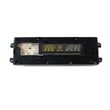
| Failing electronic control board | Random beeping, erratic display, won’t start | Replace control board (often required) |
| Touch panel/console issue | Some keys don’t respond, wrong selections | Replace touch panel/console |
| Wiring harness problem | Intermittent faults, worsens with heat | Repair/replace harness |
Parts that are often involved
If the oven is also overheating, underheating, or throwing temperature-related faults, the sensor circuit is a common check point.
- Wall oven temperature sensor WB23T10015 (helps the control read oven temperature accurately)
- Control board and console components (varies by configuration)
Why it matters
An F70 is not a cooking setting issue; it is the oven protecting itself when the electronic control system detects an internal fault. Continuing to run the oven can lead to shutdowns mid-cycle or inaccurate temperature control.
Last updated: February 2026