 Installation guide
 Owner’s manual



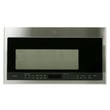
What is the difference between GE and GE Profile microwaves?
GE and GE Profile are both GE brands, but GE Profile models are positioned as the more premium line. In general, GE microwaves focus on straightforward everyday cooking, while GE Profile microwaves typically add more advanced features, design upgrades, and convenience options.
Your PVM9005SJ3SS is a GE over-the-range microwave/hood combo that can include feature-focused options such as Chef Connect (Bluetooth pairing to a compatible GE range to sync the vent fan, cooktop lights, and clock). For feature setup steps and menu options, use the PVM9005SJ3SS owner's manual.
- Feature set: Profile models more often include sensor cooking, enhanced presets, and connectivity-style features.
- Controls and display: Profile models commonly have more premium control layouts and displays.
- Fit and finish: Profile models more often emphasize upgraded styling (often stainless looks and trim details).
- Vent and lighting options: Profile models frequently offer more fan speed control and lighting features.
- Price tier: Profile is usually the higher-priced line within GE
| Category | GE microwaves | GE Profile microwaves |
|---|---|---|
| Positioning | Core, everyday use | Premium line |
| Features | Basic to mid-level | More advanced and convenience-focused |
| Design | Practical styling | More upgraded styling and controls |
| Typical buyer | Value and simplicity | Features and design upgrades |
Knowing the line helps set expectations for features and repair decisions. Premium models often have more electronic controls and feature boards, so using the correct model number (PVM9005SJ3SS) when selecting parts and following procedures in the manual helps avoid mismatches.
When you need replacement parts for PVM9005SJ3SS, order from the parts list for this model, or search by model number on Sears PartsDirect.
Last updated: February 2026
What are common problems with GE Profile microwaves?
Common problems we see with GE Profile microwave/hood combos like model PVM9005SJ3SS include running but not heating, not powering on, vent fan or lights acting unexpectedly, turntable issues, and control panel problems. Many “dead” or intermittent symptoms trace back to door safety switches, a fuse, or thermostats; use the PVM9005SJ3SS owner's manual for model-specific operating and care details.
- Runs but does not heat: high-voltage components (magnetron, high-voltage diode, capacitor, transformer)
- No power at all (display off): blown fuse, open thermostat, door interlock problem, wiring issue
- Starts then stops when you close the door: door interlock switch or switch lever alignment
- Turntable not rotating: turntable motor or a mechanical obstruction
- Vent fan turns on by itself: normal protective behavior when heat rises from the cooktop
For this GE PVM9005SJ3SS model, these parts are frequently involved in power and door-safety complaints:
| Symptom | Common part to check | Example part on this model |
|---|---|---|
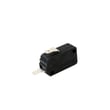
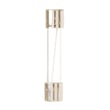
| Dead unit, intermittent power | Microwave fuse | Microwave fuse WB27X11138 |
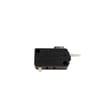
| Won’t run when door closes, blows fuse | Door interlock switch | Microwave door interlock switch WB24X10146 |
| Door switch not being pressed correctly | Switch lever | Microwave door interlock switch lever WB03X10348 |
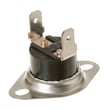
| Shuts down during use | Microwave thermostat | Microwave thermostat WB27X11210 |
- Confirm the outlet has power (try a small appliance on the same outlet).
- If the vent fan comes on automatically during cooking, treat it as normal protection from cooktop heat.
- If the unit is unresponsive after a power event, reset power at the breaker for a minute, then retry.
- If the problem happens only when the door moves, focus on the latch area and interlock switches.
- If it runs but does not heat, stop using it and plan a high-voltage system diagnosis.
Microwaves use multiple safety interlocks and thermal cutoffs to prevent operation with an unsafe door condition or overheating. When one of these devices opens (or a fuse blows), the microwave can look “dead” even though the outlet is fine.
You can order replacement parts for PVM9005SJ3SS from the parts list for this model, or search by model number on Sears PartsDirect.
Last updated: February 2026
What is the life expectancy of a GE microwave?
A GE microwave typically lasts about 7 to 10 years with normal household use. For your GE microwave/hood combo PVM9005SJ3SS, heavy daily cooking, poor airflow (grease buildup), and door-switch wear can shorten life; consistent cleaning and proper venting help it reach the full range. See the PVM9005SJ3SS owner's manual for care and cleaning guidance.
Most over-the-range microwave/hood combos fail early for a few predictable reasons:
- High use (multiple long heat cycles per day) increases magnetron and control stress
- Grease and steam buildup restricts airflow and raises internal temperatures
- Door slamming or misalignment wears door latches and interlock switches
- Power issues (frequent breaker trips or surges) can damage fuses and boards
- Blocked venting (dirty filters, obstructed damper) overheats the unit
These symptoms usually show up as the unit ages; many are repairable with the right part:
| Symptom | Common cause area | Example parts for PVM9005SJ3SS |
|---|---|---|
| Runs but does not heat | High-voltage system | Magnetron WB27X11191, high-voltage diode WB27X25616 |
| Dead, no display | Line protection or control | Microwave fuse WB27X11138, main board |
| Starts then stops when door moves | Door safety circuit | Microwave door interlock switch WB24X10146, microwave door interlock switch lever WB03X10348 |
These steps reduce heat stress and prevent common failures:
- Clean the cavity and door area regularly; keep the door closing smoothly
- Keep the vent path clear; clean or replace filters on schedule
- Avoid running the microwave empty; it strains internal components
- Use microwave-safe cookware to prevent arcing and interior damage
- If you see sparks or burn marks, stop using it and inspect the waveguide cover area
Microwave/hood combos like the GE PVM9005SJ3SS rely on airflow for both cooking performance and electronics cooling. When grease and restricted venting raise internal temperatures, parts such as thermostats, fuses, and the magnetron wear faster, which directly reduces lifespan.
If you decide to repair, you can order replacement parts for PVM9005SJ3SS from the parts list for this model, or search by model number on Sears PartsDirect.
Last updated: February 2026
How do I do a hard reset on my GE microwave?
To hard reset your GE PVM9005SJ3SS microwave/hood combo, disconnect power to fully reboot the control: unplug the unit (if accessible) or turn the circuit breaker OFF, wait 1 to 2 minutes, then restore power and reset the clock. This clears many display and control glitches.
- Turn the microwave OFF.
- Unplug the power cord; if it’s not accessible, switch the microwave circuit breaker OFF.
- Wait 1 to 2 minutes (this lets the control fully power down).
- Plug back in or turn the breaker ON.
- Set the clock and re-test basic functions (light, vent fan, Start).
Some issues clear without cutting power.
- Press Off/Clear to cancel a cooking program.
- If the control is locked, use the control lock/unlock steps shown in the PVM9005SJ3SS owner’s manual.
- If Chef Connect (Bluetooth) features are acting up after a power interruption, restart pairing by holding Chef Connect for 3 seconds; if needed, do the hard reset above.
| Symptom | Hard reset helps? | What to check next |
|---|---|---|
| Display frozen, keypad unresponsive | Yes | Control lock, stuck key, moisture on panel |
| Bluetooth/Chef Connect not pairing | Yes | Re-run Chef Connect pairing steps |
| Microwave runs but does not heat | No | Heating circuit diagnosis (magnetron, diode, capacitor) |
| Completely dead (no display) | Sometimes | House power, fuse, door switches |
A hard reset is the fastest, safest first step for control-board glitches because it restores the microwave’s normal standby state without replacing parts. If the problem returns quickly, it points to an underlying issue such as a door interlock problem or a failing electrical component.
- Confirm the outlet has power (try a small lamp).
- Check the breaker is fully reset.
- If the unit has power but won’t run, inspect door-latch operation; failed interlock parts can prevent starting.
- If you suspect a blown fuse, use the how to replace a microwave fuse guide before ordering parts.
You can order replacement parts for GE PVM9005SJ3SS from the parts list for this model, or search by model number on Sears PartsDirect.
Last updated: February 2026


