Installation guide
 Owner’s manual





How to reset dryer control board?
For the Speed Queen ADG6HRYS117TW01-START-S dryer, the reliable “control reset” is a power reset: turn the dryer off, disconnect power for 1 to 5 minutes, then restore power and start a cycle. This clears temporary electronic glitches without changing your cycle settings.
Safe reset steps (recommended)
- Turn the dryer off.
- Unplug the power cord (or switch the dryer breaker off).
- Wait 1 to 5 minutes.
- Restore power.
- Close the door fully (the dryer will not run with the door open).
- Press Start to run a timed or heat cycle and confirm normal operation.
If it still will not start after a reset
These checks solve most “dead control” symptoms on commercial-style dryers.
- Make sure the door is fully closed and the latch is engaging.
- Try a different cycle setting and temperature selection.
- Confirm the outlet has power (or that the breaker is fully reset).
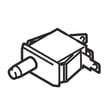
- If the dryer starts but stops when you release the button, a start switch can be the cause; see switch D512973.
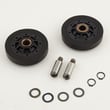
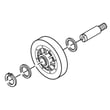
- If the motor hums but the drum will not turn, a broken belt or idler issue is common; see commercial dryer drum belt D511255P and idler wheel and bearing assembly D510142P.
Quick symptom guide
| What you see | What it usually means | What to check next |
|---|---|---|
| Display/lights act “frozen” | Control glitch | Power reset, then retry cycle |
| Nothing powers on | No incoming power | Breaker, outlet, cord connections |
| Starts only while holding Start | Start switch not closing | Switch D512973 |
| Motor runs, drum does not | Belt or idler problem | Commercial dryer drum belt D511255P, idler wheel and bearing assembly D510142P |
Why it matters
A power reset is the fastest way to clear a temporary control-board lockup. If the problem returns, the symptom pattern helps pinpoint whether the issue is power supply, a switch, or a drive-system part (belt, idler, or motor) so you replace only what is needed.
For model-specific operating steps and safety notes, follow the owner's manual. For installation and power-cord connection details, use the installation guide. You can order replacement parts for this model from the parts list for ADG6HRYS117TW01-START-S, or search by model number on Sears PartsDirect.
Last updated: February 2026
When I press the start button on my dryer, nothing happens.?
If your Speed Queen ADG6HRYS117TW01-START-S dryer does nothing when you press Start, the most common causes are no power to the dryer, the door not fully closed (door safety switch open), or the motor overload protector needing time to reset. Use the checks below in order; they match the troubleshooting steps in the owner's manual.
Quick checks (fastest fixes first)
- Confirm the power cord is fully seated in the outlet.
- Make sure the door is fully closed; the dryer will not run with the door open.
- Check the laundry room fuse(s) or circuit breaker(s) (some electric dryer circuits use two).
- Wait 10 minutes and try again; the motor overload protector can trip and needs time to reset.
- Try a different cycle/setting, then press Start again.
What to test next (when basics check out)
If the dryer has power and the door is closed but the motor never starts, the start circuit is the next place to focus.
- Start switch: A failed start switch can prevent power from reaching the motor. For this model, a common related part is the switch D512973.
- Drive system drag: A seized idler, roller, or belt issue can overload the motor and stop startup.
- Inspect the belt and drum support components if you hear a hum, brief click, or the drum is hard to turn by hand.
Symptoms and likely causes
| What you notice | Most likely cause | What to do |
|---|---|---|
| No lights, no sound | No power supply | Check outlet, breaker/fuses |
| Lights on, nothing happens | Door not closed or door switch issue | Close door firmly; inspect latch area |
| Starts after waiting | Motor overload protector tripped | Wait 10 minutes; reduce load |
| Hums but won’t turn | Belt/idler/roller drag or motor issue | Inspect drive components; service as needed |
Why it matters
A dryer that will not start is usually a safety or power-interruption condition (door safety circuit, breaker/fuse, or overload). Fixing the root cause prevents repeat shutdowns and helps protect the drive motor and belt.
For step-by-step operating and troubleshooting guidance specific to this dryer, use the owner's manual.
Last updated: February 2026
What are common problems with Speed Queen dryers?
Common problems with the Speed Queen ADG6HRYS117TW01-START-S dryer include long dry times from restricted venting, no-heat or weak-heat symptoms on gas models, unusual noises from worn drum support parts, and “won’t start” issues tied to safety switches or power. The ADG6HRYS117TW01-START-S owner's manual also highlights venting restrictions as a frequent service-related issue.
Most common symptoms and what usually causes them
- Dryer takes too long to dry: clogged lint screen, crushed or long vent run, blocked exterior hood, lint buildup inside the exhaust duct.
- No heat or poor heat (gas dryer): ignition system or gas valve components not operating correctly.
- Squealing, thumping, or rumbling: worn belt, idler wheel, or drum rollers.
- Won’t start: door not fully closed, failed door switch or start switch, power supply issue.
- Wrinkling or overdrying: heat setting too high or load size too large for proper tumbling.
Quick checks we recommend first (fast, high-impact)
- Clean the lint screen before every load.
- Inspect the full vent path (dryer outlet to outside hood) for kinks, lint, or crushed flex duct.
- Run a timed cycle and confirm strong airflow outside.
- Verify the load size; oversized loads can tumble poorly and dry unevenly.
- If you smell gas: stop using the dryer and follow the safety steps in the installation guide.
Parts that commonly fix noise and “no tumble” complaints
If the motor runs but the drum does not turn, or you hear squealing, these model-matched parts are common fixes:
| Symptom | Likely wear item | Example part for this model |
|---|---|---|
| Squealing, drum not turning | Drum belt | Speed queen commercial dryer drum belt D511255P |
| Squealing, belt slipping | Idler wheel or idler assembly | Speed queen idler wheel and bearing assembly D510142P or Speed queen idler lever and wheel assembly (includes items 12 -17) D516792 |
| Thumping/rumbling | Drum rollers | Speed queen cylinder roller D510708P |
Why it matters
Airflow and drum support parts affect everything: drying time, fabric care, energy use, and safety. The manual specifically calls out plugged or kinked venting and lint buildup as common causes of performance problems and service calls.
For model-specific diagrams and maintenance guidance, use the parts list on this page or search by model on Sears PartsDirect.
Last updated: February 2026
What is the life expectancy of a Speed Queen commercial washer?
Speed Queen commercial washers have a typical life expectancy of 25 years in normal commercial use. This page is for the Speed Queen dryer model ADG6HRYS117TW01-START-S, but the washer lifespan estimate remains a solid benchmark for Speed Queen commercial laundry equipment; use the owner's manual for maintenance intervals that protect long-term reliability.
Typical lifespan (what to expect)
Commercial washers are designed for high cycle counts and serviceable repairs over time.
- Typical life expectancy: 25 years
- High-use environments: still 25 years with consistent preventive maintenance
- Most common life limiters: bearing wear, seal leaks, and repeated overloading
What impacts washer lifespan the most
These factors drive wear on the tub, bearings, suspension, and drain system.
- Daily load volume and load size (overloading accelerates bearing and suspension wear)
- Proper leveling and solid flooring (reduces vibration damage)
- Water quality (hard water scale stresses valves, heater components if equipped, and seals)
- Correct detergent amount (oversudsing strains the drain pump and leaves residue)
- Routine inspections (catching hose cracks and small leaks prevents major failures)
Maintenance checklist that extends service life
Use these habits to keep a commercial washer running for the full expected lifespan.
- Keep the washer level and recheck after moving it
- Replace fill hoses at the first sign of bulging, cracking, or seepage
- Clean dispensers and wipe down gasket or lid areas to prevent buildup
- Run the recommended cleaning routine on schedule
- Avoid chronic overloading; it is the fastest way to shorten washer life
Lifespan at a glance
| Usage pattern | Expected life | What matters most |
|---|---|---|
| Light household use | 25 years | Basic care and correct detergent |
| Typical family use | 25 years | Leveling, hoses, periodic cleaning |
| Heavy daily use | 25 years | Load discipline, fast leak response |
Why it matters
A 25-year service life lowers total cost of ownership and reduces downtime. Preventive maintenance protects the highest-wear areas (bearings, seals, hoses, and suspension) so small issues do not turn into major repairs.
If you are ordering parts for your Speed Queen laundry equipment, start with the parts list for your exact model, or search by model number on Sears PartsDirect.
Last updated: February 2026