 Installation guide
 Owner’s manual
 Error Codes





How to reset a GE wall oven?
To reset your GE JT3500SF5SS wall oven, turn the oven’s circuit breaker OFF for at least 30 seconds, then turn it back ON. This power reset clears many control glitches and can stop a repeating function error after a surge or outage; then reset the clock if needed.
Quick reset steps (recommended)
- Press Cancel/Off to stop any active cooking cycle.
- Turn the circuit breaker OFF (or remove the fuse).
- Wait 30 to 60 seconds.
- Turn the breaker back ON (or reinstall the fuse).
- Set the clock, then test Bake and Broil.
If the controls seem “locked” (not a power reset)
Sometimes the oven is not broken; the control panel is locked.
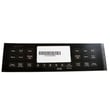
- Press and hold Lock Controls for 3 seconds to lock or unlock.
- Try Cancel/Off again, then start a simple bake cycle.
- If the oven was in a special mode (such as Sabbath mode), exit that mode using the steps in the owner's manual.
What to check after the reset
| What you see | What it usually means | What to do next |
|---|---|---|
| Display is blank | No power to oven | Check breaker, then reset again |
| Clock is flashing | Power interruption | Set the clock and reselect cooking mode |
| Error returns quickly | Persistent fault or sensor/control issue | Reset once more; then troubleshoot likely parts |
Parts that commonly relate to recurring errors
If the reset works only temporarily, these model-matched parts are common suspects for temperature or control-related faults:
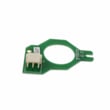
- Wall oven temperature sensor WB21X10165 (temperature feedback to the control)
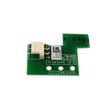
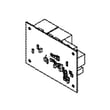
- Wall oven control board WB27X29603 (main electronic control)
- Board sensor WB27X28659 (sensor input used by the control)
Why it matters
A proper power reset clears the electronic control’s memory after a power surge, stuck key condition, or interrupted cycle. If an error repeats after a correct reset, it points to a real issue such as a sensor reading problem, wiring connection, or a failing control board.
You can order JT3500SF5SS replacement parts from the parts list for this model, or search by model number on Sears PartsDirect.
Last updated: February 2026
How to disable control lock on GE wall oven?
On the GE JT3500SF5SS wall oven, Control Lock turns off by pressing and holding the Lock Controls pad for 3 seconds. The display or lock indicator changes when the keypad unlocks; Cancel/Off remains usable even while locked. See the JT3500SF5SS owner's manual for the exact control-panel layout.
Steps to turn Control Lock off
- Press and hold Lock Controls for 3 seconds.
- Watch for the lock icon or “locked” indicator to turn off.
- Test a simple key (such as Oven Light(s)) to confirm the panel responds.
- If you just used Self-Clean, allow the oven to cool; the door lock can stay engaged until temperature drops.
If Control Lock will not turn off
Try these common fixes for a GE built-in oven control panel:
- Press Cancel/Off once, then press and hold Lock Controls again for 3 seconds.
- Wipe the control panel clean and dry; grease or moisture can act like a pressed key.
- Reset power at the breaker for 1 minute, restore power, then retry the 3-second press.
- If the oven is still hot (especially after Self-Clean), wait longer for cool-down and try again.
Quick reference
| Symptom | What it means | What to do |
|---|---|---|
| Most keys do not respond | Control Lock is active | Hold Lock Controls 3 seconds |
| Cancel/Off works but others do not | Normal while locked | Unlock using Lock Controls |
| Door shows locked after Self-Clean | Oven still above unlock temperature | Let oven cool, then unlock |
Why it matters
Control Lock prevents accidental keypad presses during cooking and cleaning. Using the correct 3-second unlock method restores normal operation without changing bake, broil, or timer settings.
Last updated: February 2026
Why is my GE oven not powering on?
If your GE JT3500SF5SS electric wall oven will not power on, the most common causes are a tripped breaker or blown fuse, controls that are not set correctly (including Sabbath Mode), or a power interruption. Start with the home power supply, then reset the oven by cycling power.
Quick checks we recommend first
- Reset the circuit breaker (or replace the fuse) supplying the wall oven; wall ovens typically use a dedicated 240V circuit.
- Confirm the display is not intentionally blank (clock setting or control settings can make it look “off”).
- Verify the oven is not in Sabbath Mode; this can prevent normal operation.
- Press Cancel/Off, then try a basic Bake cycle again.
- Power reset: turn the breaker OFF for at least 30 seconds, then turn it back ON.
Electrical supply basics (why the breaker matters)
Your installation requirements depend on the oven’s KW rating and voltage. Use the rating plate on the oven side trim to confirm the exact rating, then match it to the dedicated circuit size in the installation guide.
| What you see | What it usually means | What to do |
|---|---|---|
| Display completely blank | No power to oven or control not powered | Check breaker/fuse, then power reset |
| Display on but keys do nothing | Control setting, locked state, or fault | Cancel/Off, exit special modes, power reset |
| “F” code flashing | Function error | Power reset; if it returns, service is typically needed |
When a part is likely involved
If the oven has power at the house panel but still will not come on (or repeatedly throws an “F” code), a failed control or sensor circuit is a common next suspect.
Common parts tied to power-up and control issues on this model include:
- Wall oven control board WB27X29603 (main control that runs the oven)
- Wall oven temperature sensor WB21X10165 (can trigger faults if out of range)
- Board sensor WB27X28659 (supports sensing/feedback to the control)
Why it matters
A wall oven that appears “dead” is often a power supply issue, but repeated blank displays or recurring fault codes can point to a control board or sensor problem. Checking power first prevents unnecessary parts replacement.
You can order JT3500SF5SS replacement parts from the parts list for this model, or search by model number on Sears PartsDirect.
Last updated: February 2026
What does F350 mean on GE oven?
On the GE JT3500SF5SS electric wall oven, an F350 display indicates the control is detecting an abnormal condition and stopping normal operation. In practice, this is commonly triggered by an overheating or airflow problem around the control area, often involving the cooling fan system.
What we recommend you do first
Start with simple checks that do not require disassembly; then move to electrical diagnostics only if the code returns.
- Cancel the cycle and let the oven cool completely.
- Reset power at the breaker for 1 minute, then restore power.
- Confirm the oven vents are not blocked (foil, insulation, stored items in the cabinet).
- Run Bake and listen for the cooling fan during heat-up and after shutdown.
- If the code returns, avoid high-heat modes until the airflow issue is corrected.
Most common causes on built-in wall ovens
These are the failure points we see most often when an oven flags a heat-management or fan-related fault.
| What to check | What you may notice | Model-related parts to consider |
|---|---|---|
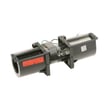
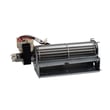
| Cooling fan not running or noisy | No fan sound, rattling, or buzzing | Wall oven cooling fan assembly WB26X24020, wall oven cooling fan WB26X35089 |
| Fan sensing/control problem | Fan runs intermittently, code appears mid-cycle | Wall oven cooling fan sensor board WB27T11463 |
| Temperature sensing issue | Erratic temperatures, repeated shutdowns | Wall oven temperature sensor WB21X10165 |
Why it matters
The cooling fan protects the electronic control area and surrounding cabinetry by moving heat out of the oven enclosure. When airflow is restricted or the fan circuit is failing, the oven can overheat and trigger a fault to prevent damage.
Safety and access notes
Because JT3500SF5SS is a hardwired built-in oven, follow the shutoff and handling steps in the JT3500SF5SS installation guide before checking wiring connections, the fan, or sensor circuits.
Getting the right part
Match replacement parts using the full model number JT3500SF5SS from the parts list for this oven, or search by model on Sears PartsDirect.
Last updated: February 2026





