Error Codes



What is the average lifespan of a GE refrigerator?
Most GE refrigerators, including the GE GZS22IYNXHFS side-by-side, typically last 12 to 15 years, and many reach 10 to 20 years with good maintenance, stable temperatures, and clean airflow. Lifespan is usually shortened by poor ventilation, dirty condenser coils, and unresolved cooling issues.
Typical lifespan ranges (what to expect)
| Refrigerator type | Typical lifespan | What usually ends it first |
|---|---|---|
| Side-by-side refrigerator (like GZS22IYNXHFS) | 12 to 15 years | Sealed system wear, fan failures, control issues |
| Most modern refrigerators (all styles) | About 12 years | Compressor strain from heat and restricted airflow |
| Well-maintained units | Up to 20 years | Gradual efficiency loss, repeated repairs |
What helps a GE refrigerator last longer
- Keep condenser coils clean and the rear/bottom area dust-free
- Maintain steady settings (avoid frequent temperature changes)
- Keep door gaskets sealing tightly to prevent warm air leaks
- Don’t block air vents inside the fresh food or freezer sections
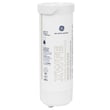
- Replace the water filter on schedule to protect the dispenser system (see GE refrigerator water filter XWFE)
Signs your refrigerator is nearing end-of-life
- Food spoils faster even after adjusting temperature settings
- Compressor runs almost constantly or cycles erratically
- Repeated ice maker or water dispenser failures
- Frost buildup or warm spots that return after defrosting
- Unusual fan noise or weak airflow (evaporator area)
Why it matters
A refrigerator that is struggling to cool efficiently runs longer and hotter, which increases wear on the compressor, fans, and control boards. Basic upkeep and quick fixes for airflow and water system issues often add years of reliable service.
For dispenser and ice maker reliability tips, we use how to prevent water dispenser and ice maker problems.
Last updated: February 2026
Is GE Café considered high end?
Yes. GE Café is widely considered a high-end (premium) GE appliance line, positioned above standard GE models with upgraded design, finishes, and feature sets. It is separate from your GE GZS22IYNXHFS side-by-side refrigerator, but it sits in the same overall GE brand family.
How GE Café typically compares to other GE lines
In most lineups, GE tiers its products by design level, features, and price. Here is the practical way we see it break down when customers are shopping:
- GE (standard line): core features and value-focused configurations
- GE Profile: more advanced features and tech-forward options
- GE Café: premium styling and curated finishes, plus higher-end feature packages
- Monogram: luxury tier with the most premium build and design focus
What “high end” means in real-world terms
“High end” usually shows up in a few consistent areas:
- More premium exterior finishes and coordinated hardware options
- More convenience features (dispensing, lighting, storage flexibility, smart features)
- More configuration choices (sizes, layouts, accessory options)
- Higher typical purchase price and higher replacement-part costs
| Line | Typical positioning | What you usually pay for |
|---|---|---|
| GE | Mainstream | Value and essentials |
| GE Profile | Premium | More features and tech |
| GE Café | High end | Design plus premium feature sets |
| Monogram | Luxury | Top-tier design and build focus |
Why it matters when you own a GE refrigerator
Knowing the product line helps set expectations for features, styling, and parts pricing. For example, even within GE refrigerators, components like a GE refrigerator water filter XWFE can be a meaningful ongoing cost depending on the filtration system used.
Last updated: February 2026
What is the most common problem with a GE refrigerator?
The most common GE refrigerator problem is not cooling properly. On the GE GZS22IYNXHFS side-by-side, this usually traces back to airflow issues (frost buildup or a weak fan), dirty condenser area, or a temperature-sensing/control problem that prevents the compressor and fans from running as they should.
Most common symptoms we see (and what they usually mean)
- Fresh food warm, freezer cold: restricted airflow from the freezer to the refrigerator section
- Both sections warm: cooling system not running, dirty condenser, or control issue
- Loud humming, rattling, or squealing: fan motor or fan blade problem
- Ice maker or dispenser acting up: water supply, filter restriction, or dispenser door not sealing
- Water under the fridge or in the crisper: defrost drain or water line leak
Quick checks before replacing parts
- Confirm settings: set freezer near 0°F and refrigerator near 37°F.
- Check door sealing: make sure doors close fully and gaskets are clean.
- Look for blocked vents: keep food packages from covering air returns.
- Listen for the evaporator fan: it should run when the compressor is running (door switch closed).
- Clean the condenser area: dust buildup reduces cooling and increases run time.
Common “not cooling” causes and matching parts
| What’s happening | Likely cause | Part that often applies on this model |
|---|---|---|
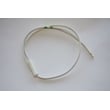
| Temps swing, unit runs oddly | Bad temperature sensing | GE profile refrigerator temperature sensor WR55X10025 |
| Warm fridge, weak airflow, fan noise | Evaporator fan not moving air | Refrigerator evaporator fan motor WR60X10307 |
| Frost buildup, warm temps | Defrost system failure | Defrost heater WR51X40006 |
Why it matters
A refrigerator that is not cooling forces the compressor to run longer, which can lead to food spoilage and higher energy use. Catching airflow and defrost problems early is the fastest way to restore stable temperatures in the GE GZS22IYNXHFS.
Helpful DIY guidance
- Use GE refrigerator error codes to interpret any displayed fault codes before ordering parts.
- If cooling is fine but the unit is noisy, follow how to fix your evaporator cooling fan to pinpoint whether the motor, blade, or ice buildup is the real cause.
Last updated: February 2026
How do I reset my GE refrigerator circuit board?
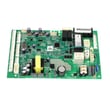
For your GE GZS22IYNXHFS side-by-side refrigerator, the most reliable way to reset the main control board is a power reset: turn the refrigerator off by unplugging it (or switching off the breaker) for 5 minutes, then restore power and allow 24 hours for temperatures to stabilize.
Quick reset steps (safe first)
- Unplug the refrigerator or switch OFF the circuit breaker.
- Wait 5 minutes (this clears many temporary control glitches).
- Restore power.
- Confirm the interior lights and display come back on.
- Wait 5 to 10 minutes and listen for the compressor and fans to restart.
- Give cooling up to 24 hours to fully recover after any reset.
If the dispenser or cooling still acts up
A reset helps only if the issue is a temporary software or logic lockup. If symptoms return, focus on the system that is failing.
Common next checks:
- Not cooling or warm sections: check airflow and fan operation; a failed refrigerator evaporator fan motor WR60X10307 can cause poor cooling.
- Temperature swings or odd readings: a faulty GE profile refrigerator temperature sensor WR55X10025 can mislead the control board.
- No water or ice after reset: confirm the filter is seated and water supply is on; a restricted filter like the GE refrigerator water filter XWFE can reduce flow.
- No water to dispenser/ice maker: a failing refrigerator water inlet valve WR57X30890 can prevent filling.
Button-combination resets (when applicable)
Some GE refrigerators support special key sequences for demo mode or diagnostics. Because we do not have model-specific button sequences for GZS22IYNXHFS here, use these only if your display labels match exactly:
| What you are trying to do | What to try | What it does |
|---|---|---|
| Clear a glitch | Power reset (5 minutes) | Reboots the control board |
| Exit demo mode | Hold the two keys your panel labels for demo (often “Energy Saver” and “Lighting”) for ~10 seconds | Restores normal cooling |
| Exit a test/diagnostic mode | Use the panel’s “reset/clear” behavior if shown on the display | Returns to normal operation |
Why it matters
A control board reset can restore normal compressor, evaporator fan, and dispenser operation after a power surge or logic error. If the problem repeats, the root cause is usually a sensor, fan, or water system component rather than the board itself.
Related help: GE refrigerator error codes
Last updated: February 2026