Installation guide
 Owner’s manual
 Error Codes




How do I reset the error code on my GE oven?
On your GE PS968SP2SS electric range, you can clear many “F-” function error codes by power-cycling the range: shut off power for at least 30 seconds, then restore power. If the same code returns, the problem is not a temporary glitch and troubleshooting should focus on the failed circuit or sensor.
Fast reset steps (most common)
- Touch CLEAR/OFF to stop the current cooking cycle.
- Turn OFF the range circuit breaker (or unplug if accessible).
- Wait at least 30 seconds.
- Turn the breaker ON (or plug back in).
- Set the clock if it’s flashing, then try BAKE again.
For model-specific control behavior and special features, follow the steps in the PS968SP2SS owner's manual.
If the code comes back right away
A repeating code points to a component or wiring issue. These checks narrow it down:
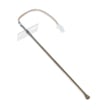
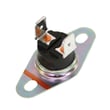
- If the oven temperature seems inaccurate or you see temperature-related faults, test/replace the wall oven temperature sensor WB23T10015.
- If the oven is stuck locked after self-clean, cancel with CLEAR/OFF and let the oven cool below the locking temperature.
- If the display is blank or resets randomly, check the house breaker and power supply connection.
- If the control is unresponsive or shows repeated faults, the electronic control may be involved.
Common symptoms and what they usually mean
| What you see | What it usually indicates | What to do first |
|---|---|---|
| “F-” plus a number/letter | Function error detected | Power-cycle 30 seconds |
| “LOCKED” flashing | Self-clean selected, door not closed | Close door, restart/cancel |
| “LOCKED” on and won’t cook | Oven still above lock temp | Cancel, allow to cool |
| Clock flashing | Power failure/surge | Reset clock, restart cooking |
Why it matters
Resetting clears temporary control glitches after a power surge or interrupted cycle. When the same error repeats, it helps us avoid guesswork and move directly to likely causes such as the oven temperature sensor, door lock system, or control circuitry.
For GE-specific code explanations and next steps, use GE manual cleaning range error codes.
Last updated: February 2026
How to claim warranty GE PS968SP2SS?
To claim warranty service for your GE PS968SP2SS electric range, you’ll need proof of the original purchase date plus the model and serial number; then schedule service using the warranty instructions in your owner's manual.
What you need before you start
Have these items ready so the service process goes smoothly:
- Model number: PS968SP2SS
- Serial number (from the appliance ID label)
- Proof of purchase (receipt or other dated proof)
- Your address and best contact phone/email
- A short description of the problem (for example: oven not heating, cooktop element not working, error code)
What the warranty typically covers (and what it doesn’t)
The GE range limited warranty commonly includes repair for defects in materials or workmanship during the coverage period, including labor and in-home service for covered repairs.
| Category | Typically covered | Typically not covered |
|---|---|---|
| Defects in parts/workmanship | Yes | No |
| Labor and in-home service (during coverage) | Yes | No |
| Misuse, abuse, improper installation/maintenance | No | Yes |
| House fuses/circuit breakers | No | Yes |
| Cooktop glass damage from non-recommended cleaners or certain spills | No | Yes |
Steps to claim warranty service
- Confirm the issue and note any error code or symptoms.
- Locate your proof of purchase and record the model and serial number.
- Follow the warranty service instructions in the owner's manual to schedule service.
Why it matters
Warranty service is approved based on eligibility and documentation. Having the model/serial number and proof of purchase ready helps avoid delays and ensures the technician brings the right information and parts for your PS968SP2SS.
Last updated: February 2026
What does F2 mean on an electric stove?
On the GE PS968SP2SS electric range, an F2 (sometimes shown as F2/F20) error means the oven control is sensing an overheating or runaway-heat condition. The range typically stops normal operation to prevent damage; you will need to cool the oven and then troubleshoot the cause.
What to do right away
- Touch CLEAR/OFF to stop the cycle.
- Keep the oven door closed until temperatures drop; opening the door can feed heat and make the situation worse.
- Let the oven cool completely.
- If the code is flashing, disconnect power to the range for at least 30 seconds, then restore power and recheck.
- If the code returns quickly after reset, focus on the sensor and control-related checks below.
Common causes (and what to check)
In most electric ranges, F2 points to the control reading an unsafe temperature or getting a bad temperature signal.
- Oven temperature sensor issue: A failing sensor or loose connection can make the control “think” the oven is hotter than it is (or fail to detect runaway heat). For this model, the sensor is commonly serviced as the wall oven temperature sensor WB23T10015.
- Control board problem: A relay on the control board can stick and keep heating. For this model, the control is the range oven control board WB27T11151.
- Wiring/connectors: Heat-damaged wiring at the sensor harness or control can cause intermittent readings.
- Cooling/airflow issues: Blocked vents or heavy foil use can trap heat and contribute to overheating.
Quick diagnostic guide
| What you notice | Most likely direction | What we do next |
|---|---|---|
| F2 appears during preheat and oven never stabilizes | Sensor signal or control relay | Inspect sensor harness; test/replace sensor |
| F2 appears after self-clean or high-temp use | Over-temp event or sensor drift | Cool fully; reset power; verify sensor |
| F2 returns immediately after power reset | Control or shorted sensor circuit | Check wiring; consider control board |
Why it matters
An overheat condition can damage insulation, wiring, and the oven control, and it can also cause poor baking performance. Addressing the sensor, wiring, or control board early helps prevent repeat shutdowns.
Helpful reference
Use the troubleshooting and error-code sections in the owner's manual for PS968SP2SS to match the exact display behavior and recommended reset steps.
Last updated: February 2026