 Error Codes





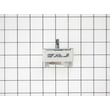
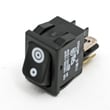
How do I find the right GE part number?
For your GE JBP78WB1WW electric range, the most reliable way to get the right GE part number is to match the model number first, then use the model-specific parts list and diagrams to identify the exact part (by name and reference location) before ordering.
- Confirm the model number on the range’s ID tag is JBP78WB1WW (match every letter and number).
- Use the model’s parts list and diagrams to locate the part by section (cooktop, oven, door, controls).
- Click the part in the diagram to see the manufacturer part number and the Sears PartsDirect part ID.
- Compare your old part to the listing (shape, terminals, mounting holes, color) before ordering.
- If multiple similar parts appear (common with switches and surface elements), match by burner position and wattage.
Here are a few model-matched parts that show how part IDs and part numbers are presented:
| What you’re replacing | Part ID to look for | Manufacturer part number | Notes |
|---|---|---|---|
| Oven light bulb | 40A15 | WX12X1510 | Standard oven lamp style for this model |
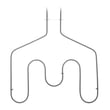
| Broil element | WB44T10009 | WB44T10009 | Heats the top of the oven for broiling |
| Oven temperature sensor | WB23X5340 | WB24T10029 | Sensor issues can cause temp problems |
GE ranges often use similar-looking components across many models. Matching by JBP78WB1WW prevents ordering a part that fits a different series, especially for items like an infinite switch, radiant element, door hinge, or gasket.
- If the oven is not heating correctly, start with the heating circuit basics and the sensor; our oven wont heat troubleshooting electric range problems video walks through common checks.
- If you already know the part you need, ordering a model-matched item like the range oven light bulb 40A15 is the fastest path.
Last updated: February 2026
How to reset GE oven control panel?
To reset the control panel on your GE JBP78WB1WW electric range, we recommend doing a hard power reset: turn the range circuit breaker OFF for 1 full minute, then turn it back ON. This clears many display glitches, beeping, and unresponsive keypad issues.
- Press Off/Clear once to cancel a stuck cooking cycle.
- If the display shows LOC or controls seem locked, press and hold Control Lock for about 3 seconds.
- Do a hard reset at the breaker: OFF for 60 seconds, then ON.
- If the clock is flashing after an outage, set the time again (some functions will not run until the clock is set).
- If the panel is still dead, confirm the range has power (other kitchen outlets working does not always mean the range circuit is OK).
A reset restores the electronics, but it will not fix a failed heating or sensing part. On the JBP78WB1WW, these parts are common causes of “no heat” or temperature problems:
- Wall oven temperature sensor WB23X5340 (sensor out of range can stop normal heating)
- Range broil element WB44T10009 (broil works differently than bake, but a failed element can affect cooking modes)
| Symptom | What it usually points to | What to check next |
|---|---|---|
| Display works, oven will not heat | Heating circuit or sensor issue | Sensor connection, elements, wiring |
| Random beeping or frozen keys | Control glitch | Breaker reset |
| “LOC” or no response to most keys | Control lock enabled | Hold Control Lock 3 seconds |
A proper breaker reset fully power-cycles the electronic oven control. That is the quickest way to clear minor software glitches after cleaning, a power flicker, or an interrupted bake cycle without replacing parts.
Last updated: February 2026
What is the life expectancy of a GE electric oven?
A GE electric oven like the one in model JBP78WB1WW typically lasts 13 to 15 years. Regular cleaning, avoiding excessive self-clean cycles, and fixing heating or temperature problems early helps you reach the high end of that range.
- How often you cook (daily use wears elements, switches, and wiring faster)
- Self-clean frequency (high heat can stress electronic and door components)
- Power quality (surges can damage controls and switches)
- Ventilation and spills (grease and moisture shorten component life)
- Repair timing (small issues become expensive failures if ignored)
| Symptom | Most common cause | Typical fix |
|---|---|---|
| Oven won’t heat or heats unevenly | Failed heating circuit or sensor issue | Diagnose heating components; check temperature sensing |
| Temperature swings, overbakes or underbakes | Temperature sensor drifting | Replace the sensor such as wall oven temperature sensor WB23X5340 |
| Broil not working | Broil element failure | Replace the range broil element WB44T10009 |
| Cooktop element won’t regulate heat | Infinite switch/control switch problem | Replace the correct surface switch for that burner |
- Wipe up spills quickly to prevent baked-on residue and smoke.
- Use self-clean only when needed; use manual cleaning for routine messes.
- Keep pans centered on surface elements to reduce overheating and cycling stress.
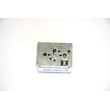
- If a burner won’t cycle correctly, replace the matching control switch (for example, a 1,500-watt switch like range surface element control switch, 1,500-watt WB24T10029 when it matches your burner).
- Replace worn door sealing parts if you notice heat leaking around the door.
Most range “failures” are actually a few high-wear parts (elements, switches, sensors). Replacing those parts at the first sign of trouble often restores safe, consistent baking and can add years to the life of your GE electric range.
Last updated: February 2026




