Installation guide
 Owner’s manual
 Error Codes




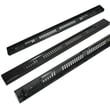
How to fix oven temperature sensor Whirlpool?
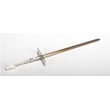
On the Whirlpool WFE505W0HW1 electric range, we fix oven temperature sensor problems by first confirming the oven is actually misreading temperature, then testing the sensor circuit, and replacing the sensor if it is out of spec or damaged. Use the WFE505W0HW1 owner's manual for safety steps and control settings.
- Power-cycle the range (turn the breaker off for 1 minute, then back on) to clear a temporary control glitch.
- Make sure the oven is not in a special mode (such as Sabbath mode) that changes how the display and beeps behave.
- Avoid using an oven thermometer as your only “proof”; this model’s elements cycle on and off and many thermometers react too slowly.
- If food is consistently overcooking or undercooking, try calibrating the oven temperature first.
- If the oven shows error symptoms along with poor temperature control, inspect wiring connections to the sensor.
If the oven cooks a little hot or cool, adjust calibration instead of replacing parts:
- Press and hold the Temp/Time down arrow for 5 seconds until the display shows the current calibration setting.
- Use the Temp/Time up/down arrows to adjust in 5°F steps.
- Press Start to save.
| Setting | Typical step | Allowed range |
|---|---|---|
| Oven temperature calibration | 5°F (3°C) | +30°F to -30°F |
Replace the sensor when calibration does not help and you see symptoms like unstable temps, long preheat, or frequent burning even with correct settings.
A failing oven temperature sensor can make the control “think” the oven is hotter or cooler than it really is. That leads to poor baking results and can also cause the bake element and broil element to cycle at the wrong times.
Last updated: January 2026
What are the most common issues with WFE505W0HW1?
For the Whirlpool WFE505W0HW1 electric freestanding range, the most common issues are surface elements not heating correctly, the oven baking unevenly or not reaching temperature, and power or display problems. These symptoms usually trace to a failed heating component, sensor, switch, or a loose electrical connection.
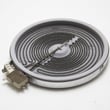
- One surface burner will not heat: failed radiant element or a bad infinite switch
- Dual burner stuck on high or won’t switch sizes: dual surface element control switch problem
- Oven not heating or takes too long: failed bake element or temperature sensor out of range
- Oven temperature swings or bakes unevenly: temperature sensor issue or poor door sealing
- Range completely dead: power supply issue at the cord/terminal block or house breaker
- Door won’t close tightly: worn hinge or door seal
If your symptoms match, these model-compatible parts are common fixes:
| Symptom | Common part to check | Example part on this model |
|---|---|---|
| Dual burner problems | Dual element control switch | Range dual surface element control switch WPW10434452 |
| Oven temp inaccurate | Oven temperature sensor | Range oven temperature sensor WPW10181986 |
| No bake heat | Bake element | Bake element W11182108 |
| No broil heat | Broil element | Range broil element W10856603 |
| Range dead/intermittent power | Terminal block connections | Range terminal block WPW10245259 |
- Confirm power: verify the breaker is on and the range has the correct supply (most electric ranges use 240V).
- Match the symptom to the circuit: surface elements and oven elements fail differently; test the specific function that is acting up.
- Inspect wiring: look for loose, overheated, or burned connectors at the element, switch, and terminal block.
- Test with a meter: check continuity/resistance on elements and the oven sensor.
For safe access steps, wiring diagrams, and model-specific procedures, use the WFE505W0HW1 owner's manual.
Replacing the correct component first saves time and prevents repeat failures. For example, a weak bake element can mimic a control problem, and a loose terminal block connection can cause intermittent power that looks like an electronic control failure.
Last updated: March 2026
What does it mean if my oven says psh?
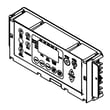
If your Whirlpool WFE505W0HW1 oven display shows PSH, it typically means the oven controls are in a locked state (control lock), so the keypad will not start baking or broiling until you unlock it. Follow the unlock steps in the WFE505W0HW1 owner's manual.
Try these steps in order:
- Press and hold CONTROL LOCK for 3 seconds to unlock the control panel.
- If your model uses a different key label, press and hold the lock-designated keypad shown in the WFE505W0HW1 owner's manual.
- Press CANCEL to clear the display after unlocking.
- If the display is still stuck, turn off power at the breaker for 1 minute, then restore power.
- If the clock is flashing after power is restored, set the clock and retry BAKE.
These conditions can stop the oven from starting even when you press BAKE:
| What you see | What it usually means | What to do |
|---|---|---|
| Keypad beeps, no heat starts | START was not pressed | Press START within about 10 seconds of setting temp/time |
| Time flashing | Power was interrupted | Set the clock, then try again |
| Oven won’t heat at all | Demo mode or control issue | Power reset, then check settings in the manual |
Control lock is a safety feature that prevents accidental keypad presses. When it is on, the range can appear “dead” even though power is good, so unlocking restores normal oven operation quickly.
Last updated: January 2026