



Is it worth repairing a GE ice maker?
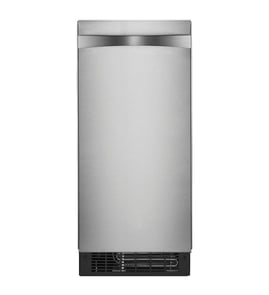
Yes, repairing a GE freestanding icemaker like model UNC15NPWBII is worth it when the problem is limited to a serviceable part (water valve, drain valve, sensor, or control) and the total repair cost stays well below the cost of replacement.
Quick decision checklist
- The unit still cools and makes some ice (intermittent issues are often repairable).
- The problem points to a single failed component (valve, thermistor, float switch, display).
- There is no ongoing leak damage or repeated shutdowns.
- The repair is mostly labor plus one part, not multiple major assemblies.
- You can complete basic diagnostics safely (power off, water off) before ordering parts.
Common repairs that are usually worth it
These are typical “single-part” fixes on freestanding ice makers and often restore normal operation:
| Symptom | Likely area | Example part for UNC15NPWBII |
|---|---|---|
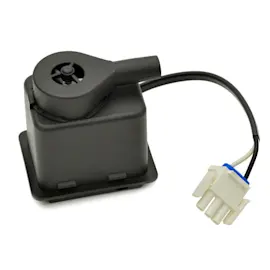
| No water fill, small cubes, slow production | Water inlet system | Water valve WR57X38936 |
| Won’t drain, standing water, poor harvest | Drain system | Drain valve WR87X38941 |
| Erratic temps, thin/soft ice | Temperature sensing | Thermistor WR09X38943 |
| Overfills or stops due to level sensing | Reservoir/level sensing | Float switch WR09X39745 |
When replacement is the better value
Replacement is typically the better choice when the repair involves multiple high-cost components or repeated failures.
- The compressor or sealed system is suspected (cooling is weak and never recovers).
- The evaporator/housing assembly is damaged or leaking.
- The unit needs multiple electronic parts at once (for example, display plus main control).
- You have frequent breakdowns and downtime that outweigh repair savings.
Why it matters
Ice makers depend on a tight balance of water fill, freezing temperature, and timed drain/harvest. When one part fails, you often get clear symptoms (no fill, no drain, bad temperature reading), which makes targeted repair cost-effective.
Last updated: February 2026
How to find GE appliance parts?
For your GE UNC15NPWBII freestanding ice maker, the fastest way to find the right replacement parts is to match the exact model number (UNC15NPWBII) and then choose parts by symptom or by part category (water system, controls, cabinet panels). This prevents ordering look-alike parts that do not fit.
Step-by-step: find the correct parts for your model
- Confirm the model number on the appliance ID tag: UNC15NPWBII
- Use the parts list for this model to narrow by the system you are repairing (water fill, drain, temperature sensing, control)
- Match the part name and part ID to what you need before ordering
- If you are unsure which part failed, diagnose first (leaks, no ice, slow production, odd temperatures)
- For electrical checks, use safe testing practices and the right tools
A good starting point for model-number accuracy is our guide: how to find your appliance model number (and what it means for parts).
Common GE UNC15NPWBII parts customers look for
These are frequently involved in “no ice,” “leaking,” or “won’t fill” complaints:
| Symptom | Most likely system | Example part for UNC15NPWBII |
|---|---|---|
| No water fill | Water inlet | Water valve WR57X38936 |
| Leaking or won’t drain | Drain system | Drain valve WR87X38941 |
| Poor temperature control | Sensing/control | Thermistor WR09X38943 |
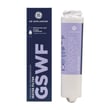
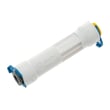
| Filter issues or low flow | Filtration | GE smartwater refrigerator water filter GSWF |
Why it matters
GE appliances often have similar-looking parts across different models. Using the exact model number (UNC15NPWBII) and selecting parts from the correct diagram helps ensure proper fit, correct connectors, and the right water-line sizes.
Last updated: February 2026
How much does a GE ice maker replacement cost?
A full replacement cost for a GE freestanding ice maker like model UNC15NPWBII depends on whether you’re replacing the entire appliance or repairing it with parts. In many cases, replacing a failed component (valve, control, sensor) costs far less than replacing the whole unit.
What “replacement cost” usually means
Most customers mean one of these:
- Replace a failed part (most common): you keep the same ice maker and install a new component.
- Replace a major assembly (higher cost): for example, a sealed-system or ice-making assembly.
- Replace the entire ice maker: a new appliance plus installation.
Typical cost ranges (parts only)
Actual totals vary by labor rates and what failed, but these ranges help you budget.
| Scenario | What you pay for | Typical range |
|---|---|---|
| Minor repair | small part (seal, door, fitting) | $10 to $60 |
| Common functional repair | valve, sensor, filter components | $60 to $200 |
| Control repair | display or main control board | $120 to $600 |
| Major mechanical repair | motor, auger, evaporator housing | $300 to $1,300+ |
Parts on this model page that commonly affect ice production
If your UNC15NPWBII is not making ice, overfilling, or making hollow cubes, these parts are common suspects:
- Water valve WR57X38936 (no fill, slow fill, or overfill)
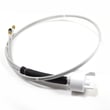
- Thermistor WR09X38943 (temperature sensing issues)
- Float switch WR09X39745 (water level sensing problems)
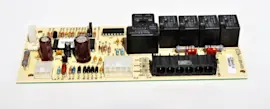
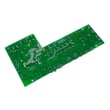
- Display board WR55X38950 (controls not responding)
- Main control board WR55X38595 (erratic operation or no operation)
Why it matters
Replacing the right part first prevents repeat service calls and wasted expense. For example, a “no ice” complaint can be water-supply related (valve or float switch) or temperature related (thermistor), and the repair cost changes a lot depending on the root cause.
Quick ways to avoid overpaying
- Confirm the unit has a steady water supply and the shutoff valve is fully open.
- Clean the condenser area and ensure good airflow (poor cooling reduces ice output).
- If the unit powers on but behaves oddly, price a control repair before replacing the whole appliance.
- Match parts by model number UNC15NPWBII to avoid ordering the wrong revision.
Last updated: February 2026
What are the parts of the ice maker machine?
A GE freestanding icemaker like model UNC15NPWBII is built from a water-in system, an ice-making and cooling system, and controls that manage temperature, fill, and harvest. The exact mix varies by configuration, but these are the core assemblies you will see when troubleshooting or ordering parts.
Main assemblies you will typically find
- Water supply and filtration: filter, filter head/tubing, fittings, and the inlet water valve
- Water handling: reservoir, float switch, and drain valve (for purge/drain cycles)
- Ice-making and refrigeration: evaporator assembly, compressor, condenser, and condenser fan motor
- Ice movement and bin components: auger, breaker, bushings, seals, and related hardware
- Controls and user interface: main control board, display board, and control panel mounting
- Sensors and safety devices: thermistor (temperature sensing) and switches
Common UNC15NPWBII parts you may see on this model
Here are examples of specific parts listed for this GE UNC15NPWBII that match the categories above:
| System | What it does | Example part on this model |
|---|---|---|
| Water filtration | Helps reduce taste/odor and sediment before ice is made | GE smartwater refrigerator water filter GSWF |
| Water inlet | Opens to let water into the unit during fill | Water valve WR57X38936 |
| Drain/purge | Drains water during cleaning or purge cycles | Drain valve WR87X38941 |
| Level sensing | Detects water level to prevent overfill | Float switch WR09X39745 |
| Temperature sensing | Feeds temperature data to the control | Thermistor WR09X38943 |
| Controls | Runs the ice-making sequence and displays status | Main control board WR55X38595 and display board WR55X38950 |
Why it matters
Knowing which system a part belongs to speeds up diagnosis. For example, “no ice” can be a water-in issue (filter/valve), a sensing issue (float switch/thermistor), or a cooling issue (condenser fan motor/compressor).
Quick troubleshooting map (symptom to likely system)
- Slow or hollow ice: filtration or water inlet
- Overfilling or leaking: float switch, fittings, or drain components
- Warm cabinet or soft ice: condenser, condenser fan motor, or sealed system
- Dead display or unresponsive buttons: display board, main control board, or wiring
Last updated: February 2026