Installation guide
 Owner’s manual
 Error Codes



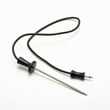
How do I find the right GE part number?
For your GE wall oven model ZET2SL1SS, the fastest way to get the right part number is to match the part to the exact model and serial label and then confirm the part on the model’s parts diagram or parts list. On this model, the label is located on the front left trim behind the oven door (see the ZET2SL1SS owner’s manual).
- Open the oven door and locate the model/serial label on the front left trim.
- Write down the full model number (ZET2SL1SS) and the serial number.
- Identify the failed part by function (for example: bake heat, broil heat, convection fan, door seal).
- Cross-check the part using the model’s exploded-view diagram and description in the ZET2SL1SS owner’s manual.
- Confirm you are ordering the correct item by comparing part name, part number, and where it installs.
If you already know what is failing, these are common “starting points” for a GE electric wall oven:
| Symptom | Likely part category | Example part on this model page |
|---|---|---|
| Oven not baking evenly or not heating in bake | Bake element | Range bake element WB44T10056 |
| No broil heat | Broil element | Wall oven broil element WB44T10057 |
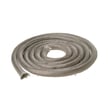
| Door leaking heat or taking longer to preheat | Door gasket | Range oven door gasket WB04T10050 |
| Convection not circulating air | Convection fan or element | Fan (WB26K5072) or convection element (WB44T10058) |
GE often uses similar-looking parts across different wall ovens, but mounting points, wiring connectors, and wattage can vary by model and production run. Using the ZET2SL1SS model/serial label helps ensure the part number you choose is truly compatible.
Last updated: February 2026
How do you get the oven door off a GE oven?
To remove the door on a GE ZET2SL1SS wall oven, open the door fully, flip both hinge locks down to the unlocked position, then close the door to the “removal position” (mostly closed) and lift up and out. Use two hands; the door is heavy.
Follow the door-removal procedure in the installation guide.
- Turn the oven off and let it cool completely.
- Open the oven door as far as it will go.
- Push both hinge locks down toward the door frame (unlocked position). A flat-blade screwdriver can help.
- Place one hand on each side of the door (do not lift by the handle).
- Close the door to the removal position (most of the way closed).
- Lift the door up and out until the hinge arms clear the slots.
- The oven door is very heavy; keep a firm grip before lifting.
- Do not lay the door on its handle (it can dent or scratch).
- Protect the floor with a towel or cardboard where you set the door.
Use the same angle as the removal position, seat the hinge notches fully, then lock the hinges.
| Task | What “right” looks like |
|---|---|
| Seat hinge arms | Notch fully seated at bottom of hinge slot |
| Lock hinges | Hinge locks pushed up against the front frame |
| Final check | Door opens/closes smoothly and seals evenly |
A door that is not fully seated or has hinge locks left unlocked can sit crooked, leak heat, or bind when opening. Correct removal and reinstallation protects the hinges, glass, and door seal.
Last updated: February 2026
How to order GE appliance parts?
To order parts for your GE ZET2SL1SS electric wall oven, use the complete model number and serial number, then select the exact replacement by matching the part name with the part number or part ID. You can order directly from the parts list for this model or search by model on Sears PartsDirect.
- Confirm the full model number is ZET2SL1SS (use the rating label on the oven).
- Write down the serial number as well; it helps match production changes.
- Identify the part you need by name and ID (example: range bake element WB44T10056).
- Compare your symptom to the manual’s troubleshooting section before ordering.
- If you need help choosing a part or checking availability, contact Sears PartsDirect support.
| What you need | Why it matters | Example for this oven |
|---|---|---|
| Model number | Ensures correct fit | ZET2SL1SS |
| Serial number | Helps match production changes | From the rating label |
| Part ID or part number | Prevents ordering the wrong item | WB44T10056 |
| Symptom | Helps confirm the correct part | Not heating, uneven baking |
Wall ovens often have multiple versions of similar parts (elements, control boards, door hardware) that look alike but mount differently. Using the exact ZET2SL1SS model and the correct part ID helps avoid returns and gets your oven back to baking and broiling faster.
For additional model-specific guidance, follow the procedures in the ZET2SL1SS owner's manual.
Last updated: February 2026
How to reset GE wall oven?
To reset your GE ZET2SL1SS wall oven, we recommend doing a power reset: turn the oven off, shut off power at the circuit breaker (or fuse), wait a few minutes, then restore power and reset the clock. This clears many control and display glitches.
- Turn the oven controls to OFF.
- Locate the correct breaker or fuse for the oven (your installer should have shown you where it is).
- Switch the breaker OFF (or remove the fuse).
- Wait 3 to 5 minutes.
- Restore power (breaker ON or reinstall fuse).
- If the display flashes or the clock reset, set the clock again using the instructions in the ZET2SL1SS owner's manual.
A reset is most helpful for display and control issues caused by a brief power interruption.
| Symptom | What to do | Why it matters |
|---|---|---|
| Display is blank | Check breaker or fuse; then power reset | Restores power to the control |
| Display flashes / clock changed | Reset the clock | Oven features can act “off” until time is set |
| Oven will not start after outage | Power reset; then set clock | Control may be in outage state |
| Door will not unlock after self-clean | Let oven cool, then reset controls | Door stays locked until below lock temperature |
- Confirm you reset the correct breaker (wall ovens often have a dedicated circuit).
- If the oven was in self-clean, wait for it to cool; the door can stay locked until it drops below the locking temperature.
- If you see an error code, use our GE wall oven error codes guide to match the code to the most likely cause.
- If the issue is heat-related (no bake or no broil), a failed heating component can be involved; common examples include the range bake element WB44T10056 or wall oven broil element WB44T10057.
A proper reset restores stable power to the electronic control and clears “black-out mode” or post-outage behavior, which is one of the most common reasons a GE wall oven display goes blank or starts flashing.
Last updated: February 2026
What are the parts of an electric oven?
An electric wall oven like the GE ZET2SL1SS is built around heating elements, temperature controls, airflow parts, and door components that keep heat in. The exact feature set varies by model, but the core parts are the same across most electric ovens.
- Bake element: primary heat source for baking (typically at the bottom of the oven cavity)
- Broil element: high-heat element for broiling (typically at the top)
- Convection element and fan (on convection models): circulates hot air for more even cooking
- Oven temperature sensor/thermostat: tells the control how hot the oven is
- Electronic control or selector switch: sets modes like bake, broil, convection, and clean
- Door gasket and hinges: seals the door and supports smooth opening and closing
- Oven racks and rack supports: hold cookware at different rack positions
- Oven light and lens/cover: illuminates the cavity for viewing food
These are model-matched examples we commonly see replaced on the GE ZET2SL1SS:
| Part | What it does | When it’s often replaced |
|---|---|---|
| Range bake element WB44T10056 | Provides bake heat | No heat in bake, uneven baking, visible damage |
| Wall oven broil element WB44T10057 | Provides broil heat | No broil heat, weak broil |
| Range convection element WB44T10058 | Adds convection heat | Convection not heating evenly |
| Fan WB26K5072 | Moves air for convection/cooling | Loud noise, no airflow, overheating symptoms |
| Range oven door gasket WB04T10050 | Seals heat in the cavity | Heat leaking, longer preheat, worn/loose seal |
Knowing the major oven parts helps you troubleshoot faster. For example, a failed bake element can stop baking heat entirely, while a worn door gasket can cause long preheat times and temperature swings.
Because this is a built-in electric wall oven, it is typically hard-wired to a junction box and should be serviced with power fully shut off at the breaker. For wiring and mounting details, follow the ZET2SL1SS installation guide. For operating modes, rack positions, and convection behavior (including the normal cooling fan run-on after cooking), use the ZET2SL1SS owner’s manual.
Last updated: February 2026
What is the life expectancy of a double wall oven?
A double wall oven typically lasts about 16 years with normal use and basic maintenance. For a GE double wall oven like model ZET2SL1SS, keeping the door seal tight, ensuring good airflow around the cabinet cutout, and avoiding harsh cleaning habits helps you reach that expected lifespan.
Most double electric wall ovens land in a similar range, but these factors move the needle:
- Heat stress from frequent high-temp baking and broiling
- Self-clean cycle use (high heat accelerates wear on electronics and door gaskets)
- Door seal condition (heat loss makes elements and controls work harder)
- Cooling airflow around the built-in cabinet (installation clearances matter)
- Power quality (voltage issues can shorten control board life)
- Wipe spills promptly; baked-on spills create smoke and extra heat cycling.
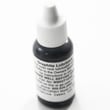
- Keep racks sliding smoothly; use the correct lubricant when needed (see GE cooking appliance oven rack lubricant WB02T10303).
- Inspect the door gasket for gaps, tears, or looseness; replace if it no longer seals well.
- Use self-clean only when necessary; choose shorter cycles when available.
- Confirm the oven is installed to the required clearances and support runners described in the ZET2SL1SS installation guide.
| Symptom | What it often points to | What we check first |
|---|---|---|
| Oven won’t heat or heats unevenly | Failed bake/broil/convection element, sensor, control issue | Elements and wiring connections |
| Long preheat times | Weak element, heat loss at door | Door gasket condition |
| Error code on display | Control or sensor fault | Code meaning and reset steps |
| Door won’t close evenly | Hinge wear or misalignment | Hinge tension and mounting |
Knowing the typical 16-year life expectancy helps you decide whether to repair (often cost-effective for elements, gaskets, and switches) or plan a replacement when major components like control boards or door assemblies start stacking up.
Last updated: February 2026
Where can I find the GE wall oven model number?
On the GE ZET2SL1SS wall oven, we find the model and serial number on a label on the front left trim, behind the oven door. Open the oven door and look along the left front frame area for the rating label.
- Turn the oven light on so the front frame is easier to see.
- Open the oven door fully.
- Look on the front left trim (the vertical frame area) behind the door.
- Find the label that lists Model and Serial.
- Write the numbers down exactly as shown for parts lookup and service.
| Item on label | What it’s used for | Example format |
|---|---|---|
| Model number | Matching parts and diagrams | ZET2SL1SS |
| Serial number | Date/production info for service | Letters and numbers |
We use the exact model number to match the correct GE wall oven parts (like a bake element, broil element, door gasket, or control board). Even small model differences can change which part fits.
If you’re keeping the oven for the long term, the ZET2SL1SS owner’s manual also explains where to record the model and serial numbers and how to use the oven’s features.
Last updated: February 2026
Why is my GE oven screen not working?
If the screen on your GE ZET2SL1SS wall oven is blank or unresponsive, the most common causes are a power interruption (tripped breaker or blown fuse) or a failed control/display component. Start with a power reset; if the oven still will not respond, plan on diagnosing the control system.
- Reset power: turn the circuit breaker OFF for 60 seconds, then turn it back ON.
- Confirm the oven is getting power: a tripped breaker or blown house fuse can stop the display and controls.
- If the clock and timer do not work either, that strongly points to a power supply issue to the oven or a control problem.
- If the display works but buttons do nothing, the control panel or control board is typically at fault.
- If the oven was in a special mode (such as self-clean or Sabbath), some functions can appear limited; verify normal settings in the ZET2SL1SS owner’s manual.
In this model family, a dead screen after a confirmed power reset typically comes down to one of these:
| Symptom | Most likely cause | What to do next |
|---|---|---|
| Entire display blank; no beeps | No power to oven (breaker/fuse/wiring) | Verify breaker, then check junction box connections per the ZET2SL1SS installation guide |
| Display blank but oven light works | Control/display not powering up | Inspect wiring harness connections; test/replace control as needed |
| Display on but touchpad unresponsive | Control panel or relay/control board issue | Diagnose keypad and board; replace the failed component |
| Intermittent flicker/resets | Loose connection or failing board | Check connectors; look for heat damage; replace board if needed |
- Turn off power at the breaker before removing any panels.
- Check the house breaker (wall ovens often use a double-pole breaker).
- Inspect the junction box and wire connections for looseness or heat discoloration.
- If power is correct and connections are solid, move to control diagnostics (control panel, relay/control board).
A non-working screen is not just a convenience issue; it can prevent accurate temperature selection and safe operation. Confirming proper power first avoids replacing expensive electronic parts unnecessarily.
Last updated: February 2026