Installation guide
 Owner’s manual
 Error Codes

What not to use on an electric stove top?
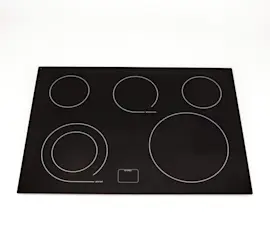
On the KitchenAid KECC568RPB00 electric cooktop, avoid anything that can scratch the surface, trap heat, or create an electrical hazard. That includes abrasive cleaners, steel wool, and using the cooktop as a cutting board or cooking surface; follow the safety and care guidance in the KECC568RPB00 owner's manual.
What to avoid (and what to do instead)
- Do not use steel wool or abrasive pads/powders; they can permanently scratch ceramic glass and trim.
- Do not use chlorine bleach, ammonia, rust remover, or harsh chemicals on ceramic glass; they can damage the finish.
- Do not use oven cleaner on cooktop controls or surfaces.
- Do not use the cooktop as a cutting board; it can scratch and weaken the glass.
- Do not cook food directly on the cooktop surface (without cookware).
- Do not use cookware with ribbed, dented, rough, or dirty bottoms; it can cause scratches and uneven heating.
Cookware that commonly causes problems
Cookware choice matters because the bottom surface contacts the glass and transfers heat.
| Cookware issue | What it can cause | Better choice |
|---|---|---|
| Ribbed/dented/rough bottom | Scratches, hot spots | Smooth, flat-bottom pan |
| Wet or greasy pan bottom | Baked-on deposits, staining | Clean, dry bottom before heating |
| Curved/rounded bottom | Poor contact, uneven cooking | Flat-bottom cookware |
Cleaning and care tips for ceramic glass
- Wipe with a clean, wet cloth or sponge, then dry thoroughly to prevent streaks.
- Use a cooktop cleaner for regular cleaning to help prevent scratches and condition the surface.
- For stuck-on spills, use a cooktop scraper designed for ceramic glass (used carefully at a low angle).
Why it matters
Using the wrong cleaners or cookware can scratch the ceramic glass, bake on residue, and make burners seem like they heat unevenly. Avoiding abrasives and keeping pan bottoms clean helps protect the cooktop and improves cooking performance.
Last updated: January 2026
How to reset KitchenAid electric stove top?
To reset a KitchenAid electric cooktop like model KECC568RPB00, we recommend power-cycling it: turn the cooktop circuit breaker OFF for 30 seconds, then turn it back ON. If the cooktop still will not respond, check for Control Lock and basic power issues.
Reset steps for KECC568RPB00
- Turn OFF the cooktop breaker (or remove the fuse) for 30 seconds.
- Turn power back ON.
- If the cooktop uses touch controls, touch ON/OFF before selecting a heat setting.
- If the cooktop appears “dead,” check whether the Control Lock/All Off feature is enabled.
- If the breaker trips again, stop resetting and address the electrical fault first.
Quick checks if it still will not operate
The manual troubleshooting points to a few common causes that look like a “needs reset” problem:
- Tripped breaker or blown fuse: reset/replace once; if it trips again, call an electrician.
- Wiring issue: confirm the cooktop is wired correctly (installation instructions cover this).
- Control settings: on touch-control models, you must touch ON/OFF before choosing a power level.
- Control Lock enabled: unlock the cooktop using the Control Lock procedure.
What “reset” fixes vs. what it does not
| Symptom | Reset helps? | What to check next |
|---|---|---|
| Touch controls frozen or unresponsive | Often | Control Lock, power supply |
| Nothing works at all | Sometimes | Breaker/fuse, wiring, terminal connections |
| One element will not heat | Rarely | Element, wiring harness, control board |
Parts that commonly relate to power or control issues
If you find loose or overheated wiring at the power connection, these model-matched parts are often involved in repairs:
- Terminal block WP8203546 (power cord connection point)
- Wire harness 8286381 (internal wiring connections)
- Cooktop electronic control board WP8285924 (touch control system)
Why it matters
Repeatedly “resetting” a cooktop that is tripping the breaker can point to a wiring short, failing surface element, or damaged connection. Fixing the root cause protects the control board, wiring, and your home electrical circuit.
For control features, operation, and lockout steps, use the KECC568RPB00 owner's manual. For wiring and power supply requirements, use the KECC568RPB00 installation guide.
Last updated: January 2026
Why is my KitchenAid electric cooktop not turning on?
If your KitchenAid KECC568RPB00 electric cooktop will not turn on, the most common causes are a tripped breaker or blown fuse, the Control Lock being enabled, or a wiring/power connection problem. Start with the quick checks in the KECC568RPB00 owner's manual before moving to electrical testing.
Quick checks (fastest fixes first)
- Reset the cooktop circuit breaker (or replace the household fuse) and try again.
- If your model uses touch controls, touch ON/OFF first, then select a heat setting.
- Make sure Control Lock/All Off is not enabled; press and hold CONTROL LOCK/ALL OFF for 5 seconds to unlock.
- If the cooktop was recently installed or moved, confirm power was reconnected and the unit is wired correctly per the KECC568RPB00 installation guide.
- If nothing operates at all (no lights, no response), stop and check the home power supply before suspecting a cooktop part.
What to check next (when power is good)
If the breaker is on and the cooktop still will not respond, the issue is usually in the power input or control circuit.
| Symptom | Most likely area | What we recommend |
|---|---|---|
| Nothing works at all | House power, wiring connection, terminal block | Verify supply voltage and connections; inspect for heat damage |
| Touchpad responds but element will not heat | Surface element circuit, wiring harness | Test the element and wiring for continuity |
| Random or intermittent operation | Loose connection, failing control | Inspect connectors; test components under the glass |
Parts that commonly fail on this model
These parts are often involved when a cooktop has power but will not heat or respond correctly:
- Terminal block WP8203546 (burned or loose power connections)
- Cooktop electronic control board WP8285924 (no output to elements, erratic control)
- Cooktop surface element WP4453907 (open element, no heat on one zone)
- Wire harness connections (look for overheated terminals or broken conductors)
Why it matters
A cooktop that will not turn on is frequently a simple power issue, but a loose or overheated connection can damage wiring and controls. Confirming breaker, lockout, and wiring first prevents unnecessary part replacement and helps keep the repair safe.
Last updated: January 2026
How much is it to replace an electric stove top?
Replacing the electric cooktop on a KitchenAid KECC568RPB00 typically runs about $300 to $1,100 total: roughly $200 to $800 for the cooktop itself plus $100 to $300 for installation labor. Your final cost depends on cooktop type (coil vs. smooth glass), electrical hookup condition, and countertop cutout fit.
What drives the total replacement cost?
- Cooktop style and features: basic radiant units cost less than premium smooth-top designs.
- Electrical connection work: a worn or heat-damaged power connection can add parts and labor.
- Countertop cutout changes: resizing stone or laminate increases labor.
- Service access: tight cabinetry and hardwired installs take longer.
- Parts vs. full replacement: replacing a failed element can cost far less than replacing the entire cooktop.
Repair vs. replace: quick comparison
| Option | Typical parts cost | Typical labor | Best when |
|---|---|---|---|
| Replace a surface element | $100 to $250 | $100 to $250 | One burner will not heat or heats unevenly |
| Replace a control board | $250 to $450 | $150 to $350 | Multiple elements misbehave or touch controls fail |
| Replace the full cooktop | $200 to $800 | $100 to $300 | Glass is damaged, multiple major failures, or outdated unit |
Common parts that affect repair cost on KECC568RPB00
If you are troubleshooting a “dead burner” or inconsistent heating, these model-matched parts are often involved:
- Cooktop surface element WP4453907 (burner will not heat, heats unevenly)
- Terminal block WP8203546 (burning smell, melted wires at power connection)
- Cooktop electronic control board WP8285924 (control issues affecting multiple elements)
Why it matters
Electric cooktops are high-amperage appliances; installation quality and the condition of the wiring connections directly affect safety and performance. Following the correct installation steps and electrical requirements helps prevent repeat failures.
For installation requirements and electrical connection details, use the KECC568RPB00 installation guide.
Last updated: January 2026