 Installation guide
 Owner’s manual
 Error Codes






How to find wall oven model number?
For the GE JT3000SF4SS electric wall oven, the model and serial number label is typically on the side trim or on the front of the oven behind the oven door. Once you have that model number, you can match the correct wall oven parts and installation specs.
Where to look on a GE wall oven
Check these common label locations first (in order):
- Side trim (often visible when the door is open)
- Front frame area behind the oven door (on the front of the oven)
- For double-oven styles, behind the lower oven door (JT3000SF4SS is a single oven, but the label style is similar)
- Around the oven frame or door rim if the trim label is hard to see
- Inside the oven cavity near the side panel (less common)
What you should write down
We recommend recording both identifiers so you get the right replacement parts (like an oven temperature sensor or door seal) the first time.
| Item | What it’s used for | Example format |
|---|---|---|
| Model number | Identifies the exact oven design | JT3000SF4SS |
| Serial number | Identifies production run and date | Letters and numbers |
Why it matters
GE wall oven parts can look similar across model families, but wiring, control boards, racks, and sensors can vary by revision. Using the exact model number helps ensure correct fit, safe installation, and accurate troubleshooting steps.
Helpful next step
Use the label information to confirm your oven’s documentation and specs in the JT3000SF4SS owner’s manual.
Last updated: January 2026
How to disable control lock on GE wall oven?
To disable Control Lock on your GE JT3000SF4SS wall oven, press and hold Lock Controls for 3 seconds to unlock the keypad. This restores normal operation while keeping Cancel/Off available even when the controls are locked (details are in the JT3000SF4SS owner's manual).
Steps to turn Control Lock off
- Locate the Lock Controls pad on the oven control panel.
- Press and hold Lock Controls for 3 seconds.
- Watch the display for the lock indicator to change (locked to unlocked).
- Test by pressing a cooking mode (Bake or Broil) to confirm the keypad responds.
- Remember: Cancel/Off works even when Control Lock is on.
If Control Lock will not turn off
Control Lock usually fails to toggle when the keypad is not registering a long press or the control is not responding normally.
- Press and hold firmly for a full 3 seconds (do not tap).
- Wipe the control panel dry and try again (grease or moisture can interfere).
- Restore power by turning the breaker off, waiting 30 seconds, then turning it back on.
- If the display shows a repeating function error, follow the reset guidance in the manual.
Quick checks
| What you see | What it usually means | What to do |
|---|---|---|
| Controls do not respond | Control Lock is still on | Hold Lock Controls 3 seconds |
| Only Cancel/Off works | Normal behavior during Control Lock | Unlock using Lock Controls |
| Oven seems “stuck” after cleaning | Door may still be locked until oven cools | Let oven cool, then try unlocking |
Why it matters
Control Lock prevents accidental keypad presses during cleaning or when children are nearby. Unlocking it correctly avoids unnecessary service calls and helps you confirm whether the issue is a locked control or a separate control board problem.
Last updated: January 2026
Why is my GE wall oven not working?
If your GE JT3000SF4SS wall oven is completely dead or won’t start heating, the most common causes are a tripped circuit breaker or blown fuse, controls that are not set correctly, or a special mode (such as Sabbath Mode) that prevents normal operation. Use the JT3000SF4SS owner’s manual to confirm the correct control settings for your exact oven.
Quick checks we recommend first
- Reset the oven circuit breaker fully (switch OFF, then ON). Wall ovens are typically on a dedicated 240V circuit.
- Check for a blown fuse if your home uses fuses.
- Make sure the oven is not in Sabbath Mode (this can make the oven appear not to work).
- Verify the clock and control panel are responding; if the display is blank, power supply is the first suspect.
- Press Cancel/Off, then reselect Bake or Broil and set a temperature.
What the symptoms usually mean
| Symptom | Most likely cause | What to do next |
|---|---|---|
| Display is blank | No power to oven | Reset breaker, check fuses, confirm wiring/junction box power |
| Display works but won’t heat | Control settings or a heating/temperature feedback issue | Recheck settings; if it still won’t heat, test components |
| Works sometimes, then stops | Overheat protection or intermittent electrical issue | Let it cool; inspect cooling airflow and electrical connections |
Parts that commonly relate to “not working” complaints
If power and settings check out, these model-matched parts are often involved in no-heat, overheating, or error conditions:
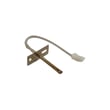
- Wall oven temperature sensor WB21X10165 (bad sensor can cause incorrect temperature feedback)
- Wall oven control board WB27X25322 (can fail and prevent heating or normal operation)
- Range high-limit thermostat WB24X46906 (can open if the oven overheats)
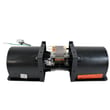
- Wall oven cooling fan assembly WB26X31060 (cooling problems can trigger shutdown behavior)
Why it matters
A wall oven that “won’t work” is often a power supply issue, not a failed oven part. Confirming breaker status and control modes first prevents unnecessary part replacement and helps you focus on the right repair.
Last updated: January 2026
What does F4 mean on a GE oven?
On a GE JT3000SF4SS electric wall oven, an F4 code points to an oven temperature sensing problem (the control is seeing an out-of-range temperature signal). The most common fixes are checking the sensor wiring connection and replacing the oven temperature sensor if it tests bad or is damaged.
What to do first (safe, quick checks)
- Press Cancel/Off to clear the code, then try Bake again.
- Turn off power at the breaker for 1 minute, then restore power (resets the control).
- If the code returns, inspect the sensor harness connection at the back of the oven cavity (loose plug, pinched wires).
- Look for heat damage on wiring near the rear wall and where the harness routes behind the oven.
- If the oven was just installed or moved, confirm the electrical supply matches the installation requirements in the JT3000SF4SS installation guide.
Parts that commonly solve an F4 code
In this model, the temperature sensor circuit is the first place we focus.
- Wall oven temperature sensor WB21X10165 (most common)
- Control board issues are less common, but possible if the sensor and wiring check out
| Symptom with F4 | Most likely cause | Typical next step |
|---|---|---|
| F4 appears soon after starting Bake | Sensor circuit open/short | Check connector, test sensor, replace sensor |
| F4 appears during preheat or after heating | Intermittent sensor wiring or failing sensor | Inspect harness routing, replace sensor |
| F4 returns after power reset | Hard fault in sensor circuit or control | Verify sensor and wiring, then consider control |
Why it matters
The oven control uses the temperature sensor signal to regulate bake and broil heat. When that signal is wrong, the oven can shut down to prevent overheating or unsafe temperature control, which is why you may lose heat or see erratic temperatures.
When to stop and call for service
- You smell burning insulation or see melted wiring
- The breaker trips repeatedly
- The oven overheats or won’t shut off
For operating and troubleshooting steps specific to your control panel, use the JT3000SF4SS owner’s manual.
Last updated: January 2026





