Installation guide
 Owner’s manual
 Error Codes




Do electric wall ovens need 220?
Yes. The GE ZET2SM3SS electric wall oven uses a 208/120V or 240/120V, 60 Hz electrical system (commonly called “220V”) and it must be hard-wired (direct-wired) into an approved junction box; a standard plug and outlet are not permitted. See the installation guide for the exact wiring requirements.
What electrical setup this oven requires
For this GE wall oven, we recommend confirming these items before installation:
- A dedicated 208/120V or 240/120V, 60 Hz branch circuit (single-phase A.C.)
- An approved junction box (hard-wire connection)
- A properly sized strain relief clamp for the flexible conduit
- Wiring and fusing that meet National Electrical Code (ANSI/NFPA 70) and local codes
- A qualified electrician for the final connections
“220V” vs what you will actually see on the specs
Many homeowners say “220V,” but wall ovens are typically specified as 240/120V (or 208/120V in some homes).
| What people call it | What the oven is specified for | Where you’ll see it |
|---|---|---|
| 220V | 240/120V | Most single-family homes |
| 220V | 208/120V | Some apartments/condos with 3-phase service |
New construction and 4-wire connections
If you are installing in new construction (or where local codes require it), the installation instructions call out a four-conductor connection requirement. This is especially common where grounding through the neutral conductor is not allowed.
- New construction often requires 4-wire
- Existing installations may be 3-wire (only if allowed by code)
- Local code always controls the final method
Why it matters
Correct voltage and hard-wiring protect the control board, heating elements, and wiring from damage and reduce nuisance tripping. It also helps the oven heat properly and maintain stable baking temperatures.
Last updated: January 2026
How long do GE wall ovens last?
Most GE wall ovens, including model ZET2SM3SS, typically last about 12 to 15 years with normal household use and basic care. Lifespan depends most on heat exposure over time, how often you run self-clean, and whether key heating and cooling parts stay in good condition.
Typical lifespan and what affects it
A wall oven’s life is usually limited by wear on heating components, electronics, and door sealing.
- Usage frequency: daily baking and broiling shortens life compared to occasional use
- Self-clean cycles: frequent high-heat cleaning adds stress to wiring and controls
- Ventilation and cooling: restricted airflow can overheat internal components
- Door seal condition: heat leaks make the oven work harder and can damage nearby parts
- Power quality: surges and loose connections can shorten control life
Parts that commonly impact longevity
If performance drops, these are common wear items to check on a GE electric wall oven like ZET2SM3SS:
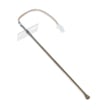
- Wall oven temperature sensor WB23T10015
- Bake and broil heating elements
- Convection fan and cooling blower
- Door gasket and door hinges
- Electronic control and relay boards
Quick symptom-to-part guide
| Symptom | Common cause | What to check first |
|---|---|---|
| Oven temperature is inaccurate | Sensor drift | Temperature sensor, calibration settings in the ZET2SM3SS owner’s manual |
| Oven won’t heat | Heating circuit issue | Bake element, thermal limit switch, relay/control board |
| Takes too long to preheat | Heat loss or weak element | Door gasket, bake element, sensor |
| Shuts off during baking | Overheat protection or control issue | Cooling blower, thermal limit switch |
Why it matters
A wall oven that is losing heat or reading temperature incorrectly can overwork the bake system and controls. Fixing small issues early (like a failing sensor or worn door seal) helps the oven cook more evenly and can extend overall service life.
Last updated: January 2026
How to reset GE Profile convection oven?
To reset the electronic controls on your GE ZET2SM3SS convection wall oven, turn the oven off and cycle power at the home breaker (or fuse) for about 1 minute, then restore power. This clears many temporary control glitches and power-surge issues.
Reset steps (safe, standard method)
- Turn both the Oven Mode knob and Temperature knob to OFF.
- At your home electrical panel, switch the oven circuit breaker OFF (or remove the fuse).
- Wait 1 full minute.
- Switch the breaker ON again (or reinstall the fuse).
- If the clock is flashing or incorrect, reset it using the clock setting steps in the ZET2SM3SS owner’s manual.
If the oven still will not run after a reset
These checks solve the most common “no heat” or “dead control” complaints after a power interruption:
- Confirm the breaker is fully reset (flip OFF, then ON).
- Check for a household power outage or recent surge; then reset the clock.
- If an error code returns after power cycling, disconnect power for 30 seconds, restore power, and recheck.
- If the oven overheated, allow it to cool; some models pause operation until internal temperatures drop.
- If the oven heats unevenly or struggles to reach temperature, test the oven temperature sensor and replace it if needed (for this model, see wall oven temperature sensor WB23T10015).
Quick reference: what a reset fixes vs. what it does not
| Symptom | Reset likely helps? | Common next step |
|---|---|---|
| Display frozen, buttons unresponsive | Yes | Power cycle 1 minute, then set clock |
| Error code appears once after surge | Yes | Power cycle 30 to 60 seconds |
| Oven will not heat but controls work | Sometimes | Check sensor, elements, limit switch |
| Door locked after clean cycle | Sometimes | Let cool, then retry; check door lock |
Why it matters
A breaker reset restores clean power to the control board and clears temporary faults caused by a power outage or surge. If a problem repeats after a proper reset, it usually points to a component issue (sensor, element, limit switch, or control).
Last updated: January 2026