Owner’s manual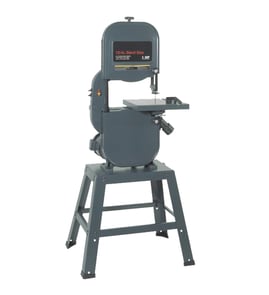




What is the 3-tooth rule for bandsaws?
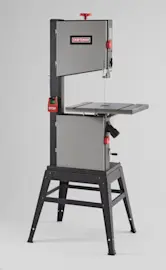
The 3-tooth rule means you choose a band saw blade tooth pitch (TPI) so at least three teeth are in the cut at all times. On a Craftsman 113248320 12" band saw, this prevents tooth snagging and stripping on thicker stock, and it improves chip clearance and cut control.
How to apply the 3-tooth rule (quick method)
- Measure the material thickness at the cut.
- Pick a blade where 3 or more teeth contact that thickness.
- If the cut sounds “grabby” or the blade chatters, go to a higher TPI (more teeth per inch).
Common selection tips:
- Thick stock: use lower TPI so gullets can carry sawdust out.
- Thin stock: use higher TPI so teeth do not hook and tear.
- Curves: blade width matters too; tighter curves need a narrower blade (even if TPI is correct).
Practical TPI guide (rule-of-thumb)
Use this as a starting point, then fine-tune for cut quality and feed rate.
| Material thickness | Typical blade choice | Why it works |
|---|---|---|
| 1/8 in. to 1/4 in. | 14 to 24 TPI | Keeps enough teeth engaged on thin stock |
| 1/4 in. to 3/4 in. | 6 to 10 TPI | Balanced cut speed and chip clearance |
| 3/4 in. to 3 in. | 3 to 6 TPI | Larger gullets clear sawdust in thick cuts |
Setup checks that make the rule work
Even with the right TPI, poor adjustment causes rough cuts and premature blade wear. We follow these basics from the 113248320 owner's manual:
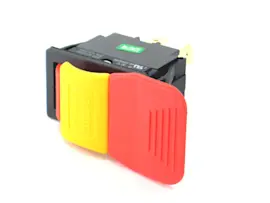
- Unplug the saw, switch OFF, remove the switch key before adjustments.
- Confirm blade teeth point downward toward the table.
- Set upper blade guide and guard to just clear the workpiece.
- Adjust blade guides about 1/32 inch from the gullet (do not let teeth hit the guides).
- Verify tracking and thrust bearing adjustments after blade changes.
Why it matters
The 3-tooth rule is about controlling cutting forces. Too few teeth in the cut increases the chance of grabbing, tooth damage, and blade breakage; too many teeth reduces gullet space, packs sawdust, and overheats the blade.
Parts and documentation
For diagrams and adjustment procedures specific to Craftsman model 113248320, use the 113248320 owner's manual. For replacement parts lookup by model number, use the parts list for this model first, or search by model on Sears PartsDirect.
Last updated: February 2026
How do I know the size of my bandsaw blade?
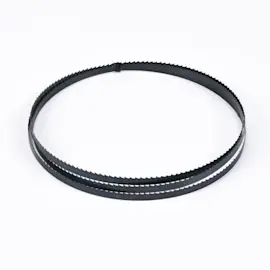
For a Craftsman 113248320 12-inch band saw, blade “size” means length, width, and TPI (teeth per inch). You can measure your current blade to match it, and our 113248320 owner's manual confirms this saw uses blade widths from 1/8 inch to 1/2 inch (it typically comes with a 1/4-inch blade).
What to measure (the 3 blade specs)
- Length: the total loop length of the blade
- Width: from the tooth tip to the back edge of the blade
- TPI: count teeth in 1 inch (higher TPI for thinner material, lower TPI for thicker cuts)
How to measure blade length safely and accurately
- Unplug the saw, turn the switch off, and remove the switch key before touching the blade area.
- Remove the blade and coil it carefully.
- Lay the coiled blade flat on the floor.
- Pick a reference point (the weld is easiest), mark it with tape.
- Use a tape measure along the blade edge; roll the blade as you measure until the mark comes back to the start.
- The total distance is your blade length.
Safety note for this model
Our manual for the Craftsman 113248320 specifically warns not to wear gloves around the blade and to avoid loose clothing and jewelry when working near moving parts.
Blade width range for model 113248320
The manual states this band saw can use blades in this width range:
| Spec | What works on Craftsman 113248320 | Why it matters |
|---|---|---|
| Blade width | 1/8 in to 1/2 in | Wider blades track straighter; narrower blades turn tighter |
| Common included blade | 1/4 in | Good general-purpose starting point |
Why it matters
Using the correct blade size helps the blade track on the rubber tires, reduces blade breakage, and lets you set proper tension and guide bearing adjustments for the blade you install.
Ordering the right blade
Once you know your blade length, width, and TPI, match those specs when shopping for a replacement. We list model-matched parts and diagrams for Craftsman 113248320, and you can also search by model number on Sears PartsDirect.
Last updated: February 2026
What is the 4 inch rule for bandsaw?
The 4-inch rule for the Craftsman 113248320 12-inch band saw means we keep our hands and fingers at least 4 inches away from the moving blade at all times. When a cut would bring hands closer than 4 inches, we use a push stick, push block, or a holding jig instead.
How to apply the 4-inch rule on a band saw
- Set the upper blade guard as low as practical above the workpiece to reduce exposed blade.
- Use a push stick or push block for short, narrow, or small parts.
- Keep the workpiece flat on the table and guide it with steady pressure; do not force the cut.
- Never reach across the blade path; stop the saw first if you need to clear scraps.
- Keep your hands to the sides of the cut line, not in line with the blade.
Quick guide: when to switch to a push tool
| Cutting situation | Hand position risk | What we use instead |
|---|---|---|
| Narrow rip or thin strip | Hands drift toward blade | Push stick or push block |
| Small parts (short length) | Fingers too close to blade | Holding jig or clamp-on sled |
| Tight curves / intricate cuts | Hands naturally rotate inward | Jig, relief cuts, slower feed |
| Clearing offcuts | Temptation to grab near blade | Stop saw, then remove scraps |
Why it matters
Band saw blades cut continuously and can pull material unexpectedly. The 4-inch rule builds a consistent safety buffer so a slip, knot, or twist in the workpiece does not put fingers into the blade.
Model-specific safety reminders for Craftsman 113248320
Our manual repeatedly emphasizes unplugging the saw before adjustments (blade tracking, guide alignment, speed changes, table squaring). Follow those same habits for any setup that supports safe cutting and better control.
For operating and adjustment details (including blade widths and setup steps), use the 113248320 owner's manual. For parts and diagrams for this model, search by model number on Sears PartsDirect.
Last updated: February 2026