 Owner’s manual



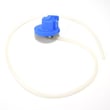
Does a Samsung washer have a filter that needs to be cleaned?
Yes. The Samsung WA54M8750AV washer has inlet water mesh filters that need periodic cleaning (typically once or twice a year) to prevent fill problems; the manual also notes that a clogged filter can trigger a 4C water-supply code. See the steps in the WA54M8750AV owner's manual.
What filter you should clean on this model
On the WA54M8750AV, the routine “filter” maintenance called out in the manual is the mesh filter inside each water inlet valve (where the hot and cold hoses connect).
Clean the inlet mesh filters when you notice:
- Slow filling or no fill
- A 4C information code (water not supplied)
- Sediment or debris in the hoses after plumbing work
- The washer fills unevenly between hot and cold
How to clean the inlet mesh filters (safe, quick checklist)
- Turn the washer off and unplug it.
- Shut off both water faucets.
- Remove the hot and cold fill hoses from the back of the washer (have a towel ready).
- Pull the small mesh screens out of the inlet valve ports (needle-nose pliers help).
- Rinse and gently brush debris off; soak if mineral buildup is heavy.
- Dry the screens, reinstall them, reconnect hoses, then turn faucets back on.
If you are getting a drain-related code instead
Some Samsung washers also reference a “debris filter” for draining issues. If your WA54M8750AV shows 5C (not draining), focus on the drain path first:
| Symptom/code | Most likely area | What to check first |
|---|---|---|
| 4C (no/slow fill) | Inlet mesh filters | Clean inlet screens, confirm faucets fully open |
| 5C (won’t drain) | Drain hose/pump path | Check for kinks/clogs, verify hose routing |
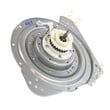
If the washer hums but will not drain, a failing pump can be the cause; the washer drain pump assembly dc97-19289f is a common replacement part for drain problems.
Why it matters
Clean inlet filters protect the water inlet valve from grit and scale. Keeping them clear helps your washer fill at the correct rate, prevents nuisance error codes, and supports consistent wash performance.
Last updated: February 2026
What is the life expectancy of a Samsung washer?
Most Samsung washers, including the Samsung WA54M8750AV, typically last 10 to 15 years with normal household use and basic maintenance. How long yours lasts depends most on load size, leveling, water quality, and keeping the tub and drain system clean; see the WA54M8750AV owner's manual for model-specific care guidance.
Typical lifespan and what affects it
A washer’s service life is mainly driven by mechanical wear, vibration, and moisture exposure.
- Overloading strains the drive system, tub bearings, and suspension
- Unbalanced loads increase vibration and can shorten component life
- Hard water can leave mineral buildup that affects valves and wash performance
- Poor ventilation (keeping the lid closed all the time) can contribute to odors and residue
- Skipped cleaning cycles can lead to buildup that stresses draining and spinning
What “normal wear” looks like over time
These are common age-related issues we see across modern top-load washers.
| Age of washer | Common symptoms | Often related to |
|---|---|---|
| 0 to 5 years | Occasional out-of-balance, minor noise | Leveling, load habits |
| 5 to 10 years | Longer drain times, more vibration | Drain path, suspension, sensors |
| 10 to 15 years | Leaks, spin issues, intermittent operation | Hoses, pump, lid lock, controls |
Maintenance steps that extend washer life
We recommend these habits for the WA54M8750AV to reduce wear and prevent avoidable failures.
- Run the Self Clean cycle on schedule (per the manual)
- Use HE detergent and avoid overdosing
- Keep loads evenly distributed; wash bulky items in smaller batches
- Verify the washer is level and stable on the floor
- Check for slow draining and address it early (coins, lint, small items)
Why it matters
A washer that stays level, drains freely, and runs clean puts less stress on high-wear parts like the lid lock, drain components, and drive system. That directly improves reliability and helps you reach the typical 10 to 15 year lifespan.
Last updated: February 2026
What are the most common Samsung washer errors?
For the Samsung WA54M8750AV washer, the most common errors are water fill, drain, door (lid) not closed, and motor related codes. Your washer’s display shows an information code; we use that code to pinpoint the cause and the fastest fix using the steps in the WA54M8750AV owner's manual.
Common error codes you’ll see on this model
These are the codes called out in the WA54M8750AV troubleshooting table:
- 4C: Water is not supplied (fill problem)
- 5C: Water is not draining (drain problem)
- dC: Door (lid) is open or not closing properly
- 3C: Motor operation issue
- 1C: Water level sensor issue
- 9C1 / 9C2: Voltage or power supply problem
- AC6: Inverter communication problem
Quick checks that fix most codes
Before replacing parts, we recommend these basics because they solve a large share of fill and drain complaints:
- Unplug the washer for 1 minute, then restore power and retry the cycle
- Confirm both water taps are fully open (hot and cold)
- Straighten the drain hose and confirm it is not kinked, frozen, or clogged
- Check that laundry is not pinched under the lid (common cause of dC)
- Clean inlet hose screen filters if fill is slow (often tied to 4C)
- Reduce detergent if you see heavy suds or odor buildup; run Self Clean periodically
What the code usually points to (symptom map)
| Code | What you notice | Most likely area to inspect first |
|---|---|---|
| 4C | No water or very slow fill | Water taps, inlet hose screens, water pressure |
| 5C | Standing water, won’t drain | Drain hose routing, debris filter, drain pump |
| dC | Won’t start or stops mid-cycle | Lid fully closed, items caught at lid, lid lock |
| 3C | Won’t agitate/spin normally | Motor drive system, wiring, control |
When a part is commonly involved
If the checks above do not clear the code, these parts are frequent suspects on top-load Samsung washers:
- For 5C drain errors: washer drain pump assembly dc97-19289f and the drain hose
- For 4C fill errors: water inlet valve
- For dC door errors: lid lock assembly
Why it matters
An information code is the washer protecting itself. Addressing the correct system (fill, drain, lid lock, motor, or power) prevents repeat shutdowns, reduces wear on the electronic control, and helps avoid water left in the tub.
Last updated: February 2026
Do I need a technician for a 4E error?
You usually do not need a technician for a 4E (often shown as 4C) water-supply error on your Samsung washer model WA54M8750AV. In most cases, opening the faucets, correcting hose connections, and cleaning the inlet mesh filters restores normal filling; confirm the exact steps in the WA54M8750AV owner's manual.
What 4E (4C) means on this washer
On WA54M8750AV, 4C indicates water is not supplied. The washer may also auto-drain for about 3 minutes, and the POWER button can be unresponsive during that time.
Fix it yourself: quick checks (in order)
- Open both water taps fully (hot and cold).
- Confirm hot hose to hot inlet, cold hose to cold inlet (reversed hoses can trigger fill-related codes).
- Check for kinks or bends in the fill hoses behind the washer.
- Verify water pressure at the faucets (weak flow can cause a no-fill code).
- Clean the inlet mesh filters at the washer’s water inlet valves (debris commonly causes 4C/4E).
- Power reset: unplug the washer for 30 seconds, then retry a cycle.
Cleaning the inlet mesh filters (most common fix)
Follow the procedure in the WA54M8750AV owner's manual. In general:
- Unplug the washer.
- Shut off the faucets.
- Remove the hoses from the back of the washer (use a towel for water).
- Pull out and rinse the small mesh screens; reinstall and reconnect.
When a technician makes sense
If the code returns after the checks above, the issue is typically in the fill system.
| Symptom | Most likely area | What to do next |
|---|---|---|
| No water enters at all | Supply, hoses, inlet screens | Recheck taps, hoses, screens |
| Only hot or only cold fills | Hose connection or inlet valve side | Correct hose routing; retry |
| Intermittent filling | Low pressure or clogged screens | Improve flow; clean screens |
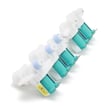
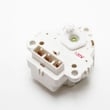
If you suspect a failed inlet valve, the model uses a water inlet valve assembly such as Samsung washer water inlet valve DC97-15459G.
Why it matters
A 4E/4C no-fill condition stops the wash cycle and can trigger automatic draining. Fixing the water supply issue quickly prevents repeated cycle interruptions and helps protect the washer’s control system from ongoing error states.
Last updated: February 2026





