 Error Codes




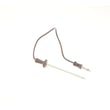
What is the F2 code on a Jenn Air wall oven?
On the Jenn-Air W256 electric wall oven, the F2 error code means the oven temperature is too hot (an over-temperature condition). The most common fixes are checking the oven temperature sensor circuit and replacing the sensor if it is out of range or damaged.
What to check first (safe, quick steps)
- Cancel the cycle and let the oven cool completely.
- Turn off power at the breaker for 1 minute, then restore power to reset the control.
- If F2 returns, inspect the sensor wiring harness for loose connections, pinched wires, or heat damage.
- If the oven overheats during bake or broil, suspect a failed sensor or a stuck heating relay on the control.
- If the broil element stays on too long or seems uncontrolled, inspect the broil circuit and element connections.
Likely causes and the most common parts involved
| Likely cause | What you may notice | Typical fix |
|---|---|---|
| Oven temperature sensor reading wrong | Overheats, erratic temps, F2 after preheat | Replace oven sensor 12001656 |
| Control relay stuck closed (sending constant heat) | Heat continues after cancel/off, runaway temperature | Replace the electronic control (clock/control board) |
| Wiring/connectors problem | Intermittent F2, happens after moving/cleaning | Repair harness/terminals |
Why it matters
An F2 over-temperature condition can cause poor baking results, repeated shutdowns, and can over-stress components like the bake element and broiler element. Fixing the sensor or control issue restores normal temperature regulation.
When to stop and call for service
- The oven keeps heating after you cancel or after you turn the oven off.
- You smell burning insulation or see damaged wiring.
- The code returns immediately after a reset and cooling.
Last updated: February 2026
Why is my Jennair wall oven not turning on?
If your Jenn-Air W256 electric wall oven won’t turn on, the most common causes are a tripped breaker, a loose or burned power connection, or a failed control or safety component that prevents the oven from powering up. Start with the power supply checks first, then move to internal parts.
Step 1: Confirm the oven is getting power
- Reset the wall oven’s circuit breaker fully (OFF, then ON). Many wall ovens use a 240V double-pole breaker.
- Check for a GFCI outlet or upstream breaker that may have tripped (less common for hardwired ovens).
- If the display is blank, verify the home has power and other 240V appliances work.
- If the breaker trips again, stop and have the circuit inspected before continuing.
Step 2: Quick checks that often restore operation
- If the display is on but the oven will not heat, confirm the clock is set and no control lock is enabled.
- If the oven is hardwired, inspect the junction box connections for overheating (power OFF first).
- Look for signs of a door not fully closing; some models will not heat if the door switch circuit is open.
Step 3: Parts that commonly cause a “dead” or “won’t start” oven
If power is present but the oven stays off or won’t heat, these parts are common suspects:
- Temperature sensor out of range (can prevent normal operation): oven sensor 12001656
- Failed heating circuit (bake or broil element open): bake element WPY04100020, broiler element WPY04100514
- Damaged door gasket causing heat loss and long preheat (usually not a total no-power issue): oven seal WP701650
What to test (basic troubleshooting)
| What you observe | Most likely direction | What to do next |
|---|---|---|
| No display, no lights | Power supply issue | Reset breaker; check junction box wiring |
| Display works, no heat | Heating circuit or sensor | Test elements and sensor with a multimeter |
| Breaker trips when starting | Shorted wiring or element | Disconnect element leads and re-test circuit |
Why it matters
A wall oven that “won’t turn on” is often a power delivery problem, but when power is confirmed, testing the bake/broil circuits and the oven temperature sensor helps you avoid replacing the wrong part and reduces repeat failures.
Last updated: February 2026
How to reset jenn air wall oven?
To reset a Jenn-Air wall oven like model W256, we power-cycle it at the breaker: turn the oven circuit breaker(s) OFF for 1 minute, then turn them ON, start a Bake cycle, and watch for about 1 minute to confirm the error does not return.
Reset steps (breaker reset)
- Turn OFF the wall oven circuit breaker(s) in your home electrical panel.
- Wait 60 seconds.
- Turn the breaker(s) ON.
- Set the oven to Bake and start the cycle.
- Monitor the display for about 1 minute.
- If an error code returns, cancel the cycle and continue with the checks below.
If the reset does not clear the problem
A reset clears many temporary control glitches, but repeated errors usually point to a heat-sensing or heating issue.
- If the oven heats unevenly or will not reach temperature, check the temperature sensor circuit; a failed sensor is a common cause.
- If Bake will not heat but Broil works, the bake heater is a likely suspect.
- If Broil will not heat but Bake works, the broil heater is a likely suspect.
- If the door does not seal well (heat loss, long preheat), inspect the door gasket.
Common parts related to heating and temperature
| Symptom | Most common check | Example part for W256 |
|---|---|---|
| Oven temperature seems wrong | Temperature sensor | Oven sensor 12001656 |
| No heat on Bake | Bake heater | Bake element WPY04100020 |
| No heat on Broil | Broil heater | Broiler element WPY04100514 |
| Heat leaking around door | Door gasket | Oven seal WP701650 |
Why it matters
A proper reset helps you quickly rule out a one-time control fault. If the issue repeats after a breaker reset, focusing on the oven sensor, bake element, broiler element, or oven seal helps you move from “resetting” to a lasting repair.
Last updated: February 2026
How to calibrate a Jenn Air wall oven?
To calibrate the oven temperature on your Jenn-Air W256 wall oven, we adjust the control’s bake temperature offset so the oven runs slightly hotter or cooler. This corrects consistent overbaking or underbaking without changing your recipe settings.
Before you calibrate
- Confirm the issue is consistent (for example, always 25°F too hot, not random swings).
- Use an oven thermometer placed in the center of the rack.
- Preheat fully; most ovens need 20 to 30 minutes to stabilize.
- Check with at least 2 bake cycles and average the readings.
- Avoid opening the door during the test; heat loss skews results.
Typical calibration steps (control-panel offset)
Many Jenn-Air wall ovens use a bake offset feature similar to this:
- Press Bake (or Upper Bake on double-oven controls).
- Set a high test temperature (commonly 500°F to 550°F).
- Press and hold Bake for about 5 seconds until an offset or calibration value appears.
- Use the AutoSet or arrow pads to raise or lower the offset.
- Stop pressing keys for about 5 seconds to save.
If your W256 control labels differ, use the same goal: find the bake “offset” or “calibration” setting and adjust it in small increments.
How much should we adjust?
Use your average error to choose an offset.
| What you observe | What to set | Result |
|---|---|---|
| Oven is 20°F low | +20°F offset | Hotter baking |
| Oven is 15°F high | -15°F offset | Cooler baking |
| Temps vary widely | Do not offset yet | Troubleshoot heating/control |
When calibration will not fix it
Calibration helps steady, repeatable errors. If temperatures swing or preheat is slow, check common causes:
- Weak or damaged bake element WPY04100020
- Broil element not assisting preheat properly (on some designs) via broiler element WPY04100514
- Faulty oven sensor 12001656
- Door heat leak from a worn oven seal WP701650
Why it matters
Correct calibration improves baking accuracy, reduces overbrowning, and helps the oven cycle normally. It also prevents masking a real failure (like a failing bake element or sensor) with an oversized offset.
Last updated: February 2026





