 Owner’s manual
 Error Codes




How to relight a Hotpoint gas oven?
On the Hotpoint RGB745WEA7WW gas range, the oven uses electric ignition (a glow bar), so there is no standing pilot to relight. If the oven will not light, restore electrical power and then allow 30 to 90 seconds for the burner to ignite after you set the oven temperature; follow the steps in the RGB745WEA7WW owner’s manual.
Quick checks before you try again
- Make sure the range is plugged into a working outlet.
- Check the home circuit breaker or fuse.
- If there was a power outage, wait for power to return; the oven cannot be lit during an outage.
- Turn the OVEN SET knob to a setting above 300°F and wait 30 to 90 seconds for ignition.
- If the oven was running when power failed, turn the oven off, then restart after power is restored.
What “normal” ignition looks like on this model
After you set a bake temperature, the igniter heats first, then gas flows and the burner lights.
| Setting | What you do | What you should see |
|---|---|---|
| Bake | Set above 300°F | Burner lights in 30 to 90 seconds, then cycles to hold temp |
| Broil | Set to BROIL | Broil burner lights in 30 to 90 seconds |
| Power outage | Any oven setting | Oven and broiler will not light manually |
When a part is likely needed
If you have power and the oven still will not ignite (or takes much longer than 90 seconds), the oven igniter or burner circuit is the first place we look.
- Weak or failed igniter: oven will not light, or lights very slowly
- Igniter glows but no flame: gas valve may not open because the igniter is not drawing enough current
- Burner issues: uneven flame or delayed ignition after the igniter heats
Model-matched parts to consider:
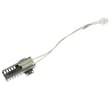
- Bake burner ignition WB13X40208 (oven igniter)
- Bake burner WB16K10035 (oven burner)
Why it matters
Electric ignition is a safety system; gas will not flow unless the igniter is hot. That is why restoring power and allowing the full ignition time is the correct “relight” procedure for the RGB745WEA7WW.
Last updated: February 2026
Where is the igniter on a Hotpoint gas oven?
On the Hotpoint RGB745WEA7WW gas range, the oven igniter (glow bar) is mounted at the rear of the oven near the bake burner, typically along the bottom burner tube. It heats for about 30 to 90 seconds before the bake burner lights; it will not light during a power outage.
What you will see and where to look
In most RGB745WEA7WW-STYLE ovens, you can confirm you are in the right area by these cues:
- The igniter sits close to the bake burner so it can glow and open the gas valve
- It is usually visible from inside the oven after removing the oven bottom panel (varies by configuration)
- The bake burner assembly runs along the oven floor toward the back wall
- The broil burner is at the top; its air shutter is centered on the rear wall (different location than the bake igniter)
For diagrams and access steps specific to your range, use the RGB745WEA7WW owner's manual.
Quick symptom check (helps confirm it is the igniter)
If the oven is not heating, these common signs point to an igniter issue:
- You set Bake and nothing lights after 90 seconds
- You see the igniter not glowing at all
- You see it glow weakly but the burner never lights
- The oven burner lights late or inconsistently
What “normal” ignition looks like
| What you do | What should happen | Typical timing |
|---|---|---|
| Set oven above 300°F | Igniter begins to glow | Immediately |
| Wait | Burner ignites | 30 to 90 seconds |
| Oven heats | Burner cycles on and off | As needed |
Parts that are commonly involved
If you are replacing the oven igniter for this model, the matching part on this page is the bake burner ignition WB13X40208. If the igniter glows properly but the burner still will not light, the burner itself can also be a factor, such as the bake burner WB16K10035.
Why it matters
The igniter is a safety device as well as an ignition source; on electric-ignition models, gas will not flow unless the glow bar is hot, so a weak or failed igniter can stop baking completely.
Last updated: February 2026
How do I find the model number on my RGB745WEA7WW?
On your Hotpoint RGB745WEA7WW gas range, the model number is printed on a label on the front frame of the range; you can usually see it after pulling out the storage drawer or removing the kick panel. Use that exact model number when ordering parts.
Where to look on the range
Check these common label locations:
- Front frame of the range (behind the storage drawer)
- Front frame of the range (behind the kick panel)
- Label area near the lower front opening once the drawer is removed
- The same label typically lists both the model number and serial number
Quick steps to access the label
- Make sure the oven and burners are off and the range is cool.
- Pull the storage drawer straight out; many drawers lift slightly at the front to release the stops.
- Look at the front frame behind the drawer opening for the model and serial label.
- If you do not see it, check behind the kick panel at the bottom front.
What to write down (and why)
The label usually includes both identifiers; record them exactly as shown.
| Item | What it’s used for | Example format |
|---|---|---|
| Model number | Ensures correct diagrams and part fit | Letters and numbers (like RGB745WEA7WW) |
| Serial number | Helps match production variations | Letters and numbers |
Why it matters
Hotpoint ranges can have small design changes by production run; using the exact model number helps us match the correct burner, control, and oven parts the first time. For the official label locations and diagrams, use the RGB745WEA7WW owner’s manual.
Last updated: March 2026




