 Error Codes



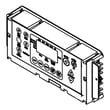
How do I reset my Amana oven?
To reset your Amana AER6303MFW1 electric range oven, clear the control first, then do a power reset by turning the range off at the breaker (or unplugging it) for 1 to 2 minutes and restoring power. This reboots the electronic oven control.
Quick reset steps (in order)
- Press CLEAR/OFF once to stop any active bake or broil cycle.
- If the display is still acting up, switch OFF the range circuit breaker (or unplug the cord).
- Wait 1 to 2 minutes.
- Restore power and set the clock.
- Test BAKE at 350°F for 10 minutes.
If the control is still unresponsive
A reset will not fix a failed component. These checks narrow it down:
- No display or dead keypad: check the house breaker, then inspect the power cord connection at the terminal block.
- Oven heats wrong or shuts off early: the oven temperature sensor can cause false temperature readings.
- Bake not heating but broil works: the bake element is a common failure point.
- Intermittent operation: look for loose or heat-damaged wiring connections behind the back panel.
| Symptom after reset | Most likely area to check | Common next step |
|---|---|---|
| Blank display | Power supply, wiring, terminal block | Inspect connections; replace damaged parts |
| Oven temperature way off | Oven temperature sensor | Test sensor resistance; replace if out of range |
| No bake heat | Bake element | Visual inspection for blisters; continuity test |
| Burner not regulating | Surface element control switch | Check switch for proper cycling |
Parts that commonly solve “reset didn’t help” problems
- Range terminal block WPW10245259 (burnt or loose power connections)
- Range oven temperature sensor WPW10181986 (temperature errors, overheating, underheating)
- Range bake element WPW10308477 (no bake heat)
- Range surface element control switch WP3148952 (surface element won’t cycle correctly)
Why it matters
A “reset” clears a stuck control state, but it cannot correct a bad sensor, failed heating element, or overheated power connection. Doing the reset first helps you avoid replacing parts that are still good.
Last updated: February 2026
Who makes Amana electric ranges?
Amana electric ranges, including model AER6303MFW1, are made by Whirlpool Corporation. Amana is a Whirlpool-owned brand, so Whirlpool designs, builds, and supports Amana-branded cooking appliances and their replacement parts.
What “made by Whirlpool” means for parts and service
When you shop parts for an Amana range like AER6303MFW1, you will often see Whirlpool-style part numbering and compatible components across Whirlpool family brands.
Common examples on this model include:
- Oven temperature sensing parts such as the range oven temperature sensor WPW10181986
- Heating components such as the range bake element WPW10308477
- Power connection components such as the range terminal block WPW10245259
- Cooktop controls such as the range surface element control switch WP3148952
Quick brand family reference
These brands are commonly associated with Whirlpool’s manufacturing and parts ecosystem:
| Brand on the appliance | Typical parts ecosystem | What you may notice |
|---|---|---|
| Amana | Whirlpool | Similar part numbering and designs |
| Maytag | Whirlpool | Shared components on many models |
| KitchenAid | Whirlpool | Higher-end variants, some shared parts |
| JennAir | Whirlpool | Premium variants, more model-specific parts |
Why it matters
Knowing Whirlpool makes Amana ranges helps you troubleshoot and buy parts with confidence. It also explains why many electrical and heating components (like a bake element, terminal block, or sensor) follow Whirlpool engineering standards and replacement patterns.
Before you order a part
To avoid mismatches, we recommend:
- Match the full model number exactly: AER6303MFW1
- Compare the part ID (not just the description)
- Confirm the symptom first (for example: no heat, inaccurate oven temp, burner not cycling)
- Inspect wiring and connections if you suspect a power or heating issue
- Use safe electrical testing practices; see how to use a multimeter to test electrical parts video
Last updated: February 2026
Why is my Amana electric range oven not working?
If your Amana AER6303MFW1 electric range oven is not working, the most common causes are a power supply problem (tripped breaker or loose cord connection), a failed heating part (bake element), or a bad temperature-sensing/control component. Start with power checks, then test the heating circuit.
Quick checks first (no parts needed)
- Confirm the range has 240 volts at the outlet (a range can light up on 120V but not heat).
- Reset the double-pole circuit breaker fully (OFF, then ON).
- Make sure the oven is not in Delay Start or Sabbath mode (if equipped).
- Try Bake at 350°F and listen for a relay click; note whether the oven preheats at all.
- If the cooktop works but the oven does not, focus on the bake/broil circuit.
Most likely failed parts for “oven won’t heat”
In the AER6303MFW1, these parts commonly stop the oven from heating:
- Bake element: often breaks or burns open; the oven will not heat properly (or at all).
- Oven temperature sensor: can read wrong temperature and prevent normal heating.
- Control or wiring: a loose/burned connection can interrupt power to the element.
Parts to consider for this model
| Symptom | What it usually points to | Model-matched part |
|---|---|---|
| No heat on Bake, broil may still work | Failed bake element | Range bake element WPW10308477 |
| Oven heats erratically or shuts off early | Bad temperature sensor | Range oven temperature sensor WPW10181986 |
| Intermittent power, burning smell at cord area | Loose/burned terminal connection | Range terminal block WPW10245259 |
Safe troubleshooting steps (what we recommend)
- Unplug the range or shut off the breaker before inspecting wiring or parts.
- Inspect the bake element for blisters, cracks, or holes.
- If you have a meter, check the bake element for continuity (an open reading means it is failed).
- Check the terminal block area for heat damage (melted plastic, scorched wires).
- If wiring repairs are needed, use our guide: how to repair broken or damaged wires video.
Why it matters
An oven that will not heat is often a simple electrical or heating-circuit failure. Fixing the correct component (element, sensor, or power connection) restores safe, consistent baking and helps prevent repeat failures from overheated or loose wiring.
Last updated: February 2026
Why is the display not working on my Amana gas stove?
Your Amana AER6303MFW1 is an electric freestanding range (not gas); a blank or dead display is usually caused by a power supply problem (lost L1 or L2 on the 240V circuit), a loose or overheated connection at the power terminal area, or a failed control/console component.
Quick checks we recommend first
- Reset power: turn the range breaker OFF for 5 minutes, then ON.
- Make sure the breaker is fully reset (a half-tripped 2-pole breaker can leave partial power).
- Check whether the cooktop elements heat; partial power can leave some functions working while the display stays dark.
- If the display went out after moving the range, focus on the rear power connection area.
- If the display is blank and keys do nothing, suspect the control/console after power is confirmed.
Most common causes and what to check
| What you notice | Most likely cause | What to do next |
|---|---|---|
| Nothing works (no heat, no lights) | No power to range | Reset breaker; verify outlet power; inspect cord connection |
| Cooktop heats but display is dark | Lost one leg of 240V or control issue | Confirm both breaker poles are on; then check control wiring |
| Display died after install/move | Loose or burned connection | Inspect the range terminal block WPW10245259 for heat damage |
| Display flickers or cuts out | Loose connection or failing control | Reseat harness plugs; look for pinched wires |
Safe troubleshooting steps (power OFF)
- Turn OFF the 2-pole breaker before pulling the range out.
- Inspect the cord and rear connection area for discoloration, melted insulation, or a burnt smell.
- If you see heat damage, replace the terminal block and repair any damaged wiring.
- If wiring looks good, check that harness connectors to the console/control are fully seated.
Why it matters
A dead display can be a simple breaker or connection issue, but an overheated power connection can damage wiring and the control. Correcting the power problem first prevents repeat failures.
Last updated: February 2026






