Owner’s manual
 Error Codes




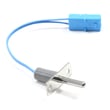

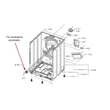
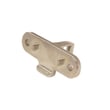
Is it worth replacing a heating element in a Samsung dryer?
Yes. For a Samsung dryer like model DVE22N6850X, replacing the heating element is worth it when the dryer tumbles normally but won’t heat, because the repair cost is typically far less than replacing the entire dryer. We recommend confirming the failure with basic checks in the DVE22N6850X owner's manual before buying parts.
Replacing the heater is a good value when the rest of the dryer is in solid shape and the problem is isolated to the heat circuit.
- The drum turns and airflow is strong, but clothes stay cold or damp
- No burning smell, no repeated shutdowns, and no major noise issues
- You have stable power and the dryer is on a proper 30-amp circuit (per the manual’s electrical requirements)
- You can access the heater area safely and reassemble panels correctly
- You are not also chasing multiple error codes at the same time
On DVE22N6850X, heat-related issues can also be triggered by airflow restrictions or sensor problems. The manual notes codes like tC (thermistor resistance issue) and suggests checking for a clogged lint screen or restricted venting; HC indicates an invalid heating temperature condition.
- Clean the lint screen and confirm it seats correctly
- Check the vent path for restrictions (crushed duct, lint buildup, blocked exterior hood)
- If you see an information code, follow the code actions first
- If the dryer won’t run with the door closed, address door issues first (a bad switch can stop operation)
| What you observe | Most likely next step | Why it matters |
|---|---|---|
| Drum turns, no heat, no codes | Test heater circuit components | Confirms the heater is actually open/failed |
| tC code | Fix airflow first, then re-test | Restricted airflow can cause false heat complaints |
| HC code | Stop and diagnose heating system | Prevents repeated overheating or control shutdown |
| Dryer won’t start reliably | Check door switch/latch | No-heat diagnosis is pointless if it won’t run |
If your issue includes door-related stopping/starting, these model-matched parts are common fixes:
A correct diagnosis prevents repeat failures and wasted parts. Airflow problems can mimic a bad heating element, and the dryer’s information codes are designed to point you toward the right system to check first.
Last updated: February 2026
What is the average lifespan of a Samsung dryer?
A Samsung dryer typically lasts 10 to 15 years with normal household use. For your Samsung DVE22N6850X, consistent maintenance (especially lint removal and airflow care) and avoiding overloads are the biggest factors that push life toward the high end; see the maintenance guidance in the DVE22N6850X owner's manual.
The same dryer can wear out early or run for years longer depending on daily habits and installation conditions.
- Airflow and lint control: clean the lint screen every load; keep the lint housing and ducting clear
- Load size: avoid overloading; split bulky loads into smaller loads
- Cycle choice: use Sensor Dry when possible to reduce over-drying and heat stress
- Heat and environment: excessive heat, tight closets, or poor ventilation increase wear
- Door use: slamming the door can shorten the life of door components
Use this as a simple routine to protect the drum, motor, and heating system.
| Task | How often | Why it matters |
|---|---|---|
| Clean lint screen | Every load | Improves airflow and drying performance |
| Wipe lint from drum and door area | Weekly | Reduces lint buildup and odors |
| Inspect venting and outside hood (if vented) | Monthly | Prevents long dry times and overheating |
| Deep-clean lint path and ducting | Every 6 to 12 months | Reduces strain on the blower and heater |
If your lint screen is damaged, missing, or not fitting correctly, replacing it helps restore proper airflow; use the model-matched Samsung dryer lint screen DC61-02273A.
These symptoms often show up more frequently as key wear parts age.
- Drying times keep getting longer even after cleaning
- New squealing, thumping, or rumbling from the drum area
- Intermittent stopping, error codes, or cycles that will not complete
- Door not latching or starting reliably
For display messages and troubleshooting steps, use Samsung heat pump ventless dryer dv22n error codes.
A dryer that is struggling (long dry times, poor airflow, or unusual noise) runs hotter and longer, which accelerates wear on the drum support system, belt, and motor. Staying on top of lint and airflow is the simplest way to extend the service life.
Last updated: February 2026
What is the most common Samsung dryer error?
On the Samsung DVE22N6850X dryer, the most common information code is dC, which means the dryer is being operated with the door open or the door is not fully latched. Closing the door firmly and clearing anything caught in the door area usually fixes it (see the DVE22N6850X user manual).
When you see dC, focus on the door closing and door-sensing parts before anything else.
- Open the door and re-close it firmly until it latches
- Check for laundry caught between the door and front panel
- Clean lint and debris from the door opening and latch area
- Power the dryer off, wait 30 seconds, then restart the cycle
- If the code returns, inspect the door latch and door switch
If the door is closing but the dryer still thinks it is open, the door switch or latch is often involved.
| Symptom | Most likely area | What you’ll notice |
|---|---|---|
| dC appears immediately after pressing Start | Door not fully latched | Door feels “bouncy” or doesn’t click shut |
| dC appears even when door is shut | Door switch not sensing | Dryer stops as soon as you start it |
| Door won’t stay closed | Door latch worn/misaligned | Door pops open or needs pressure to stay shut |
Helpful model-matched parts to check:
On this Samsung platform, lint buildup and restricted airflow can also trigger temperature and sensor-related codes. For example, tC points to a thermistor issue and the first checks include the lint screen and vent restriction (details in the DVE22N6850X user manual).
For a quick code list and plain-English meanings, use our Samsung dryer error codes resource.
Door and airflow issues can stop a cycle, increase dry times, and contribute to overheating-related shutdowns. Fixing the simple causes first (door closure, lint screen, vent path) prevents repeat errors and protects key components like the control board and thermostat.
Last updated: February 2026
How to find part number for Samsung dryer?
To find the correct part number for your Samsung dryer, we match parts to the model number first. On Samsung front-load dryers like model DVE22N6850X, the model and serial tag is typically on the front frame behind the door; a backup tag is often on the back panel. Use the model number to look up the exact part number.
Check these common locations on Samsung dryers:
- Front frame behind the door opening (most common)
- Back of the dryer cabinet (secondary label)
- Inside the door area near the lint filter housing (less common)
- Your purchase paperwork or registration confirmation (if available)
For diagrams and label-location details specific to this dryer family, use the DVE22N6850X manual.
Once you have the model number, use it to select the exact part you need (door parts, drum parts, controls, and so on). This prevents ordering a look-alike part that does not fit.
- Write the model number exactly as shown (letters and numbers)
- If there is a revision code on the tag (often after a slash), record it too
- Identify the failed symptom (won’t start, noisy drum, door won’t latch, long dry times)
- Match the part by function and location in the parts diagram
- Confirm the part number before ordering
These are examples of parts you might look up by model number (match by symptom):
| Symptom | Likely part type | Example part for this model |
|---|---|---|
| Door won’t click shut | Door latch | Dryer door latch DC66-00814A |
| Dryer stops when door moves | Door switch | Dryer door switch DC64-00828B |
| Thumping or squealing | Drum support roller | Samsung dryer drum support roller DC97-16782A |
| Drum not turning | Drum belt | Dryer drum belt 6602-001717 |
Samsung often uses similar-looking parts across multiple dryer series, but mounting points, wiring connectors, and dimensions can differ. Using the exact DVE22N6850X model number is the fastest way to get the correct Samsung part number the first time.
Last updated: February 2026