



How long is the warranty on a GE dehumidifier?
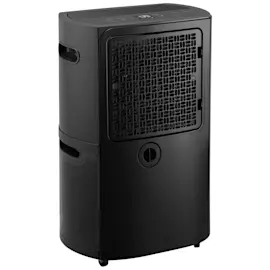
GE dehumidifiers, including model ADHR35LBQ1, typically include a one-year limited warranty from the original purchase date that covers defects in materials or workmanship; GE’s remedy is usually replacement (new or refurbished), depending on availability.
What the one-year warranty usually covers
- Defects in materials or workmanship during normal household use
- Failures that occur within 12 months of the purchase date
- Replacement of the unit as the primary remedy (often new or refurbished)
What to check before you file a warranty claim
- Confirm the purchase date on your receipt or order confirmation
- Locate the model and serial information on the rating label
- Rule out common maintenance issues that can look like a “failure” (especially airflow problems)
- Make sure the bucket is seated correctly and the unit is level
Quick maintenance vs. warranty: how to tell the difference
| Symptom | Often maintenance-related | More likely warranty-related |
|---|---|---|
| Weak moisture removal | Dirty/blocked air filter | Compressor or sealed-system issue |
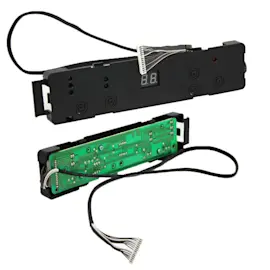
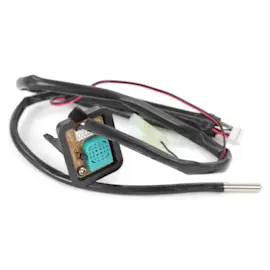
| Unit shuts off early | Bucket not seated, float stuck | Control or sensor problem |
| Reduced airflow/noisy operation | Filter clogged, fan obstruction | Fan motor or control failure |
If your unit is not removing moisture well, start with the air filter and airflow path; for ADHR35LBQ1, the filter WK85X22282 is a common first check.
Why it matters
Knowing the warranty length helps you decide whether to troubleshoot (cleaning, filter checks, drainage setup) or move straight to a warranty claim, which can save time and avoid unnecessary parts purchases.
For general troubleshooting steps that often resolve “it’s not working” complaints, we recommend reviewing dehumidifier common questions.
Last updated: February 2026
What does P1 on GE dehumidifier mean?
On the GE ADHR35LBQ1 dehumidifier, P1 typically indicates the bucket is full or the unit is in a bucket-full protection state, so it stops collecting water until the bucket is emptied and seated correctly. Restoring normal operation usually takes a quick bucket and drain check.
What to do first (quick reset steps)
- Turn the dehumidifier OFF, then unplug it for 1 minute.
- Remove the water bucket, empty it, and rinse any debris from the bucket inlet area.
- Reinstall the bucket firmly so it sits flat and fully engages the bucket switch.
- If you use a hose, confirm the drain connection is tight and the hose runs downhill with no kinks.
- Power the unit back on and set humidity lower than the room humidity to force a call for dehumidification.
Common causes and fixes
| What triggers P1 | What you’ll notice | What fixes it |
|---|---|---|
| Bucket full | Unit runs but stops collecting, or shuts off | Empty and reseat bucket |
| Bucket not seated / switch not engaged | P1 appears even with an empty bucket | Reseat bucket; check for obstructions |
| Drain setup issue (hose/pump model setups) | Water backs up or never reaches drain | Reconnect hose; remove kinks; verify slope |
| Airflow restriction | Weak moisture removal, possible icing | Clean filter; improve clearance |
Parts that often help
- If airflow is poor or the filter is damaged, replace the filter WK85X22282.
- If the unit is hard to move and gets bumped (bucket mis-seats), inspect/replace the caster WK02X22283.
Why it matters
P1 is a protection mode that prevents overflow and water leaks. Fixing the bucket seating, drain routing, and airflow helps the dehumidifier remove moisture consistently and prevents nuisance shutoffs.
Related DIY help
- Use our dehumidifier doesn't remove moisture troubleshooting steps if the unit runs but humidity stays high.
- Follow our cleaning routine in how to clean a dehumidifier to prevent recurring airflow and bucket-area issues.
Last updated: February 2026
Can a GE dehumidifier be repaired?
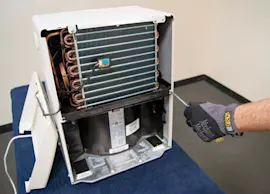
Yes, a GE dehumidifier like model ADHR35LBQ1 can typically be repaired; most problems come from airflow restrictions, drainage issues, or failed electrical components, and many fixes are straightforward with the right replacement part and basic troubleshooting.
What we check first (fast triage)
- Confirm the bucket is seated correctly and the “bucket full” switch can move freely.
- Clean the air intake and outlet grilles; blocked airflow reduces moisture removal.
- Inspect and clean the air filter; a clogged filter can cause icing and poor performance.
- Verify the room temperature is warm enough for normal operation (cool rooms can cause frost).
- Check the drain setup (hose slope, kinks, clogs) if you use continuous drain.
Parts that commonly solve repairable symptoms
If your ADHR35LBQ1 is running but not removing moisture, starts icing, or seems weak on airflow, the filter is one of the first parts we address: filter WK85X22282. If the unit is hard to move or the base is unstable, replacing a wheel can restore safe mobility: caster WK02X22283.
| Symptom | Most common cause | Typical fix |
|---|---|---|
| Runs but doesn’t collect water | Dirty filter, low airflow, cold room | Clean/replace filter; improve airflow |
| Leaks or water on floor | Bucket misaligned, drain issue | Reseat bucket; clear drain path |
| Frost on coil | Restricted airflow, low temp | Clean filter; raise room temp |
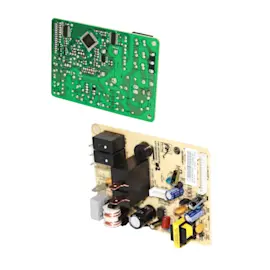
| Won’t start | Power issue, bucket switch, controls | Check outlet; inspect bucket switch |
DIY help that matches the problem
- For cleaning and performance: how to clean a dehumidifier
- For “no water collected” symptoms: dehumidifier doesnt collect water
- For drainage and leaks: dehumidifier not draining and dehumidifier leaks water
Why it matters
A dehumidifier is a sealed refrigeration system; keeping airflow and drainage correct prevents icing, protects the compressor, and restores normal humidity control without unnecessary part swaps.
Last updated: February 2026