 Owner’s manual
 Error Codes




What is the most common problem with LG dishwashers?
For LG dishwasher model LDP6797BD, the most common real-world issue we see is water management, especially not draining (often showing an OE-type drain error) or not filling (IE-type fill error). These problems are frequently caused by a clogged filter, a kinked drain hose, or a restriction at the disposal/air gap; see the LDP6797BD manual.
Most common symptoms and what they usually point to
- Standing water after a cycle: clogged filters, kinked hose, disposal knockout plug not removed, or a weak drain pump
- Dishes not getting clean: blocked spray arm holes, clogged filters, low water temperature, or loading that blocks spray arms
- Won’t start: door not fully latched, Control Lock enabled, or Start/door timing issue
- Poor drying: rinse aid empty or low setting (hybrid drying relies on rinse aid)
- Intermittent draining/filling errors: partial clogs that come and go
Quick checks we recommend first (fast, no parts)
- Clean the filter assembly and reinstall it fully seated.
- Check the drain hose routing for kinks and confirm a proper high loop/air gap setup.
- If connected to a garbage disposal, confirm the knockout plug is removed.
- Run hot water at the sink briefly before starting a cycle (helps wash and dry performance).
- Inspect spray arms for clogged jet holes and clean as needed.
When a part is the likely fix
If cleaning and hose checks don’t solve a drain problem, the next most common repair is the drain pump or drain path components.
| Symptom | Most likely area | Example compatible part for this model |
|---|---|---|
| Hums but won’t drain | Drain pump | LG dishwasher drain pump ABT72989206 |
| Drains slowly or backs up | Drain hose / plumbing restriction | (Check hose routing and clogs first) |
| Won’t fill or fills slowly | Water inlet valve / supply issue | Dishwasher water inlet valve 5221DD1001E |
Why it matters
Water flow issues can look like “bad cleaning” or “bad drying,” but they usually start with restricted circulation or draining. Catching clogs early helps prevent odors, standing water, and repeat error codes.
Last updated: January 2026
Does an LG dishwasher have a fuse?
Yes. An LG dishwasher like model LDP6797BD typically has circuit protection; if it suddenly has no power, the most common “fuse-like” part to check is the noise filter (line filter), which helps protect the dishwasher from electrical spikes. See the wiring and safety notes in the LDP6797BD manual.
What “fuse” means on this dishwasher
Many dishwashers don’t use a simple, user-replaceable glass fuse. Instead, power protection is usually handled by a combination of the home circuit (breaker/fuse) and internal protective components.
Common protection points to check:
- Home circuit breaker or house fuse for the dishwasher circuit
- Junction box wiring connections (loose wire nuts can kill power)
- Door latch and door switch circuit (unit will not run if it thinks the door is open)
- Internal line/noise filter (acts like a surge/noise suppressor and can fail open)
Part to consider when the dishwasher is dead (no lights)
If the breaker is on and the outlet or hardwire connection is good, the internal line/noise filter is a frequent suspect on LDP6797BD.
- Recommended part to look up: dishwasher noise filter EAM60991316
Quick “no power” checklist (safe, basic steps)
Before opening panels, shut off power at the breaker.
- Confirm the breaker is fully reset (off then on)
- If plugged in, test the outlet with a known-good device
- If hardwired, check the junction box connections for tight, correct wiring
- Make sure the door closes and latches firmly
- If power is present but the dishwasher is still dead, the noise filter or control components may need testing by a technician
Symptoms and likely causes
| Symptom | Most likely area to check | Notes |
|---|---|---|
| No lights, no response | Power supply, junction box, noise filter | Start with the breaker and wiring first |
| Lights on, won’t start | Door latch/switch, control lock, cycle start sequence | Door must latch; some models require Start then door close |
| Intermittent power | Loose wiring, failing noise filter | Often shows up after a surge |
Why it matters
A “no power” problem is often external (breaker, wiring) and quick to fix; replacing internal electrical parts without confirming incoming power can waste time and money.
Last updated: January 2026
How do I reset a LG dishwasher?
To reset your LG dishwasher model LDP6797BD, we recommend canceling the current cycle first (press and hold Start for 3 seconds) or doing a power reset by turning the unit off and restoring power. For model-specific button functions, use the LDP6797BD manual.
Quick reset options for LDP6797BD
Try these in order; most issues clear with the first two steps:
- Cancel and drain: Press and hold Start for 3 seconds. The drain pump runs, then the dishwasher powers off.
- Power reset: Press Power to turn the dishwasher off, wait 10 seconds, then press Power again.
- Hard reset (power cycle): Turn off the breaker (or unplug if accessible) for 5 minutes, then restore power.
- Clear a paused state: If the cycle is paused and left inactive, the dishwasher can shut off automatically after about 4 minutes.
If you’re resetting because of an error code
A “reset” may not clear the problem if the dishwasher is still detecting the fault.
- IE (water inlet problem): Check that the water supply is on and the inlet line is not kinked.
- OE (drain problem): Check for a kinked drain hose, a clogged air gap/disposal, or a blocked knockout plug at the disposal.
- AE (leak detected): This typically means water is in the base pan; the unit may keep trying to drain until the condition is resolved.
For a fast way to identify what the code means and what to check next, use LG dishwasher error codes.
Common parts tied to “won’t drain” or “won’t fill” symptoms
If troubleshooting points to a failed component, these are common suspects for this model:
| Symptom | Likely system | Example model-compatible part |
|---|---|---|
| Won’t drain / OE | Drain system | LG dishwasher drain pump ABT72989206 |
| Won’t fill / IE | Water inlet | Dishwasher water inlet valve 5221DD1001E |
Why it matters
Resetting clears the control’s current state, but it will not fix a continuing drain, fill, or leak condition. Using the correct reset method helps you avoid repeated stoppages and protects the dishwasher from running with a fault.
Last updated: January 2026
Does LG have Aquastop?
Yes. LG dishwashers such as model LDP6797BD typically include built-in leak protection features (often described as a float switch and a flood/leak detection system) that can stop filling and drain water if a leak is detected; details vary by model and configuration, so we recommend confirming the exact protections in the LDP6797BD owner’s manual.
What “AquaStop” usually means (and how it relates to this LG dishwasher)
“AquaStop” is commonly used to describe a leak-protection system that helps prevent flooding by detecting water where it should not be and then stopping water flow.
On LDP6797BD, leak protection is generally handled by components such as:
- A float or flood switch in the base that detects abnormal water levels
- Control logic that can stop the inlet valve and run the drain pump
- Door seals and gaskets that help keep water inside the tub
Signs the leak-protection system may be active
If the dishwasher detects a leak or overfill condition, you may notice:
- The unit won’t start a new cycle or stops mid-cycle
- The drain pump runs unexpectedly or runs for an extended time
- An error indication on the display or indicator lights
- Water in the toe-kick area or under the dishwasher
For model-specific error meanings, use LG dishwasher error codes.
Parts that commonly relate to leak protection
If you’re troubleshooting a leak, these model-compatible parts are often involved:
| What you’re checking | What it affects | Example compatible part |
|---|---|---|
| Water entering when it shouldn’t | Overfilling, leaking | Dishwasher water inlet valve 5221DD1001E |
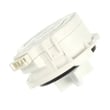
| Water detected in the base | Flood protection triggering | Dishwasher flood switch 6601ER2001C |
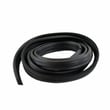
| Water escaping at the door | Drips at the front | Dishwasher door seal 3920DD3002D |
Why it matters
Leak protection helps reduce the chance of cabinet and flooring damage. If your LDP6797BD is acting like it’s “stuck draining” or won’t fill, leak detection or an inlet valve issue is a common reason to investigate.
Last updated: January 2026





