Installation guide
 Owner’s manual




Is Jenn Air considered high end?
Yes. Jenn-Air is widely considered a high-end (luxury) kitchen appliance brand, and the JMW2430DP01 wall oven/microwave combo fits that premium category with higher pricing, design-forward styling, and feature-focused performance compared to mainstream wall ovens.
We see Jenn-Air positioned as a premium choice for customers who want elevated design and built-in cooking performance.
- Premium finishes and built-in aesthetics (common in luxury kitchens)
- More advanced controls and cooking modes than entry-level brands
- Higher replacement-part costs for items like control panels and glass assemblies
- Service is typically handled through authorized service networks
For this model, the warranty language in the documentation describes a two-year limited warranty and notes that warranty service is provided by authorized Jenn-Air service providers. For details that apply to your purchase date and installation, use the JMW2430DP01 owner’s manual.
| Topic | What to expect with a high-end brand | Why it matters |
|---|---|---|
| Parts pricing | Often higher for electronics and cosmetic assemblies | Budgeting for repairs is different than mid-tier units |
| Service | Authorized servicer networks are commonly required | Helps protect performance and fitment |
| Ownership | More features, more components | More parts can affect troubleshooting complexity |
Knowing Jenn-Air is high end helps set expectations for total ownership cost: premium wall oven/microwave combos often use specialized components (controls, door glass, harnesses) that cost more than standard models, even when the repair is straightforward.
Last updated: January 2026
How to reset jenn air wall oven?
To reset your Jenn-Air wall oven/microwave combo model JMW2430DP01, we recommend doing a full power reset: turn the oven’s circuit breaker(s) OFF for 1 minute, then turn them back ON and start a Bake cycle to confirm normal operation. See the steps in the JMW2430DP01 owner’s manual.
- Turn OFF the circuit breaker(s) that supply the oven.
- Wait 60 seconds.
- Turn the breaker(s) ON.
- Touch Power (if your control uses a Power keypad).
- Start a Bake cycle and watch the display for about 1 minute.
A reset clears many temporary control glitches, but it will not fix an underlying condition that is still present. Check these common causes from the troubleshooting section:
- A household fuse is blown or a circuit breaker is tripped again.
- The unit is not wired properly (installation issue).
- Delay Start is set.
- Button Lock is enabled.
- Sabbath Mode is enabled.
| What you see | What it usually means | What to do next |
|---|---|---|
| Display is blank | No power to the unit | Check breaker(s), then confirm power at the junction box (electrician if needed) |
| Oven won’t start but display works | A mode/lock setting is preventing operation | Turn off Delay Start, Button Lock, or Sabbath Mode |
| Error returns immediately after reset | Condition is still being detected | Note the code/message and follow the manual’s guidance |
A proper power reset is the fastest way to clear a “stuck” control state after a power flicker or keypad issue. If a lock mode (like Button Lock or Sabbath Mode) is enabled, the oven can appear “dead” even though power is present.
Last updated: January 2026
How long do Jenn Air wall ovens last?
A Jenn-Air wall oven typically lasts 15 years with normal household use and proper care. For the Jenn-Air JMW2430DP01 wall oven/microwave combo, good airflow and correct operation (as outlined in the JMW2430DP01 owner’s manual) help protect key components and support full service life.
Most wall ovens reach their full lifespan when heat is managed correctly and the oven is kept clean.
Common factors that shorten lifespan:
- Blocking oven vents or bottom vent, which traps heat in the cooling system
- Frequent high-temperature cooking and long self-clean cycles
- Power surges affecting the electronic control board
- Slamming or misaligning doors, stressing hinges and door switches
- Skipping routine cleaning that leads to overheating or poor airflow
The manual notes that oven vents should not be blocked because they bring fresh air into the cooling system and vent heated air.
Best practices:
- Keep the oven vent and bottom vent clear of foil, pans, and insulation
- Avoid opening the door during preheat; let the preheat tone signal readiness
- Clean spills promptly to reduce smoke and excess heat buildup
- Use cookware that fits the rack without covering vent areas
- If the unit overheats, stop using it and check for airflow restrictions
| What you notice | What it often points to | What to check first |
|---|---|---|
| Oven takes longer to preheat | Heat loss or airflow issue | Door seal, vents not blocked |
| Fan runs a lot after cooking | Normal cooling, sometimes restricted airflow | Vent openings and clearance |
| Uneven baking | Temperature control or airflow | Rack position, preheat habits |
| Microwave stops when door moves | Door interlock issue | Microwave door switch W10211972 |
A wall oven/microwave combo relies on a cooling system to protect controls, wiring, and safety devices. Keeping vents clear and following operating guidance reduces heat stress, which is one of the biggest drivers of early electronic and component failure.
Last updated: January 2026
What are common problems with Jenn Air stoves?
Common problems we see on Jenn-Air cooking appliances like the JMW2430DP01 wall oven/microwave combo include a dead unit (no power), the oven not starting, uneven baking, and microwave issues such as not heating or not sensing the door closed. Many symptoms trace back to power supply, settings (Delay Start, Button Lock, Sabbath Mode), or a failed component.
- Reset the household circuit breaker or replace a blown fuse; a power issue can make “nothing will operate.”
- Confirm the unit is wired correctly; built-in ovens are sensitive to wiring and breaker sizing.
- Check for settings that prevent operation: Delay Start, Button Lock, and Sabbath Mode.
- If the microwave will not run, confirm the door closes firmly and latches normally.
- If cooking is uneven, verify rack position and avoid blocking convection airflow.
| Symptom | What it often points to | Example parts that can be involved |
|---|---|---|
| Nothing works | Tripped breaker, blown fuse, wiring issue | House power, junction box wiring |
| Oven will not operate | Delay Start, Button Lock, Sabbath Mode; control issue | Electronic control board WPW10260060 |
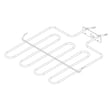
| Oven not heating or heats poorly | Failed bake element, temperature control issue | Range bake element W11545804 |
| Microwave runs but does not heat | High-voltage system issue | Microwave magnetron W11346197, inverter W10217711 |
| Microwave won’t start when door is shut | Door interlock circuit problem | Microwave door switch W10211972 |
Power and settings issues can look like major failures, but they are also the fastest to rule out. When a true component failure is present (like a bake element, control board, or microwave interlock), matching the part to model JMW2430DP01 helps ensure proper fit and safe operation.
Use the JMW2430DP01 owner’s manual for the exact setting names, lock features, and the troubleshooting chart (including “Nothing will operate” and “Oven will not operate”).
Last updated: January 2026