Owner’s manual




Where is the model number on a Jenn Air wall oven?
On a Jenn-Air wall oven (including the JMW9527DAB wall oven/microwave combo), the model number and serial number are listed on the appliance identification label. We recommend recording both numbers in your owner's manual so you have them handy for parts lookup and service.
Common places to check on a Jenn-Air wall oven
Look for a paper or metal tag in one of these typical locations:
- Along the oven door frame (visible when you open the oven door)
- On the front frame/trim area around the oven cavity
- On the side trim, just inside the door opening
- Behind the control panel area (less common)
- On the unit frame behind the lower access panel (less common)
Quick steps to find it
- Turn the oven light on and open the oven door fully.
- Check the left and right vertical door jambs first.
- Then check the top front frame lip above the oven cavity.
- Wipe grease or dust off the frame so the printing is readable.
- Write down the model number and serial number exactly as shown.
What you should see on the label
| Label field | What it’s used for | Example for this page |
|---|---|---|
| Model number | Matching parts and diagrams | JMW9527DAB |
| Serial number | Identifying production details | Unique to your unit |
Why it matters
The model number ensures we match the correct Jenn-Air parts for your exact wall oven/microwave combo. Even small model variations can use different door hardware, sensors, or electrical components.
Last updated: February 2026
What are common problems with Jenn Air stoves?
Common Jenn-Air cooking-appliance problems include the oven not heating, an oven light that will not work, strong odor or light smoke during first uses, uneven baking or broiling results, and self-clean issues (won’t start, doesn’t clean well, or the door won’t unlock). For your Jenn-Air JMW9527DAB wall oven/microwave combo, we focus first on power, control settings, and a few high-failure parts listed for this model.
Most common symptoms and what to check first
- Oven does not heat: confirm the cooking mode and temperature are set correctly; then check the home breaker.
- Display works but no heat: verify you are not in a delayed start or hold setting; confirm control lockout is off.
- Oven light not working: the bulb is often loose or failed; replace with the correct bulb.
- Strong odor or light smoke: normal for a new oven and typically fades after a few uses; running ventilation helps.
- Self-clean won’t start or door won’t unlock: confirm the door is fully closed and the latch can engage.
Quick troubleshooting steps (safe, no tools)
- Reset the circuit breaker for the oven circuit (off, then on).
- Re-check control settings and cancel any Cook/Hold or Delay features.
- Make sure Control Lockout is not enabled.
- If the oven light is out, replace the bulb and confirm it is seated.
- If cooking is uneven, adjust rack position and avoid blocking airflow.
Parts that commonly solve these issues on JMW9527DAB
| Symptom | Likely part to inspect/replace | What it affects |
|---|---|---|
| Oven light out | Range oven light bulb WP74009925 | Interior light operation |
| Oven overheats or shuts down | Wall oven temperature sensor WP74008369 | Temperature feedback to control |
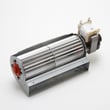
| Oven runs hot externally or trips on heat | Wall oven cooling fan assembly WP74008383 | Cabinet cooling and heat management |
| Door won’t close/seal well | Door seal WP71001970 | Heat retention and even baking |
Why it matters
Power and control settings cause many “dead oven” complaints, but worn parts like a temperature sensor, cooling fan, or door seal can create erratic temperatures, poor baking results, and self-clean problems. Using the correct replacement parts helps restore safe, consistent performance.
For model-specific operating modes, lockout, and troubleshooting steps, use the owner's manual.
Last updated: February 2026
How long do Jenn Air wall ovens last?
Most Jenn-Air wall ovens typically last 15 years with normal household use. For your Jenn-Air JMW9527DAB wall oven/microwave combo, consistent cleaning, avoiding overheating events, and replacing wear items (like the oven light) on time helps you reach that lifespan.
Typical lifespan and what affects it
A wall oven’s service life depends more on heat stress and maintenance than on brand alone.
- Typical lifespan: about 15 years
- Heavy use (daily high-heat cooking): often shorter
- Good ventilation and clean airflow paths: often longer
- Power quality (surges/outages): can shorten control life
- Door seal condition: affects heat retention and component temperatures
Quick maintenance that extends life
Use these habits to reduce strain on heating and control components.
- Keep the door seal clean and seated evenly; replace it if it’s torn or flattened.
- Avoid slamming the door; it stresses hinges and can affect door alignment.
- Use self-clean only as needed; high heat cycles add thermal stress.
- Replace a failed oven light promptly so you can monitor cooking without holding the door open.
- Let the oven cool with the door closed after high-heat cooking to protect surrounding cabinetry.
Common “wear” parts you may replace over time
These are normal replacements on many wall ovens as they age.
| Symptom | Commonly involved part | Example part for JMW9527DAB |
|---|---|---|
| Oven light out | Light bulb | Range oven light bulb WP74009925 |
| Oven runs hot or won’t cool down | Cooling fan | Wall oven cooling fan assembly WP74008383 |
| Temps swing or seem inaccurate | Temperature sensor | Wall oven temperature sensor WP74008369 |
Why it matters
A wall oven that holds temperature accurately and vents heat correctly cooks more evenly and puts less stress on electronics, wiring, and surrounding trim. Small fixes (like a door seal or sensor) often prevent bigger failures later.
For model-specific care, cleaning, and maintenance steps, follow the owner's manual.
Last updated: February 2026