Owner’s manual



How can I tell how old my KitchenAid mixer is?
You can tell the age of your KitchenAid stand mixer by finding the model and serial number on the ID label (commonly on the underside of the base) and decoding the serial number into a manufacture year and week. For your KitchenAid model 5KSM175PSBIC4, the exact decode format depends on the serial-number style shown in the 5KSM175PSBIC4 owner's manual.
Most KitchenAid stand mixers place the ID label in one of these spots:
- Under the base (flip the mixer carefully onto a towel)
- On the back of the pedestal/base
- Near the cord entry point on the rear housing
Tip: Write down both the model number (5KSM175PSBIC4) and the full serial number; the serial is what you decode for age.
KitchenAid has used more than one serial-number pattern over the years. In many common formats, the serial number includes:
- A character or digit that represents the year
- Digits that represent the week of manufacture
- Additional characters that identify the factory/production line
- If the serial includes a clear week number (01 to 52), that week plus the year gives you the build date.
- If the serial is all digits and looks older, it may use a day-of-year plus year style.
- If your mixer was sold outside the U.S., the format can differ by region.
| What you see on the label | What it tells you | What you do next |
|---|---|---|
| Model number: 5KSM175PSBIC4 | Confirms the exact product family | Use it to match the correct documentation |
| Serial number | Contains the date code | Decode year and week (or day-of-year and year) |
Knowing the manufacture date helps you choose the right replacement parts and accessories (like a flat beater or wire whip), and it can also help when comparing design revisions within the same KitchenAid model family.
Last updated: February 2026
Is the 5KSM175PSBIC4 discontinued?
We still support KitchenAid stand mixer model 5KSM175PSBIC4 with replacement parts and documentation, so for repair and maintenance purposes it is not “discontinued” here. If you are asking whether KitchenAid still manufactures or sells this exact model new, check the model identification details in your owner's manual and compare them to the model tag on your mixer.
KitchenAid stand mixers often have multiple close model variants (bundles, colors, and regional versions). That can make a specific suffix look unavailable even when the mixer is essentially the same platform.
- Confirm the full model number on the rating label (match 5KSM175PSBIC4 exactly).
- Note the color and trim; some housings are color-specific.
- Check what accessories came with your bundle (beater, wire whip, dough hook).
- Use the parts list for this model to confirm compatibility before ordering.
- If you are repairing a performance issue, start with the troubleshooting section in the manual.
If your goal is to keep the mixer running, parts availability is what matters most. Commonly replaced items for this model family include beaters, control components, and drive/gearcase parts.
| What you need | Example part on this model page | When it helps |
|---|---|---|
| Flat beater | Stand mixer beater WPW10672617 | Worn beater, missing accessory, poor mixing |
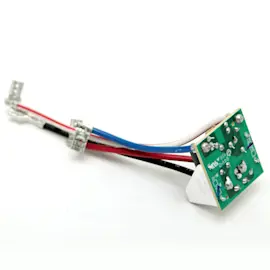
| Speed control component | Plate-ctrl WPW10119326 | Speed issues, surging, inconsistent RPM |
| Drip ring | Drip ring WP240285 | Cosmetic replacement, helps manage minor drips |
Even if a specific retail bundle is no longer sold new, you can usually keep a KitchenAid tilt-head stand mixer operating for years by matching the correct model number and using compatible replacement parts and care steps from the manual.
Last updated: February 2026
What are the most common issues with 5KSM175PSBIC4?
The most common issues we see with the KitchenAid 5KSM175PSBIC4 stand mixer are normal motor heat during heavy mixing, a “new motor” odor, the beater hitting the bowl due to clearance needing adjustment, and intermittent no-start conditions related to power or overheating protection. Use the 5KSM175PSBIC4 owner's manual troubleshooting steps first.
- Mixer warms up during use: Under heavy loads and long run times, the top housing can get hot; this is normal.
- Pungent odor (especially when new): Common with electric motors during early use.
- Beater hits the bowl: Beater-to-bowl clearance is out of adjustment; stop mixing and correct the clearance.
- Won’t start: Often power-related (outlet, fuse/breaker) or the mixer needs a cool-down period.
- Oil leak or drips: Typically grease separation in the gearcase; it can show up as oil around the planetary area.
- Confirm the mixer is plugged into a properly earthed outlet (no adapter, no extension cord).
- Check the home fuse or circuit breaker for the kitchen outlet.
- Turn the mixer off for 10 to 15 seconds, then try again.
- If it still will not run, let it cool for 30 minutes, then retry.
- If the beater contacts the bowl, stop immediately and adjust beater-to-bowl clearance.
| What you notice | What to do first | What you may need next |
|---|---|---|
| Hot top housing | Reduce batch size, shorten run time | Check for binding in the drive train if overheating persists |
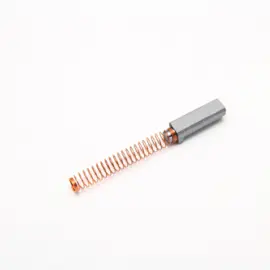
| New-motor smell | Run briefly at low speed, allow ventilation | Inspect motor brushes if smell is accompanied by sparking |
| Beater hits bowl | Adjust beater-to-bowl clearance | Replace a bent attachment such as the stand mixer beater WPW10672617 |
| Won’t start | Power checks, then 30-minute cool-down | Deeper electrical diagnosis per manual |
| Oil around planetary | Clean and monitor | Follow the steps in stand mixer leaks oil |
Catching clearance, overheating, and oil-leak symptoms early helps protect the gearcase, planetary drive, and motor so your 5KSM175PSBIC4 maintains consistent speed and mixing performance.
Last updated: March 2026