 Installation guide
 Owner’s manual
 Error Codes




Are all GE oven light bulbs the same?
No. GE oven light bulbs are not all the same, and for the GE JTP55SP1SS wall oven you must match the bulb type and rating that your oven uses. This model can use either a 120/130-volt halogen bulb (up to 50 watts) with specific pin terminals, or a 40-watt appliance bulb, depending on the socket style.
Use the bulb you remove as your guide, then confirm the specs in the JTP55SP1SS owner's manual.
- Disconnect power at the breaker before touching the light assembly.
- Let the glass cover and bulb cool completely.
- Remove the glass cover (typically a quarter-turn) and pull the bulb straight out.
- Match voltage first: use 120/130V, not 12V.
- Match wattage: halogen up to 50W, or appliance bulb 40W (if that is what your socket uses).
- Match base/terminals: do not interchange different pin styles.
If your JTP55SP1SS uses the halogen style, the manual calls out two terminal types. Check the bulb terminals before buying.
| What you see on the bulb | Common name in manuals | What to do |
|---|---|---|
| 2 straight pins | G6.35 | Replace with the same pin style |
| 2 looped terminals | G9 | Replace with the same looped style |
A bulb marketed for ovens can still be wrong if the base or rating does not match.
- Wrong pin style (G6.35 vs G9)
- Wrong voltage (12V bulbs are common online but incorrect here)
- Too high wattage (can overheat the lens/cover)
- Standard household 40W bulb instead of a smaller 40W appliance bulb (for sockets that use the appliance style)
If the bulb keeps failing or will not light, the issue is often in the light assembly, not the control.
- Oven lamp 40A15 (bulb)
- Oven lamp holder WB08T10002 (socket/holder)
- Lens cover WB25T10002 (glass/lens)
Using the correct bulb type protects the socket, lens cover, and wiring from heat damage, and it prevents nuisance failures. Matching the terminal style also ensures the bulb seats fully so it does not flicker or burn out early.
Last updated: February 2026
How to replace the control panel on a GE oven?
On the GE JTP55SP1SS electric wall oven, control panel replacement starts with shutting off power at the breaker, then removing the mounting screws so you can pull the panel bottom outward and lift up to release it. Transfer wiring one connector at a time.
- Turn off the circuit breaker to the wall oven; confirm the display is dark.
- Let the oven cool completely.
- Protect the cabinet and door with a towel to prevent scratches.
- Keep a cup or magnetic tray for screws.
- Use a phone photo before unplugging any connectors.
For model-specific access points and fastener locations, follow the steps in the JTP55SP1SS installation guide.
- Kill power at the breaker.
- Open the oven door for better access and stability.
- Remove the screws securing the control panel (commonly along the underside or sides of the panel trim).
- Loosen the screws on the back of the panel (as applicable).
- Pull the bottom of the panel outward, then lift the panel up to release it from the top tabs.
- Carefully support the panel; disconnect wire harness plugs one at a time and move them to the new panel/control assembly.
- Rehang the panel on the top tabs, swing the bottom in, and reinstall all screws.
- Restore power and test Bake, Broil, Oven light, and clock/timer functions.
- If the display beeps and keys do not respond, turn off Control lockout (the manual describes holding the paired keys for about 3 seconds until the display changes). See the JTP55SP1SS owner’s manual.
- Verify the oven light works; if not, check the bulb and socket.
| Symptom you notice | Likely area to inspect | Example part for this model |
|---|---|---|
| Oven light still out | Bulb or light socket | Oven lamp 40A15 |
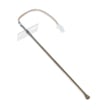
| Oven temperature seems inaccurate | Sensor circuit | Wall oven temperature sensor WB23T10015 |
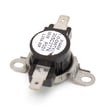
| Oven overheats or trips on high heat | Limit/safety device | Wall oven safety thermostat WB24T10060 |
A loose connector, pinched harness, or mis-seated panel can cause dead keys, error beeps, or intermittent operation. Reconnecting plugs one at a time and seating the panel on its top tabs prevents most repeat failures.
Last updated: February 2026
What are the parts of an electric oven?
An electric oven like the GE JTP55SP1SS is built around heating, temperature sensing, airflow, lighting, and door-sealing parts that work together to cook evenly and safely. The exact layout varies by model, but the core components are consistent across most electric wall ovens.
- Bake heating system (bake element or hidden bake area) for everyday baking
- Broil heating system (broil element) for high-heat top browning
- Temperature sensor that tells the control how hot the oven is
- Cooling/blower fan to move air and protect controls and cabinetry
- Oven light system (bulb, lens, and lamp holder)
- Door system (hinges, handle, glass) plus a door gasket to seal heat in
- Oven racks and rack supports for positioning cookware
These are model-matched examples from the GE JTP55SP1SS parts list:
| Function | Example part name | Part ID |
|---|---|---|
| Oven light | Oven lamp | 40A15 |
| Temperature sensing | Wall oven temperature sensor | WB23T10015 |
| Overheat protection | Wall oven safety thermostat | WB24T10060 |
| Air movement | Oven blower assembly | WB26T10049 |
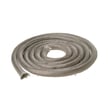
| Heat sealing | Range oven door gasket | WB04T10050 |
- Check the rating plate location on the oven frame (often on the side trim or front frame).
- Match symptoms to the system: heat, airflow, lighting, or door seal.
- For temperature issues, start with the sensor and safety devices before replacing major assemblies.
- For dim or no light, inspect the bulb, lens cover, and lamp holder.
- For heat escaping or long preheat, inspect the door gasket and hinges.
Knowing the major oven parts helps you troubleshoot faster and order the right replacement the first time, especially on built-in units where access and electrical safety are critical. For model-specific diagrams and component locations, use the JTP55SP1SS owner’s manual.
Last updated: February 2026





