



What is the life expectancy of a Whirlpool dryer?
Most Whirlpool electric dryers (including model WED6120HC2) typically last 10 to 13 years with normal household use and basic maintenance. Keeping airflow strong and reducing wear on moving parts are the two biggest factors that help a dryer reach the high end of that range.
A dryer’s life depends more on usage and maintenance than the brand badge.
- Loads per week: more cycles equals more wear on the motor, belt, rollers, and idler pulley
- Vent restriction: poor airflow overheats the heater and safety fuses
- Overloading: strains the drum support system and drive components
- Lint buildup: increases drying time and heat stress
- Moisture sensor condition: dirty sensors can cause longer cycles and extra run time
These steps reduce heat stress and mechanical wear.
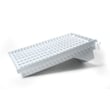
- Clean the lint screen every load; replace a damaged screen such as screen W10120998
- Check and clean the vent path regularly (dryer outlet to exterior hood)
- Avoid overloading; keep loads loose so air can tumble through
- If cycles run long, clean the moisture sensor bars and confirm strong airflow
- Address new squealing or thumping early; worn rollers and idlers can damage the drum over time
| Symptom | Common cause | Example part for WED6120HC2 |
|---|---|---|
| Squealing, chirping | Idler pulley wear | Dryer idler pulley (W10837240) |
| Thumping, rumbling | Drum rollers worn/flat-spotted | Dryer drum support roller (WPW10314173) |
| No heat | Heater or safety device issue | Element, heater 5400w (WP3387747) |
A Whirlpool dryer that runs hotter or longer than normal ages faster; fixing airflow issues and replacing small wear parts early often prevents bigger failures (motor strain, drum damage, repeated thermal fuse trips).
For efficiency and care tips that reduce run time, see how to use your clothes dryer efficiently.
Last updated: January 2026
What is the most common problem with whirlpool dryers?
For Whirlpool electric dryers like model WED6120HC2, the most common customer complaint is no heat or poor drying, usually caused by restricted venting (lint buildup) or a failed heat-safety part such as a thermal fuse. The next most common issue is noise or thumping from worn drum support parts.
- Runs but no heat: heating circuit issue (heater, thermal fuse, cutoff) or airflow restriction
- Takes too long to dry: clogged lint screen, crushed/blocked vent, blower issue
- Loud rumbling or thumping: worn drum rollers or roller hardware
- Squealing: idler pulley wear
- Stops mid-cycle or overheats: restricted airflow, temperature sensing issue
- Clean the lint screen every load and wash off fabric softener residue if it feels “waxy.”
- Check airflow at the outside vent hood; it should be strong and steady.
- Inspect the vent path for kinks, crushed flex duct, or heavy lint buildup.
- Confirm power: electric dryers need full 240V supply; a partial power loss can let the motor run with no heat.
| Symptom | Likely area | Example part for this model |
|---|---|---|
| No heat | Heating circuit protection | Thermal fuse W10909685 |
| No heat | Heater assembly | Element, heater 5400w WP3387747 |
| Rumbling/thumping | Drum support | Dryer drum support roller WPW10314173 |
| Squealing | Belt tension system | Dryer idler pulley W10837240 |
A restricted dryer vent is the most common root cause because it reduces airflow, increases operating temperature, and can trigger heat-safety parts to open. Fixing airflow first helps prevent repeat failures after replacing a thermal fuse or heating element.
Last updated: January 2026
How to reset a whirlpool duet dryer?
For a Whirlpool electric dryer like model WED6120HC2, the most reliable reset is a power reset: turn the dryer off, disconnect power for 2 to 5 minutes, then restore power and start a cycle. This clears many control glitches and false error conditions.
- Press Power/Cancel to stop the current cycle.
- Unplug the dryer (or switch the breaker off).
- Wait 2 to 5 minutes.
- Restore power.
- Select a cycle and press Start.
Many Whirlpool dryers have a Control Lock feature that can look like the dryer is “stuck.” Try these common unlock methods:
- Press and hold Control Lock (if present) for about 3 seconds.
- If there is no Control Lock button, press and hold the button labeled End of Cycle Signal or a lock icon for about 3 seconds.
- After unlocking, press Start.
These checks solve most “won’t start” complaints after a reset:
- Confirm the dryer has full power (electric dryers typically need 240V; a half-tripped breaker can leave the drum light on but prevent heating or starting).
- Close the door firmly; a misaligned door can prevent operation.
- Clean airflow areas; severe lint restriction can contribute to overheating and shutdowns.
- If the dryer overheated, a blown thermal fuse can stop the dryer from running; for this model, a common replacement is the thermal fuse W10909685.
| Symptom | Most likely cause | What to do next |
|---|---|---|
| Display works but dryer will not start | Control lock, door not shut, start button sequence | Unlock controls; re-seat door; retry start |
| Dryer runs but no heat | Power supply issue, heater circuit problem | Check breaker; inspect heater circuit |
| Dryer stops mid-cycle | Vent restriction, overheating protection | Clean venting and lint path |
Resetting clears the electronic control’s temporary memory, but it will not fix a failed component. If the dryer repeatedly needs resets, focus on airflow (lint screen, ducting) and heat-safety parts such as the thermal fuse.
For error messages, use our Whirlpool duet dryer error codes reference to match the code to the most likely cause.
Last updated: January 2026
What brand of dryer has the least problems?
If you want the fewest problems overall, we see the best long-term results from simple, serviceable designs with strong parts support; in practice, Whirlpool is a consistently reliable choice (including your Whirlpool WED6120HC2 electric dryer), and Speed Queen is widely known for durability in more basic, commercial-style builds.
Most dryer complaints come from airflow and wear items, not the brand badge. The brands that perform best tend to have straightforward designs and easy-to-source parts.
- Strong venting tolerance and good lint management
- Readily available replacement parts and service coverage
- Fewer “extra” features that add sensors and control complexity
- Proven drum support and belt-drive designs
- Clear diagnostics when something does go wrong
| Brand | Typical strengths | Best fit for |
|---|---|---|
| Speed Queen | Heavy-duty build, simpler controls | Maximum durability, fewer features |
| Whirlpool | Reliable mainstream design, strong parts availability | Balanced reliability and repairability |
| LG | Strong efficiency and features, good owner satisfaction | Feature-rich dryers and smart options |
| GE | Broad lineup, generally solid reliability | Value-focused replacements |
These steps prevent the most common “dryer problems” like long dry times, overheating, and shutdowns.
- Clean the lint screen every load; replace a damaged screen such as screen W10120998
- Keep the vent run short and clear; remove lint buildup behind the dryer and at the wall cap
- If drying times increase, check airflow first before replacing heating parts
- If the drum squeals or thumps, inspect wear items like dryer drum support roller WPW10314173 and the idler pulley
- If the dryer runs but won’t heat, test the thermal fuse and heating circuit components
A “reliable brand” still fails early if airflow is restricted. Good venting and timely replacement of wear parts usually makes a bigger difference than switching brands.
For diagnostic help when a Whirlpool dryer shows a fault, use our Whirlpool duet dryer error codes reference to narrow the problem to the right system (heat, motor, sensors, or controls).
Last updated: January 2026