 Owner’s manual
 Error Codes




Is GE GFD85GSSN0WW stackable?
Yes. GE dryer model GFD85GSSN0WW supports stacking when you install it over a compatible front-load washer using the factory stacking kit specified for this dryer and follow the stacking procedure in the GFD85GSSN0WW owner’s manual.
What GE specifies for stacking
The installation section for this model series lists the required stacking kit and shows the correct order (dryer on top, washer on bottom).
- Use stacking kit GFA28KITN (dryer over washer)
- Stack the dryer on top only
- Install on a solid, level floor
- Keep the dryer properly vented to maintain airflow
- Follow all bracket and fastener steps exactly
Quick checklist before you stack
Use this to avoid vibration, noise, and vent restrictions.
| Check | What to confirm | Why it matters |
|---|---|---|
| Washer type | Front-load washer designed to accept a stacking kit | Prevents instability and tipping risk |
| Kit | GFA28KITN is on hand before installation | Ensures correct brackets and hardware |
| Clearance | Enough height plus rear space for the exhaust duct | Prevents crushed or kinked venting |
| Venting | Rigid metal duct preferred; keep the run as short as practical | Improves drying and reduces lint buildup |
Why it matters
Stacking saves floor space, but the stacking kit and correct vent routing keep the dryer stable and drying efficiently. Poor airflow in a stacked setup commonly causes long dry times and overheating.
Helpful maintenance tip
To keep airflow strong after stacking, clean the lint screen every load and periodically clean the duct path; our guide on how to keep a dryer clean and economical covers a simple routine.
Last updated: February 2026
Is a 7.4 cu ft dryer big?
Yes; 7.4 cu. ft. is a large-capacity home dryer size, and the GE GFD85GSSN0WW is in the same large-capacity class (this model is commonly listed at 7.8 cu. ft.). For exact specs and installation clearances, use the GFD85GSSN0WW owner's manual.
How “large capacity” translates to real loads
A large drum is built to dry bigger loads efficiently as long as you leave tumbling room.
- Family-size mixed loads (towels, jeans, everyday laundry)
- Bulky items like comforters dry best when the drum is not packed tight
- Fewer loads per week compared with compact dryers
- Better wrinkle control when items can tumble freely
Space planning for GE GFD85GSSN0WW
Capacity and cabinet size are different; measure your laundry area and compare to the installation dimensions.
| Dimension (cabinet) | Typical value from the manual |
|---|---|
| Width | 28 in. |
| Depth (side view) | 31-3/8 in. |
| Height (legs retracted) | 39-3/4 in. |
| Height (legs fully extended) | 40-5/8 in. |
| Stacked height | 79-1/8 in. |
Tips to get the best results from a large-capacity dryer
Airflow controls dry time and fabric care as much as drum size.
- Clean the lint screen every load; replace a damaged screen with the dryer lint screen WE16X32537
- Keep the exhaust duct short, smooth, and unkinked
- Avoid overloading; items must tumble for even drying
- For comforters, use the correct cycle and pause once to reposition
- Maintain proper venting and closet clearances per the manual
Why it matters
Large-capacity dryers save time only when airflow stays strong; a clean lint screen and proper venting prevent long dry times, poor drying, and overheating.
Last updated: February 2026
What is the most common problem with a GE dryer?
On the GE GFD85GSSN0WW dryer, the most common problem we see is poor drying performance (long dry times or no heat) caused by restricted airflow from lint buildup or obstructed venting. The next most common issues are “won’t start” symptoms and normal-to-excessive operating noise.
Quick checks that fix the most calls
- Clean the lint screen before every load; never run the dryer without the filter installed (see the GFD85GSSN0WW owner’s manual).
- Inspect the exhaust duct and outside damper; clean the ducting at least once a year.
- Confirm the vent path is not kinked, crushed, or excessively long.
- If the dryer tumbles but doesn’t heat, check both fuses or both breakers (many dryers use two).
- If the dryer shakes or rattles, level it by adjusting the leveling legs.
Common symptoms and what they usually point to
| Symptom | Most common cause | What to do first |
|---|---|---|
| Clothes take too long to dry | Improper or obstructed ducting | Clean and verify venting setup |
| Dryer doesn’t heat (but tumbles) | Tripped breaker or blown fuse | Reset both breakers or replace both fuses |
| Lint on clothes | Lint filter full, overloading | Clean screen, reduce load size |
| Shaking or noise | Dryer not level | Level the dryer on a firm floor |
Parts that are often involved (when it’s not airflow)
If airflow and power supply check out, these model-compatible parts are common suspects:
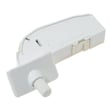
- Door switch WE04X34281 if the dryer won’t start or stops when the door is closed.
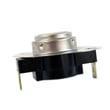
- Dryer blower thermostat WE04X29714 or safety thermostat WE04X30582 if heating is inconsistent or the dryer overheats.
- Dryer idler assembly WE03X30657 if you hear squealing, thumping, or the drum struggles to turn.
Why it matters
Restricted venting and lint buildup do more than slow drying; they can cause overheating, nuisance shutdowns, and repeated thermostat failures. Keeping the lint screen and exhaust duct clean is the most effective way to prevent “no heat” and long dry time complaints.
Last updated: February 2026
What's the life expectancy of a GE dryer?
A GE dryer typically lasts about 10 years with normal household use. For your GE GFD85GSSN0WW dryer, consistent airflow (clean lint filter and venting) and avoiding overheating are the biggest factors that help it reach or exceed that average; see the GFD85GSSN0WW owner's manual for the recommended care schedule.
Typical lifespan and what affects it
Most full-size GE dryers fall into a similar range, but real-world life depends on usage and maintenance.
- Loads per week: more cycles equals more wear on the drive system and motor
- Vent restriction: clogged ducting increases heat and run time
- Overheating events: repeated high heat can stress thermostats and wiring
- Lint buildup: can reduce airflow and raise operating temperatures
- Moisture sensor care: residue on sensor bars can cause longer cycles
Maintenance that extends dryer life
The manual for this model calls out key airflow and cleaning items that directly impact longevity.
- Clean the lint filter every load (never run without it)
- Inspect and clean the exhaust ducting at least once a year
- Keep the area around the dryer clear so the blower can move air
- Wipe the control panel with a damp cloth only (avoid harsh pretreatment chemicals on finishes)
- If drying times increase, address venting first before replacing parts
Quick check: symptoms and most common causes
| Symptom | Most common cause | What to do first |
|---|---|---|
| Long dry times | Restricted venting or lint buildup | Clean lint screen and inspect duct |
| Shuts off early | Airflow restriction or sensor issue | Check venting, clean sensor area |
| No heat (gas models) | Ignition or gas valve issue | Verify airflow, then test heat components |
Why it matters
A dryer that runs hot or runs too long wears out components faster and can trigger thermostat cycling. Keeping airflow strong reduces strain on parts like the motor, idler, and thermostats.
If you’re troubleshooting performance issues on this GE series, we use the GE gfd model series error codes guide to match symptoms to likely causes.
Last updated: February 2026
Where to find part number on GE dryer?
On your GE dryer model GFD85GSSN0WW, the model and serial tag (often used to identify the correct replacement part numbers) is typically located on the inside of the dryer door opening, on the door frame, or just behind the door. Use the tag details when ordering parts and checking compatibility in the GFD85GSSN0WW owner's manual.
What to look for on the label
We recommend writing down these items exactly as shown:
- Model number (example: GFD85GSSN0WW)
- Serial number (helps date and version-match)
- Electrical rating (volts/amps)
- Gas type (if your unit is gas)
- Any revision or engineering code listed near the model/serial
Model number vs. part number (quick guide)
The dryer itself usually shows a model number, not individual part numbers. Part numbers are used when you order components like a door switch or idler.
| You’re trying to identify | Where you’ll find it | Example from this model’s parts |
|---|---|---|
| Model/serial information | Rating label inside door area | GFD85GSSN0WW |
| Replacement part number | Parts list/diagram and the part itself | Door switch WE04X34281 |
| Part ID used for ordering | Parts listing for the model | WE04X34281 |
Tips to avoid ordering the wrong part
These steps prevent the most common mismatches we see with GE dryers:
- Match the full model number character-for-character (including the ending letters)
- Use the serial number if a part has multiple revisions
- Compare the part’s name and ID, not just a description
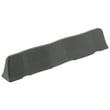
- If the dryer won’t start because the door won’t “click,” check the door strike and switch together (example: dryer door strike WE01X34600)
- Keep the label photo on your phone for quick reference
Why it matters
GE often uses similar-looking parts across multiple GFD models, but small differences in wiring, mounting, or revisions can change the correct match. Using the model/serial tag ensures you get the right GE dryer parts the first time.
Last updated: February 2026





